Answered
How to disable "recommended tools" and "Get inspired…" banners on launch?
How do I stop Acrobat from displaying these annoying and instrusive banners whenever I open Acrobat on my Mac?
I feel like I'm running crappy adware…
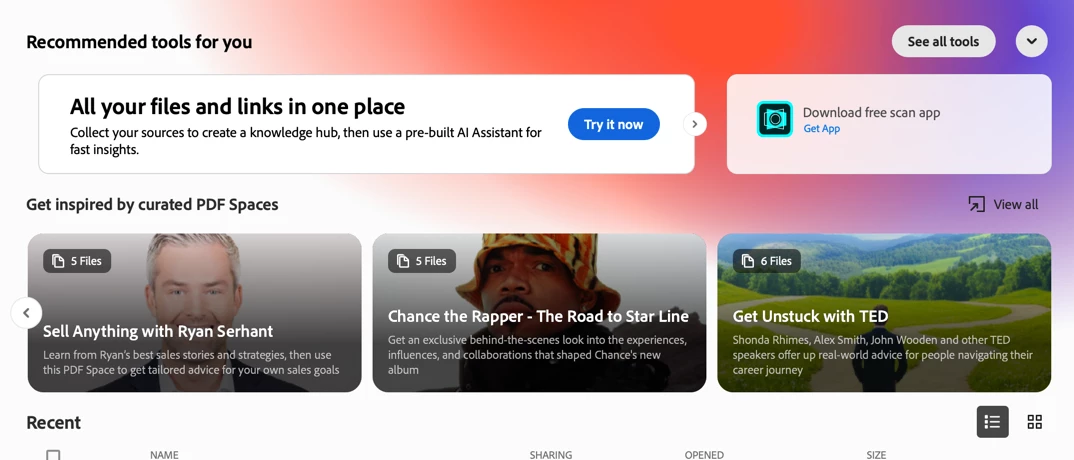

How do I stop Acrobat from displaying these annoying and instrusive banners whenever I open Acrobat on my Mac?
I feel like I'm running crappy adware…
Hi
This is as designed behavior.
If you are not interested in any of these new features.
You may choose to disable New Acrobat. To disable, go to View > Disable New Acrobat to revert to the classic interface.
Note that this will turn off some newer features, so it's worth weighing the trade-off.
More details here: https://helpx.adobe.com/acrobat/desktop/get-started/preferences-and-settings/switch-new-acrobat.html
Feel free to let us know if you have further questions.
~Tariq
Already have an account? Login
Enter your E-mail address. We'll send you an e-mail with instructions to reset your password.


 AdChoices