
Answered
How to embed comments into pdf artwork on a Mac?
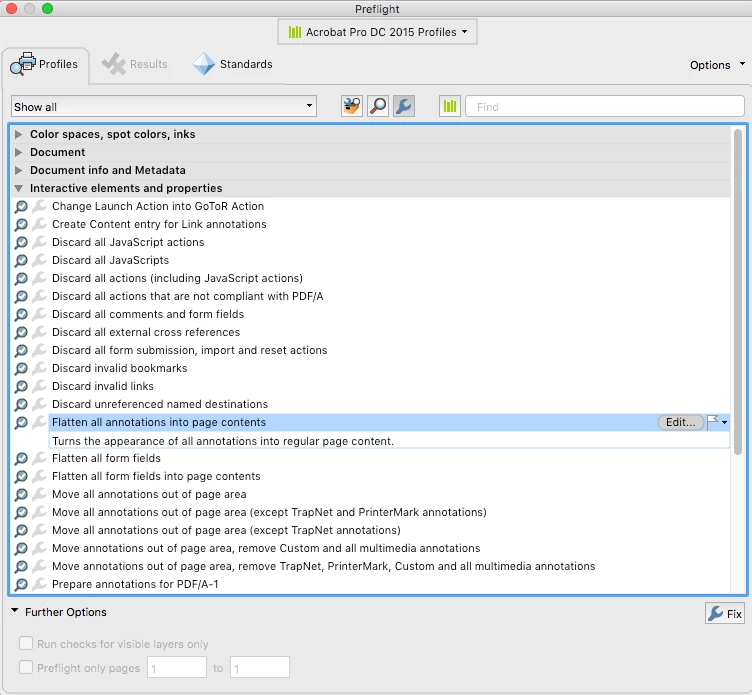
I'm looking for a way to embed comments into a pdf so that they will be visible when I import the pdf into InDesign. I have a workflow that works perfectly on a Windows machine, but I don't know how to do the same thing on a Mac.
I'll describe my Windows workflow below, hopefully someone can help me find a way to achieve the same end result on a Mac.
On Windows:
- Analyst prints a document (a chart) as pdf
- Analyst annotates the chart using Acrobat's commenting tools
- Designer opens the pdf and reprints it to pdf with Document & Markups selected in the settings
- Designer places the new pdf with the baked-in comments into InDesign, and all the comments are visible.
Note: If I were to skip step 3, then the comments layer would be hidden after I placed it in InDesign.
On Mac?:
- Analyst prints a document (a chart) as pdf
- Analyst annotates the chart using Acrobat's commenting tools
- Designer opens the pdf and...
I know that Mac uses "Save as PDF" instead of "Print to PDF", but I don't know how to do this in a way that will make the annotations visible when I import the artwork into InDesign. Hoping one of you Mac users can help!
 AdChoices