
Participant
November 2, 2022
Question

How to enable full screen mode without black gap in width?

  • November 2, 2022
  • 2 replies
  • 1004 views

Hello,

I use LaTex beamer template (pdf) to create my presentation and adobe acrobat 2020 to visualize. I have a 4K windows laptop with an aspect ratio of 16:9.  


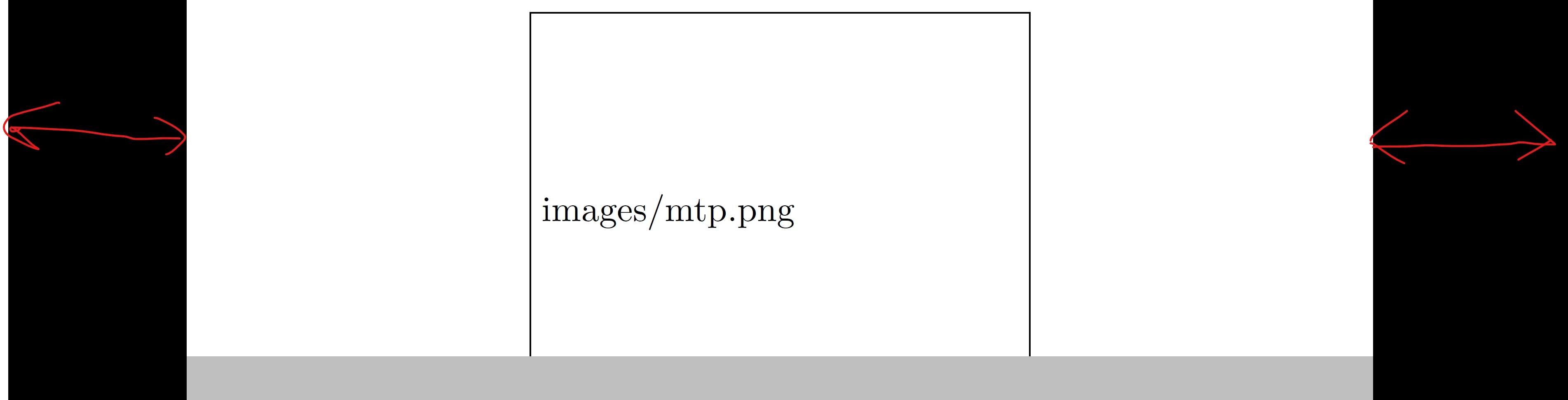
However, for presenting in full screen mode (ctrl+L), I see both side in width is black gap (figure below). I guess that is because of the aspect ratio mismatch. I tried modify the Initial View options, but could not solve it. 


I want to present the slides in full mode that will be the entire size of the screen, without any black gap in the side. Pls help. 
 

This topic has been closed for replies.

2 replies

JR Boulay
Community Expert
Community Expert
December 14, 2022

You can change the color of the "black gap" to match the color of the slides:


Acrobate du PDF, InDesigner et Photoshopographe
S_S
Community Manager
Community Manager
December 14, 2022

Hi @Bipul269266828c64,


Hope you are doing well. Sorry for your experience with Acrobat.


Would you mind checking the troubleshooting steps shared in the given article to see if it helps: Viewing PDFs and viewing preferences


Look forward to hearing from you.


-Souvik.