Known Participant
February 16, 2022
Question

HOW TO FIND THE VERSION

  • February 16, 2022
  • 3 replies
  • 1507 views

Good morning 

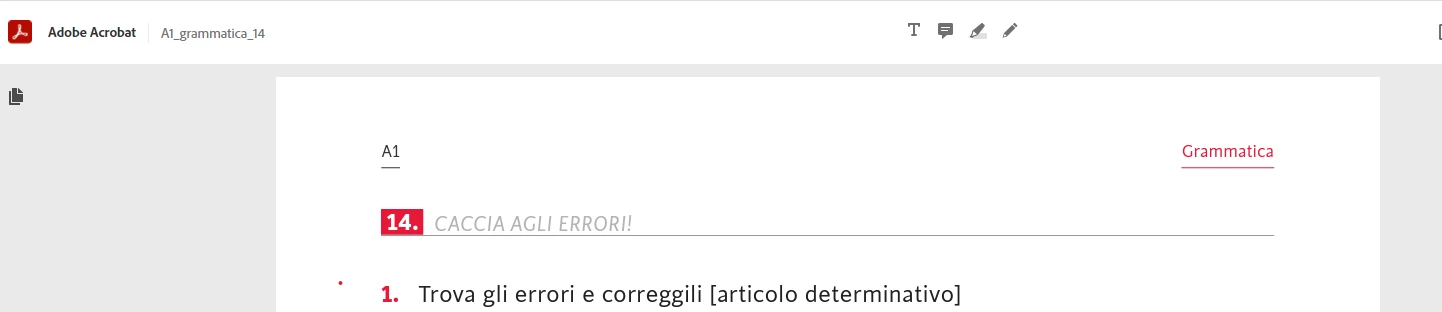
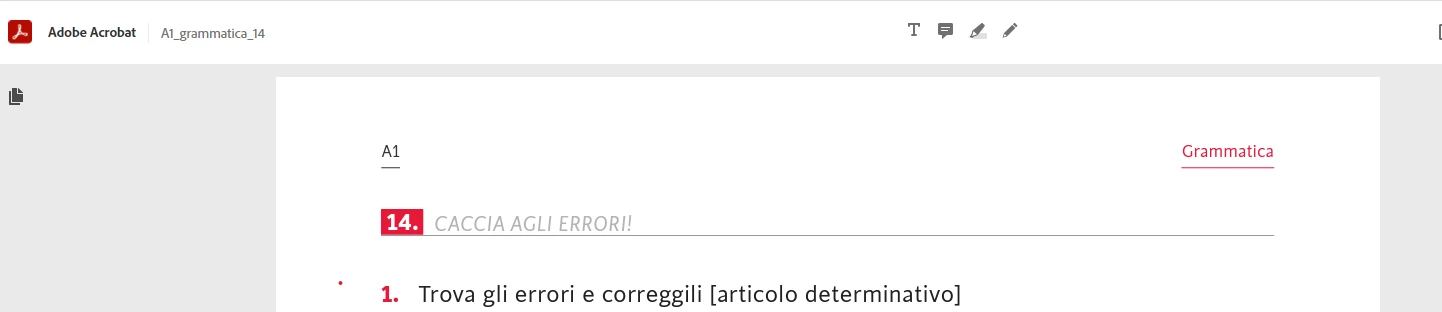
I am looking for this version of acrobat. Could you help? I need to write fast on documents.
 

This topic has been closed for replies.

3 replies

Known Participant
March 3, 2022

Hi, 

I have another question: how can I use the pen..I need to connect different tables and I need the pen or the pencil.

try67
Community Expert
Community Expert
March 3, 2022

It's under the Comment panel, in the Drawing Markups section.

Known Participant
March 3, 2022


Sorry but I dont' see it...Where is it? in the banner that I above  screenshotted?

Harsh Vardhan Pareek
Participating Frequently
February 16, 2022

Hi @joki23183863ihx3 


It looks like you are on the Acrobat online on a browser. To download the desktop app kindly go to the home page by selecting Adobe Acrobat from top left and then select "Get Acrobat DC desktop" from the upper left corner. 


Let us know if that helps.


Thanks,

Harsh

Known Participant
February 16, 2022

it seems working thank you. But now when I have an image and I want to cancel a part I copy the image and using paint, I cancel with the rubber. Is it a way to do directly with acrobat? I am talking of general text, that I copy as picture because the download is not possible.

Known Participant
February 17, 2022

could you help?

try67
Community Expert
Community Expert
February 16, 2022

Is this on a mobile device?

Known Participant
February 16, 2022

NO, on windows

try67
Community Expert
Community Expert
February 16, 2022

Then go to Help - About Adobe Acrobat.