
How to group fields when creating a fillable PDF?
Hello,
I have a form in word that contains 3 check boxes in a row in sebsequent columns. When I convert it to PDF, select Tools, select Create (from exisitng document, current document) it auto populates the fields it can recognize. Luckily it recognizes the check boxes that I already have. The problem is that the form recognizes one of the rows of check boxes as a group of check boxes but a different row of check boxes are not grouped together. The grouped check boxes make it so that only one check box can be selected at a time. The ungrouped check boxes gives the user the ability to chek multiple of the boxes. When I am looking at the fields pain on the right hand side I can see the difference between the grouped check boxes and the check boxes without a group. I want to know how to group specific fields together manually when converting it from word to PDF didn't automatically group them together.
Thank you,
Aaron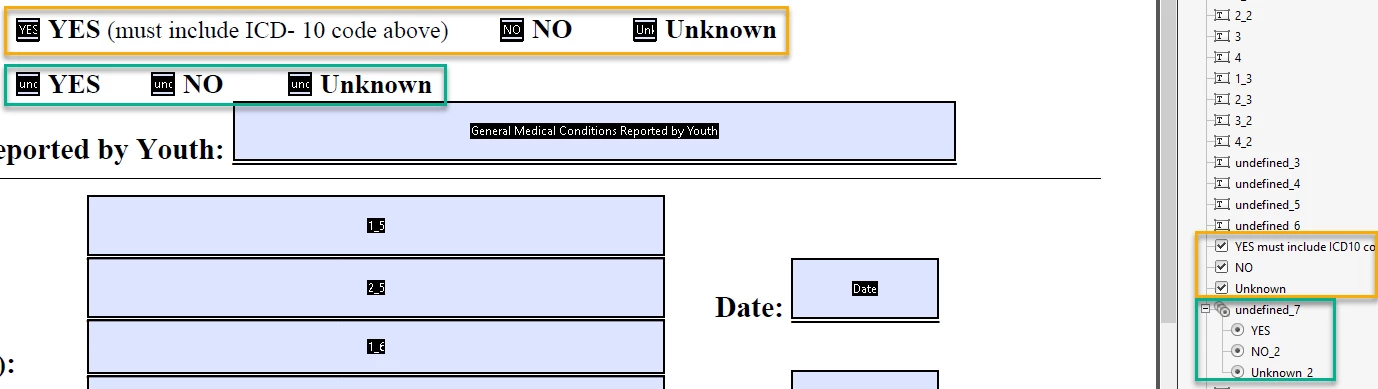
 AdChoices