
CalebGarcia
Participant
November 9, 2018
Answered

How to have a box auto fill on additional pages within a documented.

  • November 9, 2018
  • 1 reply
  • 599 views

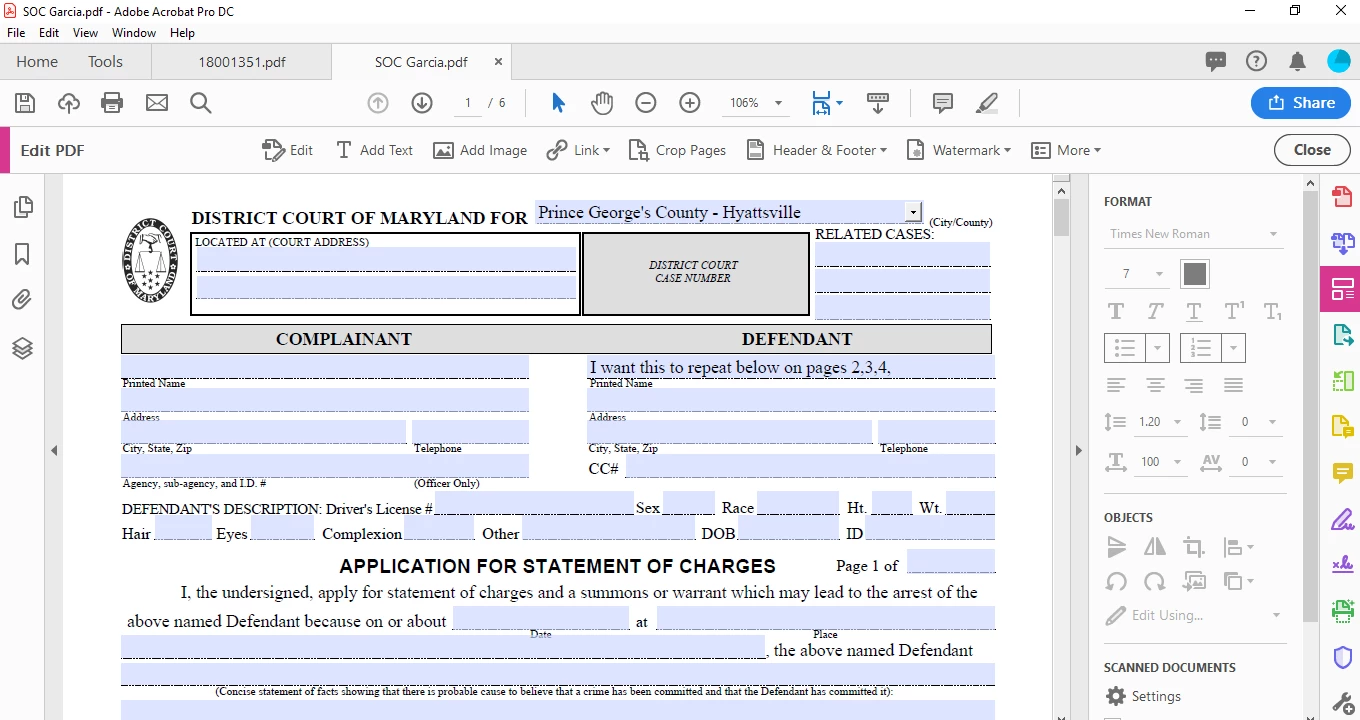
I have a form that has a supplemental / continuation sheet. I ave to re enter the same basic data to each page since its a continuation. How do I have it replicate from one section to another on the continuations within the same document.
This topic has been closed for replies.
Correct answer try67

This is what im working on :


You're in the wrong edit mode. Go to the Tools panel and search for "prepare form".

1 reply

Bernd Alheit
Community Expert
Community Expert
November 9, 2018

Use form fields with the same name.

CalebGarcia
Participant
November 9, 2018

Thank you, how do I see the field names?  Also what what Adobe do I need to do this ?

try67
Community Expert
Community Expert
November 9, 2018

You need Adobe Acrobat, either Pro or Standard.

Go to Form Edit (or Prepare, depending on the version) mode and you'll be able to see and change the names of the fields.