
Participant
October 10, 2026
Question

how to make ocr visible?

  • October 10, 2026
  • 1 reply
  • 12 views

I want the final output to look like this.

so that I can easily verify if the OCR was performed correctly.


How can I achieve this?


I tried following the steps in the link below,


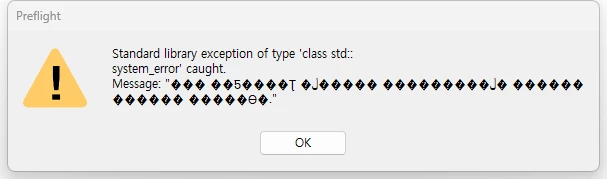
but I encountered an error, as shown in the screenshot.
 

    1 reply

    Randy Hagan
    Community Expert
    Community Expert
    October 10, 2026

    For what it’s worth, I just tried the same workflow you suggested and I didn’t get the message you received. I’m using Acrobat Pro, build 2026.002.22008 on the Mac.


    But when I finished the process, it didn’t recognize or create OCR for two scanned logos including images of text in the PDF. I got a different result — no error message — but I also got no resulting OCR. Preflight said it created 92 separate layers for my one-page flyer of a PDF, but when I went to layers it only showed one.


    I don’t know this for sure, but your reference post was from sometime in 2017, some 9 ago. Hard tellin’ not knowin’ (for sure), but I suspect that over the years that capability may have been degraded/deleted from the current code build and while it appears it may be there, it in fact may not.


    Maybe we’ll both get lucky and someone else can chime in here. But my suspicion is that we’re chasing something that’s missing something to make this process possible today.


    Wish I had better news,


    Randy