
MissGala
Participant
September 11, 2018
Answered

How to make text boxes editable on a form?

  • September 11, 2018
  • 1 reply
  • 2495 views

I'll try to make this simple to follow.

I have created a form in Adobe Acrobat DC. I've inserted text box fields on this form. I've made the form "secure" to not allow editing outside of entering text into the text fields.  BUT, I need clients to have the ability to change the font type, size, and color in those fields.  That is the only thing I'd like clients to have the ability to change.

When I open the form/document, I am only able to type into the text fields but if I do "CTR+E" I get a gray properties box that says "No current selection".
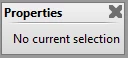
What am I doing wrong?

I am all updated, no updates available.

This topic has been closed for replies.
Correct answer Bernd Alheit

Use the "rich text format" in the options of the text field.

1 reply

Bernd Alheit
Community Expert
Bernd AlheitCommunity ExpertCorrect answer
Community Expert
September 11, 2018

Use the "rich text format" in the options of the text field.

MissGala
MissGalaAuthor
Participant
September 11, 2018

Thank you, but I don't see the "rich text format" option. Which tab is that under? 

Here are the tabs I have in the text field properties (I didn't see a rich text option under any of them):

MissGala
MissGalaAuthor
Participant
September 11, 2018

Nevermind, I found the option, tried it, and it WORKS!  I can't believe it was that simple.  Thanks so much!