
Answered
How to modify a a text frame in adobe acrobat pro
I have a text that I would like to modify. Here you see the page:
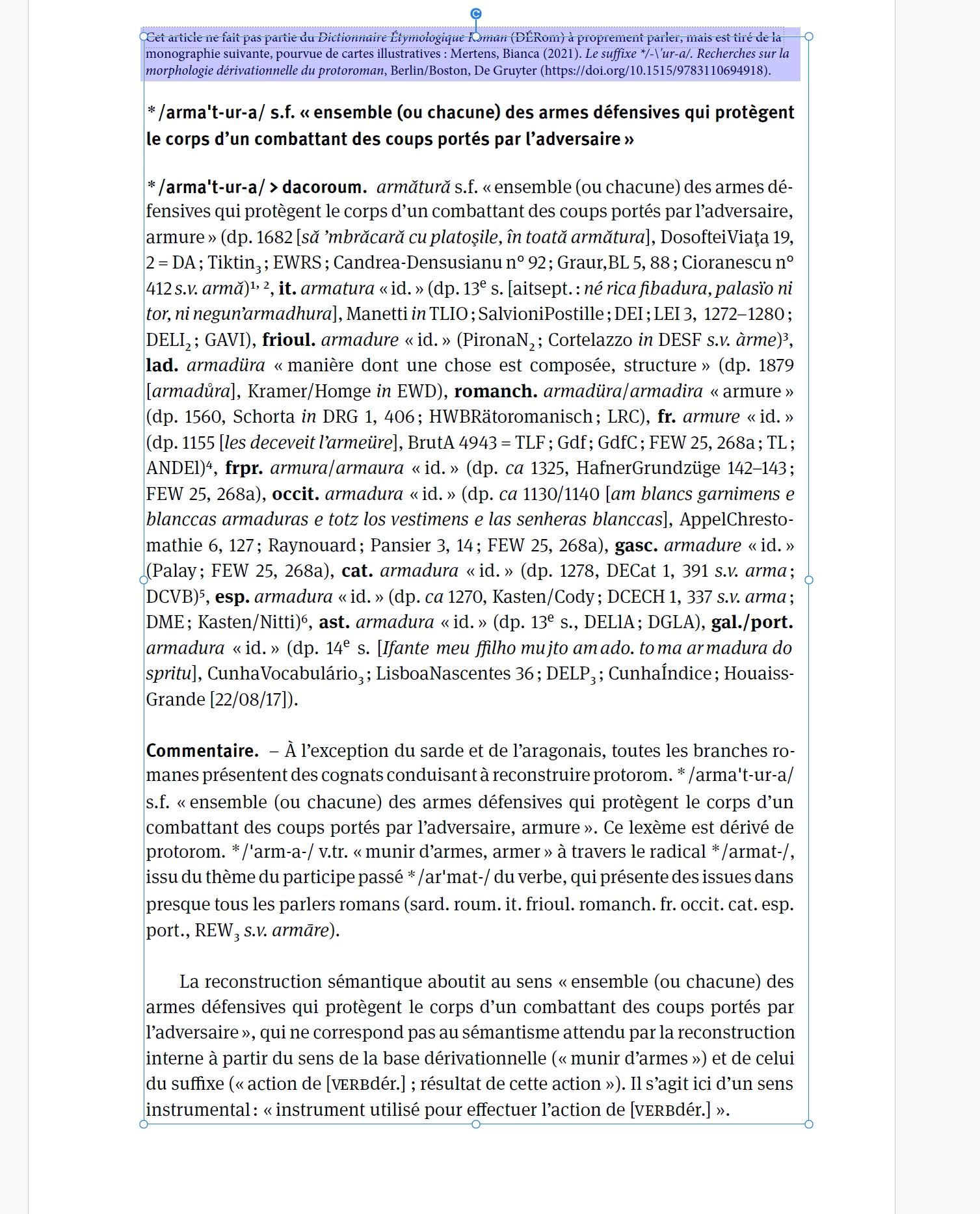
As you can see, Adobe Acrobat identifies 2 different text frames: the first line and the rest of the text.
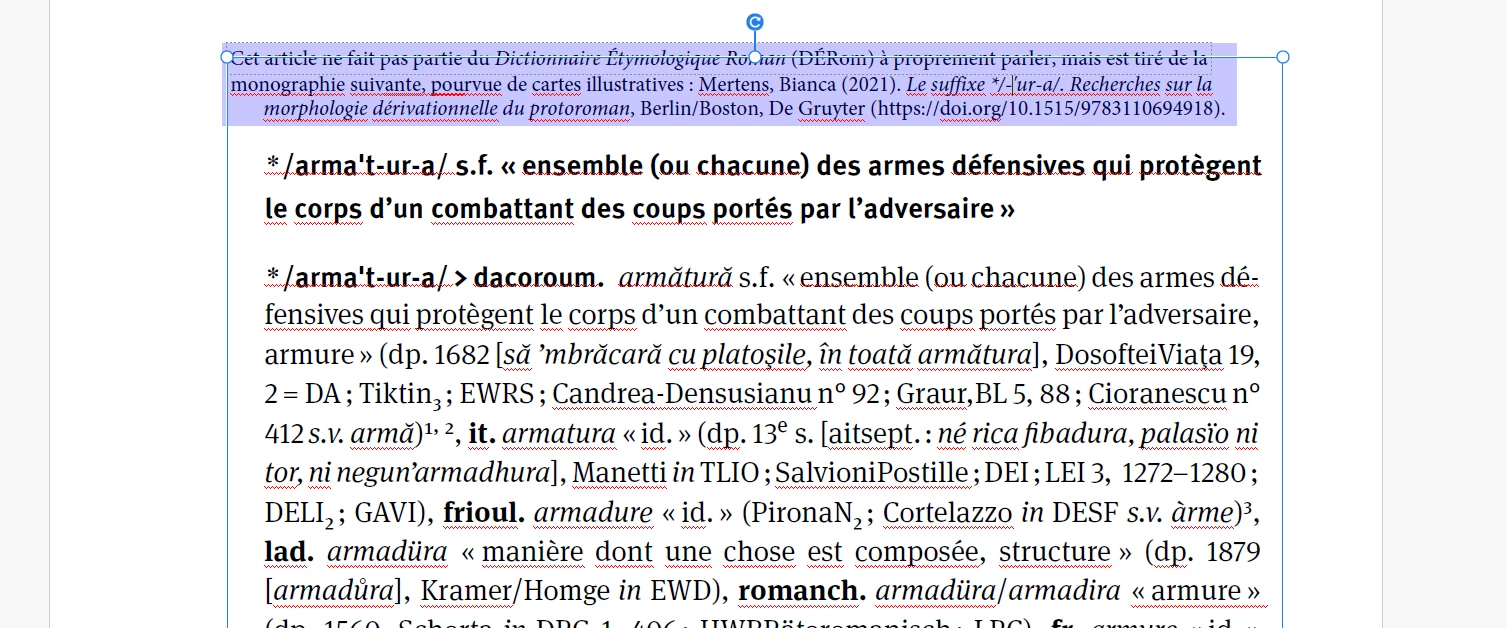
I need to modify something in the second line. But when I try to modify the text, all the text is moved to the right:
Something similar happens here:
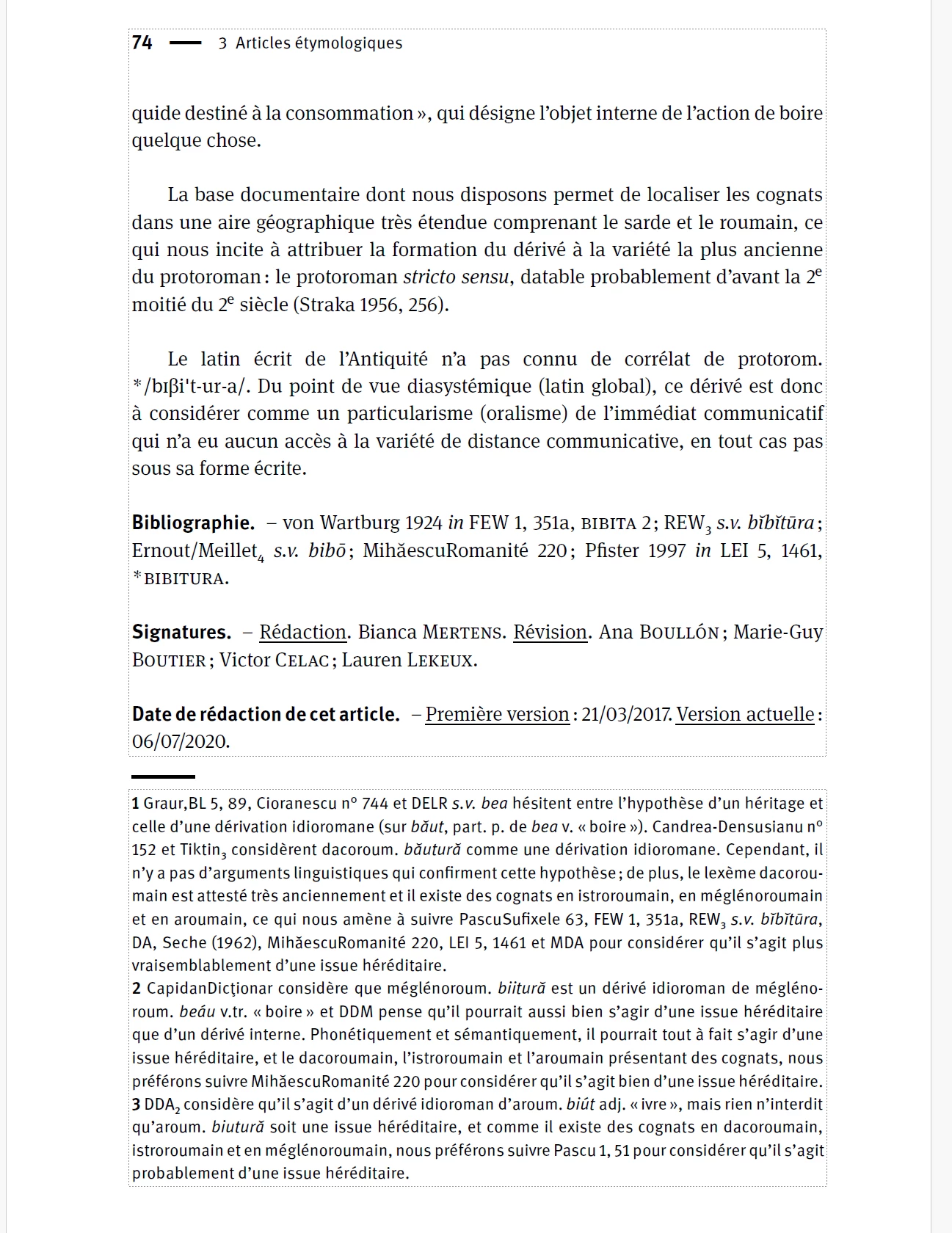
I need to delete the page number, but when I do, the whole text frame is being modified:
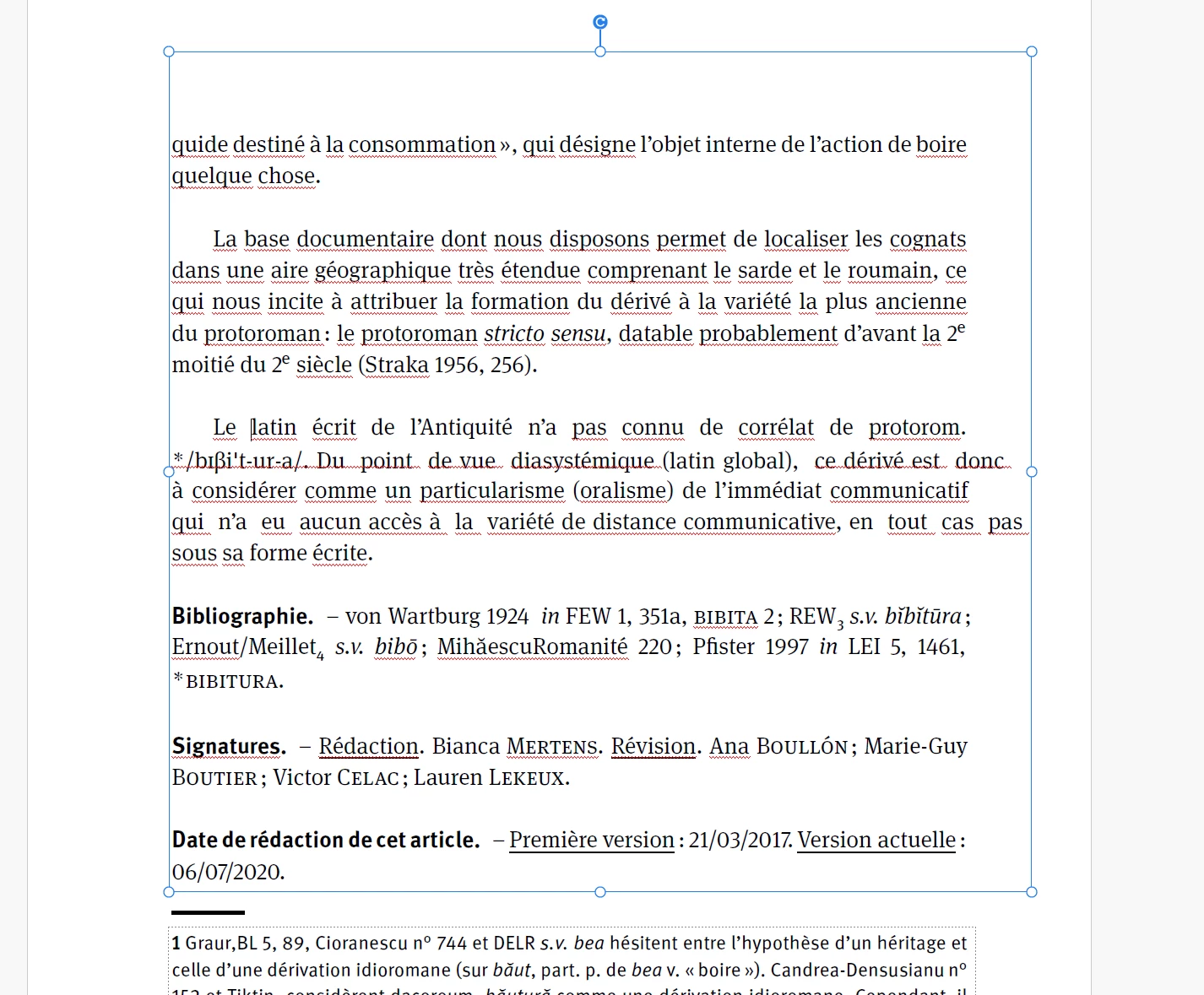
Is it possible with Adobe Acrobat pro to modify the frame, selecting only the text part I need to modify?
Or somehow have Adobe lock the rest of the text, so it won't move place?
I would be very happy about any help!


 AdChoices