scottbmakers
Participant
December 27, 2018
Answered

How to move display buttons to toolbar?

  • December 27, 2018
  • 1 reply
  • 1132 views

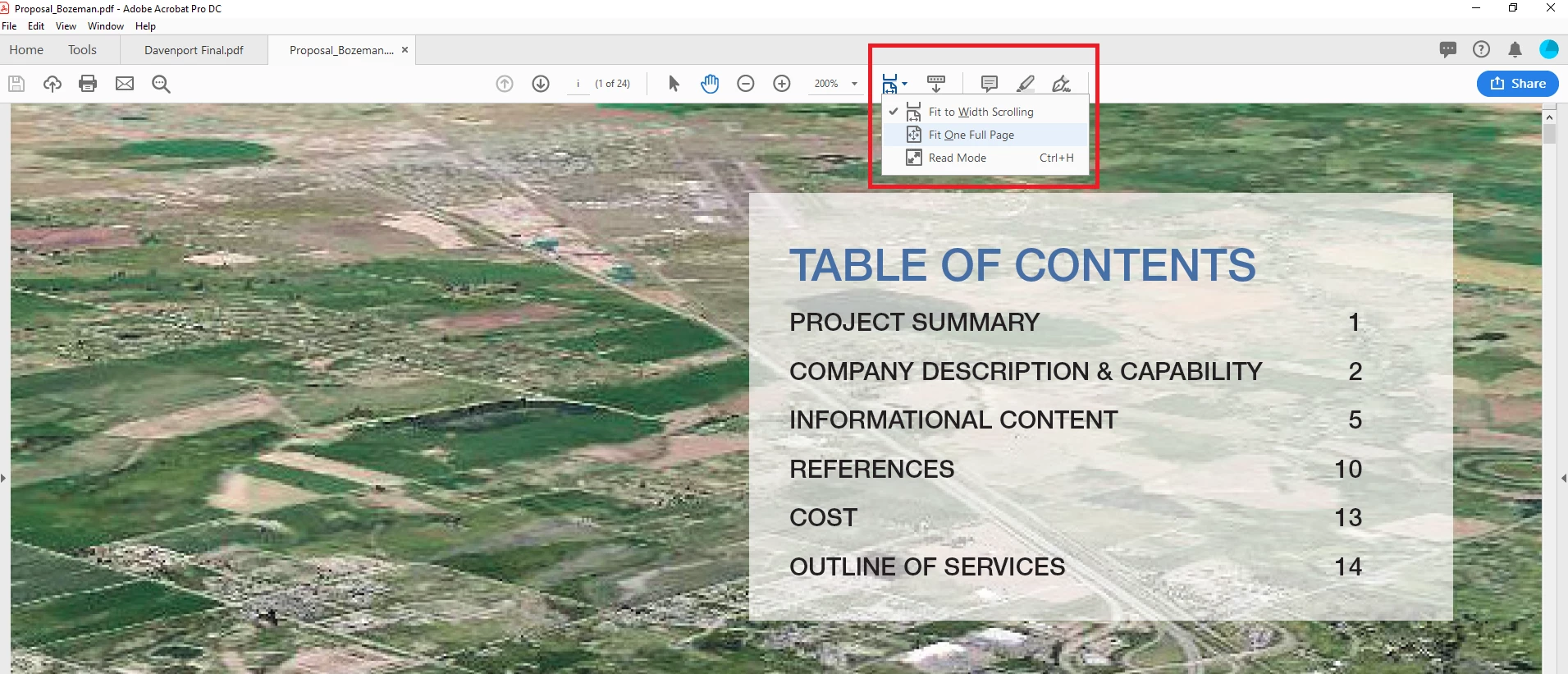
I recently upgraded, and I'm wondering how to move these two buttons to the toolbar like in the old Adobe Acrobat program I was using. Accessing a dropdown menu creates an extra click and needlessly reduces workflow speed.

The buttons I'm concerned with:

"Fit to Width Scrolling"

"Fit One Full Page"

Version: Adobe Acrobat Pro DC Version 2019.010.20064

Thank you!
This topic has been closed for replies.
Correct answer Dave__M

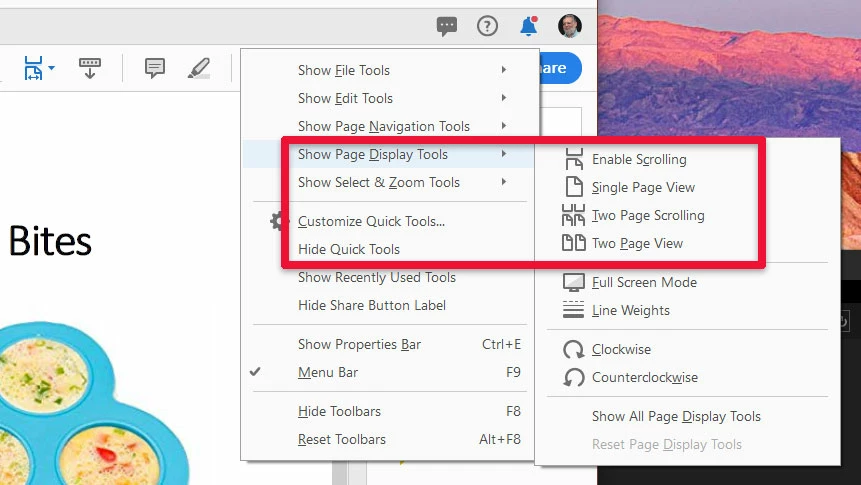
If you right-click in the menu bar, you can select the individual tools to 'feature' by finding them in their grouping, and click to turn on.

Clicking the desired ones places them on display!

I hope this is useful and the information you need.

My best,

Dave

1 reply

Dave__M
Community Expert
Dave__MCommunity ExpertCorrect answer
Community Expert
December 27, 2018

If you right-click in the menu bar, you can select the individual tools to 'feature' by finding them in their grouping, and click to turn on.

Clicking the desired ones places them on display!

I hope this is useful and the information you need.

My best,

Dave

Participant
October 24, 2023

I dont havea menu bar. My interface does not oo quite like this. why can I oe the tools to right, the bookmarks thumbnais to left and the navgation (up down, zoom et. to the top where they were in Acrobat 11