


Participant
Aug 24, 2022 5:38 PM UTC
Question

How to move navigation pane back to the lefthand side? (Mac)

My boss updated Adobe and noticed that his navigation pane was moved to the righthand side. He needs this moved back to the lefthand side so that he can more easily access bookmarks, pages, etc. in the way that he is used to doing. How can I help him switch this back to the left? 
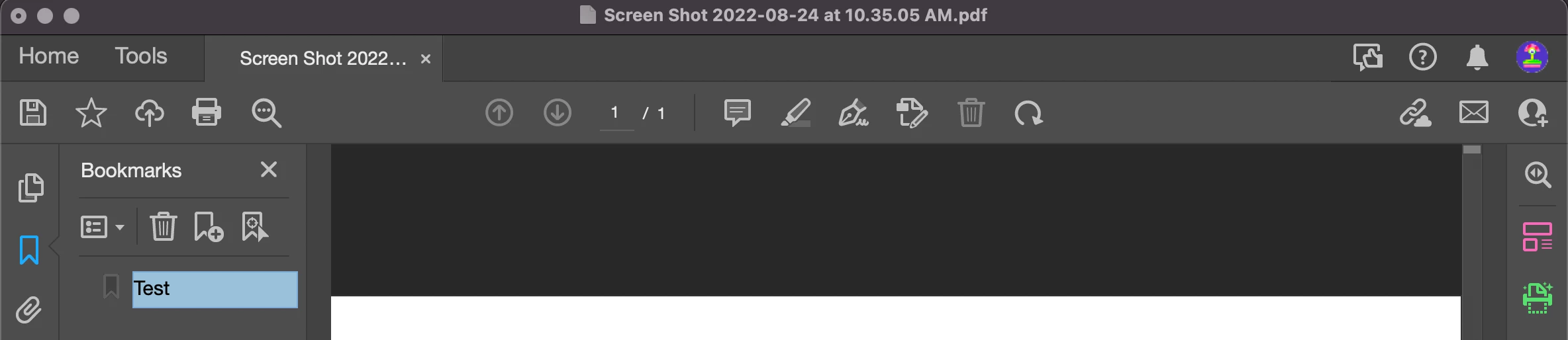
 

^This is a screenshot of my Adobe - As you can see, my navigation pane is on the lefthand side. 

    21 replies

    Participant
    Oct 18, 2024 2:23 PM UTC

    Thnak you for at least offering the ability to disable the new Acrobat. Navigation on the left is more natural. This also made the comment toolbar easier to access. I hope that all future version of Acrobat will allow using the better old version of the UI.

    Translate
    Participant
    Apr 23, 2024 4:28 PM UTC

    I would also like to move the pages and bookmarks panel to the left side of the screen. The fix below switches back to the old version - can't we do that in this new version?

    Also what is actually better in this new version? It seems like all they did was move everything around and hide tools.

    Translate
    Participant
    Jan 18, 2024 6:56 PM UTC

    Instead of fixing stuff that needs to be fixed (like the progress bar in Distiller on the Mac not working) they have to mess up something that has worked for everyone for years. Crazy how people that don't use the programs for work get to decide what to change.

    Translate
    Bernd Alheit
    Community Expert
    Community Expert
    Aug 24, 2022 6:11 PM UTC

    You can disable this new feature:


    Translate
    Participant
    Aug 24, 2022 7:24 PM UTC

    How do I find this on a Mac? I don't have that button on my Adobe 

    Translate
    Bernd Alheit
    Community Expert
    Community Expert
    Aug 24, 2022 7:46 PM UTC

    On the system of your boss click on the hamburger icon on the top left

    Translate
    Jeff_Coatsworth
    Community Expert
    Community Expert
    Aug 24, 2022 5:49 PM UTC

    Moved you over to the Acrobat forum - you had posted in the Robohelp area.

    Translate