


Answered
How to open an attached PDF in a new tab using a link
Hi!
I user Acrobat 2017 Pro (2017.012.30262) under MS Windows 10. Sometimes I have to generate PDFs to which other PDFs are attached under the paper clip symbol. To open these documents conveniently, I place links in the main document.
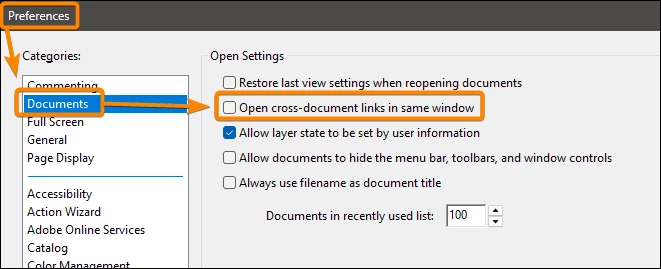
Previously, clicking on one of the links opened an attached document in a new tab of the same Acrobat window, which was exactly what I wanted. Now, however, now when I create new documents with attachments, clicking on a link opens the attachment in the tab of the main document, i.e., the main document is replaced by the attachment. I am not aware of having deliberately changed any options associated with the links.
How can I revert to the previous behavior and include links that open attachments in a new tab?

 AdChoices