



How to output a value into a field after taking in another field's value and doing some math with it?
I’m trying to very simply automate a form for work and I learned a couple things with JavaScript, but I have no prior experience. I’ve seen similar versions of this question get asked here, but I can’t figure out why my output is not working.
I have one field called ‘Total Impervious Surface’ (TIS) that I’m trying to bring the value into a custom calculation for, do some simple math to, then output this value into the field that this custom calculation is attached to. This TIS field is the product of simple addition of two other fields that is working fine.
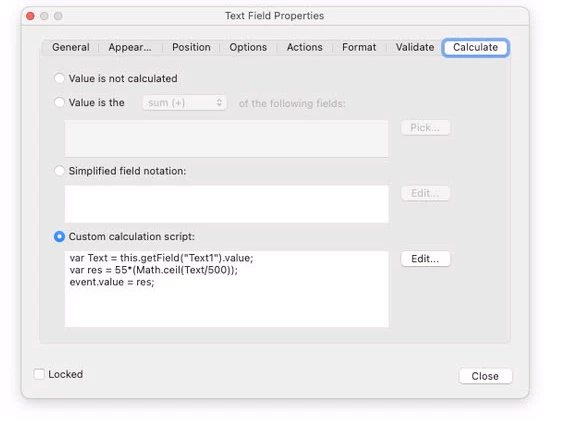
Currently I have:
var TIS = this.getField("Total Impervious Surface").value;
var SSDC = 55*(Math.ceil(TIS/500));
event.value = SSDC;
And getting an output of 0 when TIS is any value other than 0. When TIS is 1000 the output should be 110 or when TIS is 1600 the output should be 220 and so on.
The SSDC output is also intended to be a dollar value. Can I use the num.toFixed(2) command and where would it best be used? - Nevermind. I got the sig figs to work by ending event.value = SSDC.toFixed(2); so that it’s outputting as 0.00.

 AdChoices