Participant
February 8, 2023
Question

How to permanently hide thumbnails, bookmarks, attachments and signature pane

  • February 8, 2023
  • 1 reply
  • 776 views

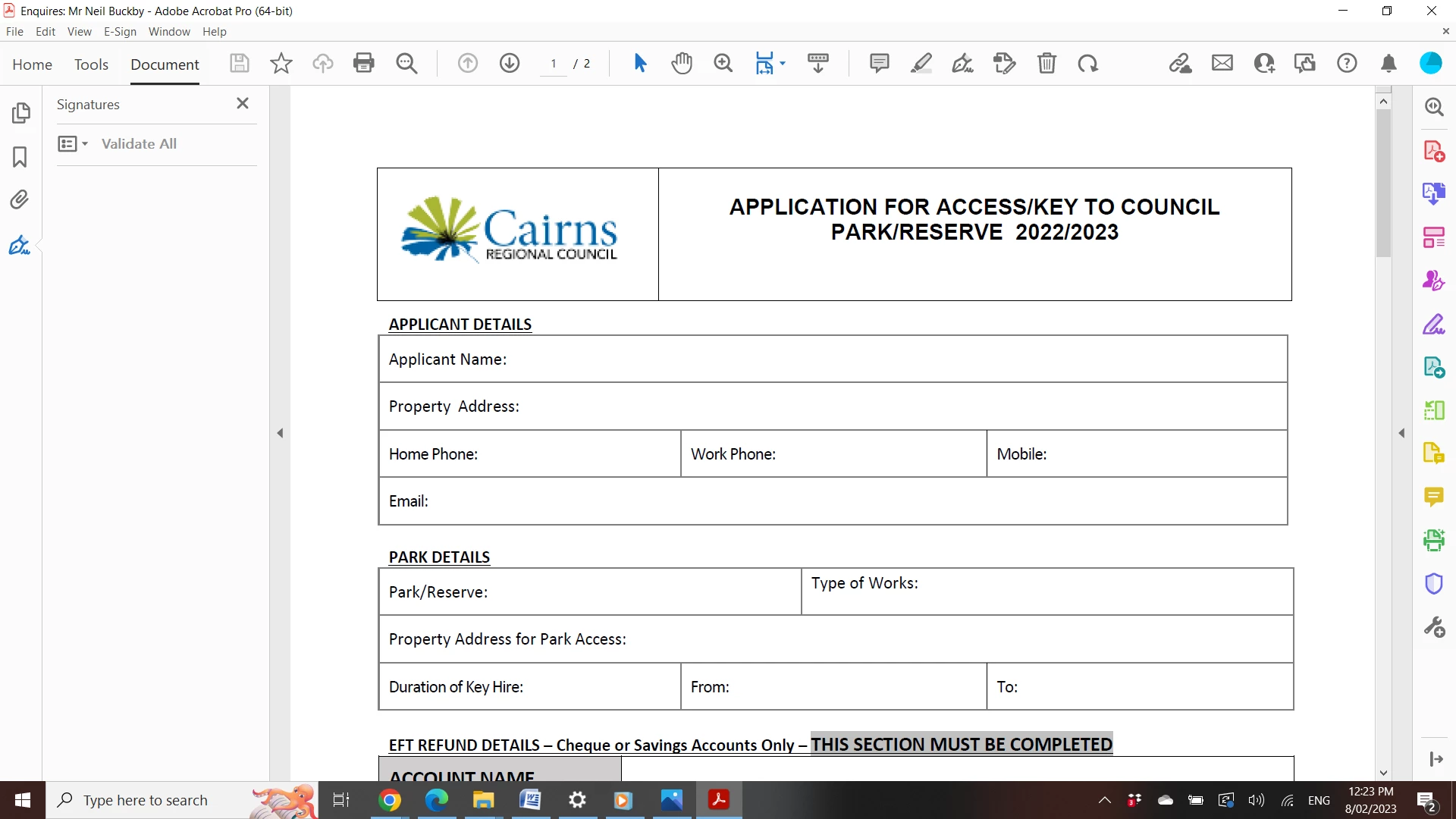
Recently I filled out a document which acrobat detected needed to be signed, then the signature panel opened on the left of the screen.

Since then every time I open any document acrobat opens with this panel displayed. The panel is on the left and also has thumbnails, bookmarks and attachments.

I don't generally don't need to see any of those items, so each time I open a document I have to use the arrow on the left of the document to hide the panel.

I've tried searching online for a solution to have the panel not open every time acrobat opens,but it doesn't help that I can't seem to find out what the panel is actually called.

Any help would be much appreciated!
This topic has been closed for replies.

1 reply

Eric Dumas
Community Expert
Community Expert
February 8, 2023
  • You can close the X on the right of the word 'Signature' in your screenshot
  • You can look at the properties of the file, File > Properties > Initial View tab
  • In Edit > Preferences > Documents - there is an option 'Restore last view settings when reopening a document' you can test to turn this on, close all panels you want, save the docuemnt you have and close rth eapp. Reopen Acrobat to see if that makes a difference
Participant
February 8, 2023

Thanks Eric, yes I realised about the x to close the panel at the top right but didn't want to have to close it every time I open a document.

File > properties > initial view > worked, but only for the document in use, every other document still opened with the panel open.

Edit > preferences > documents > restore last view settings when reopening documents, did not do anything for some reason. 

After playing around for another 30 minutes just now I finally worked it out. Quite simple really, just right click on the Navigation Panel (finally worked out that's what it's called) and select Hide Navigation Pane Buttons. This closes the panel and it doesn't reopen on any other consecutive documents you open.

Happy now as this was driving me nuts this week!

Thanks.