Participant
January 19, 2022
Question

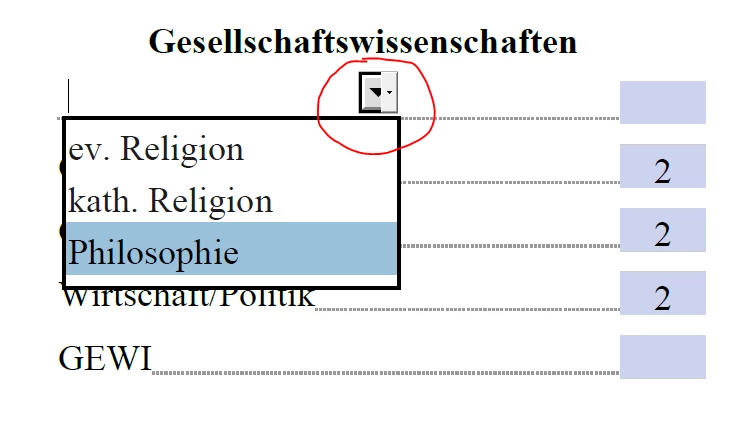
How to remove drop-down icon in pdf-form? We have 1000 PDFs to fix.

  • January 19, 2022
  • 1 reply
  • 966 views

This topic has been closed for replies.

1 reply

try67
Community Expert
Community Expert
January 19, 2022

Very hard to know what's going on there from just that screenshot. What application are you using to view the file? On what platform, and what OS? Can you share a sample file with us?

Participant
January 20, 2022

Hi try67,

thanks for feedback. I cannot send the original files, because they are confidentialWe have created the PDF-Form with Libre Office Ver. 7 and Win 10 64 Prof. What we have find out is that using Acrobat Reader DC Ver. 2018 the layout was ok. Unfortunately my users uses Acrobat Reader DC 2021 and saved their input with it. Now there is no way to get rid of the artefacts. My only option is to replace the fields in Acrobat Pro with plain text. It's a lot of work.

Thanks

try67
Community Expert
Community Expert
January 20, 2022

It sounds like LibreOffice is creating a flattened version of the fields, with the drop-down arrow as just an image. I would recommend you remove all the fields from the file before converting it to a PDF, as you'll probably need to re-create them anyway.

But unless you can share a file that demonstrates this issue I can't help you further, I'm afraid.