How to reset Acrobat 2017 Pro - without having to re-install it? (cont'd)
The other thread seems to have been closed: a reply button was missing. Refreshing the screen a few times, exiting the forum and re-entering. No reply button. Maybe because I wrote that I gave up?
No alternative but to create a new thread as I do want to advise the outcome of the recommendations in the first thread.
Regretfully it made no difference.
I have -again- re-installed Acrobat 2017 Pro (using an unstaller removing registry settings as well)
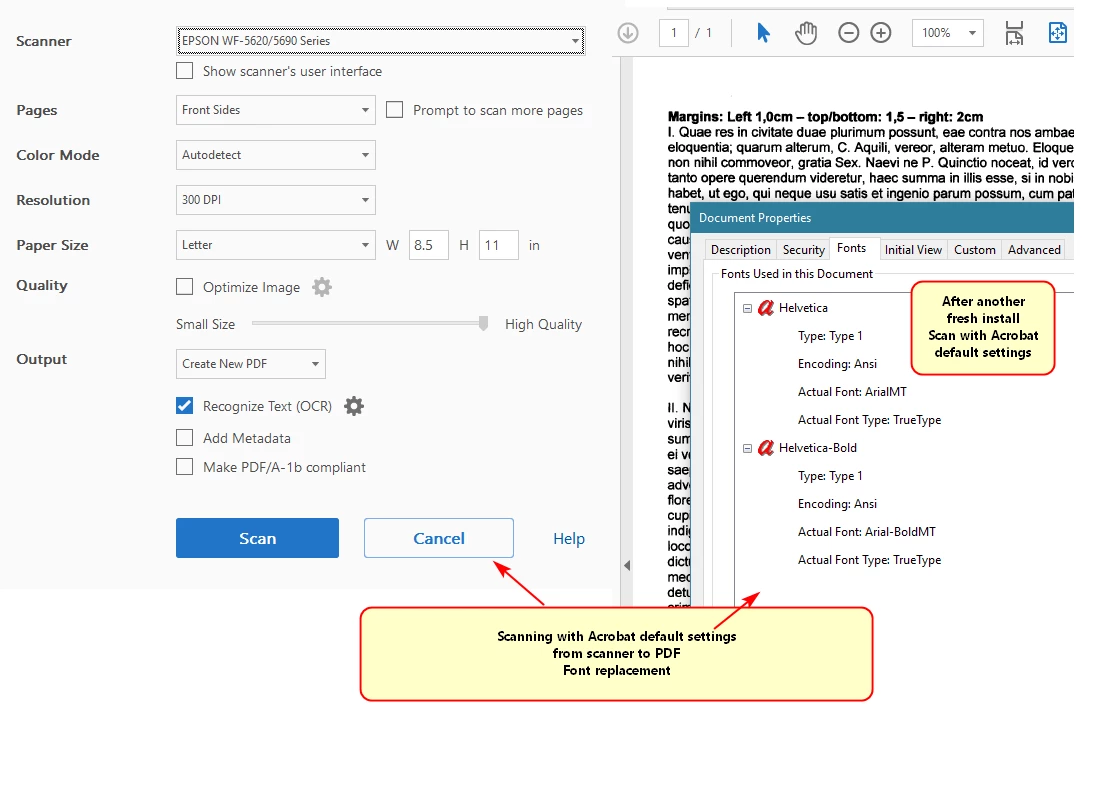
Then created a PDF from scanner in the default settings (Optimize disabled) - font still replaced
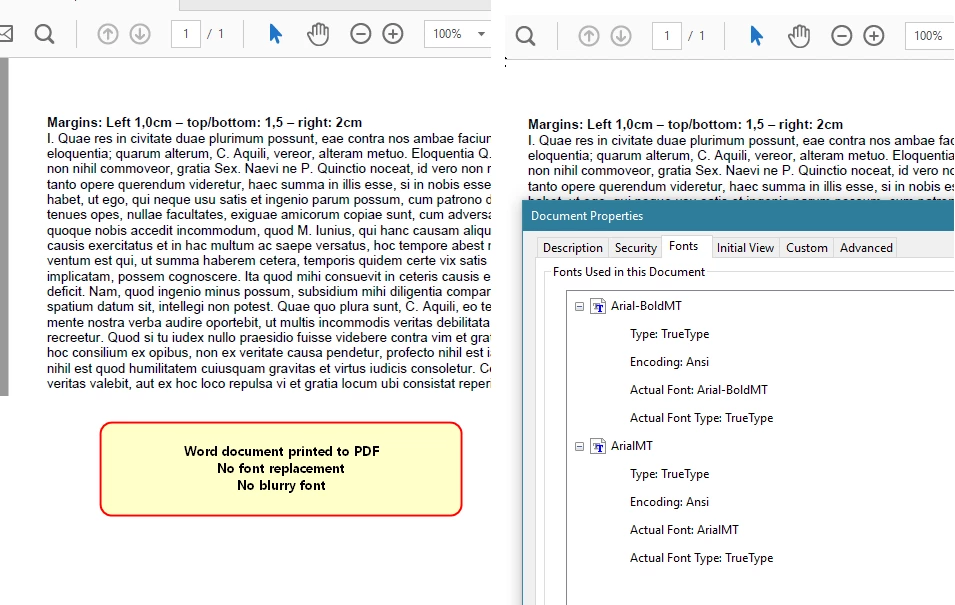
Also created a PDF Word > Print to PDF
One way or the other I get the impression that, when scanning, the font isn't recognized and then replaced by what's the best match(??) But then again, the font properties show the actual font being Arial. Why it isn't adopting that font then remains a mistery.
 AdChoices