
Participating Frequently
July 22, 2018
Answered

How to restrict content with Adobe Acrobat Pro?

  • July 22, 2018
  • 2 replies
  • 766 views

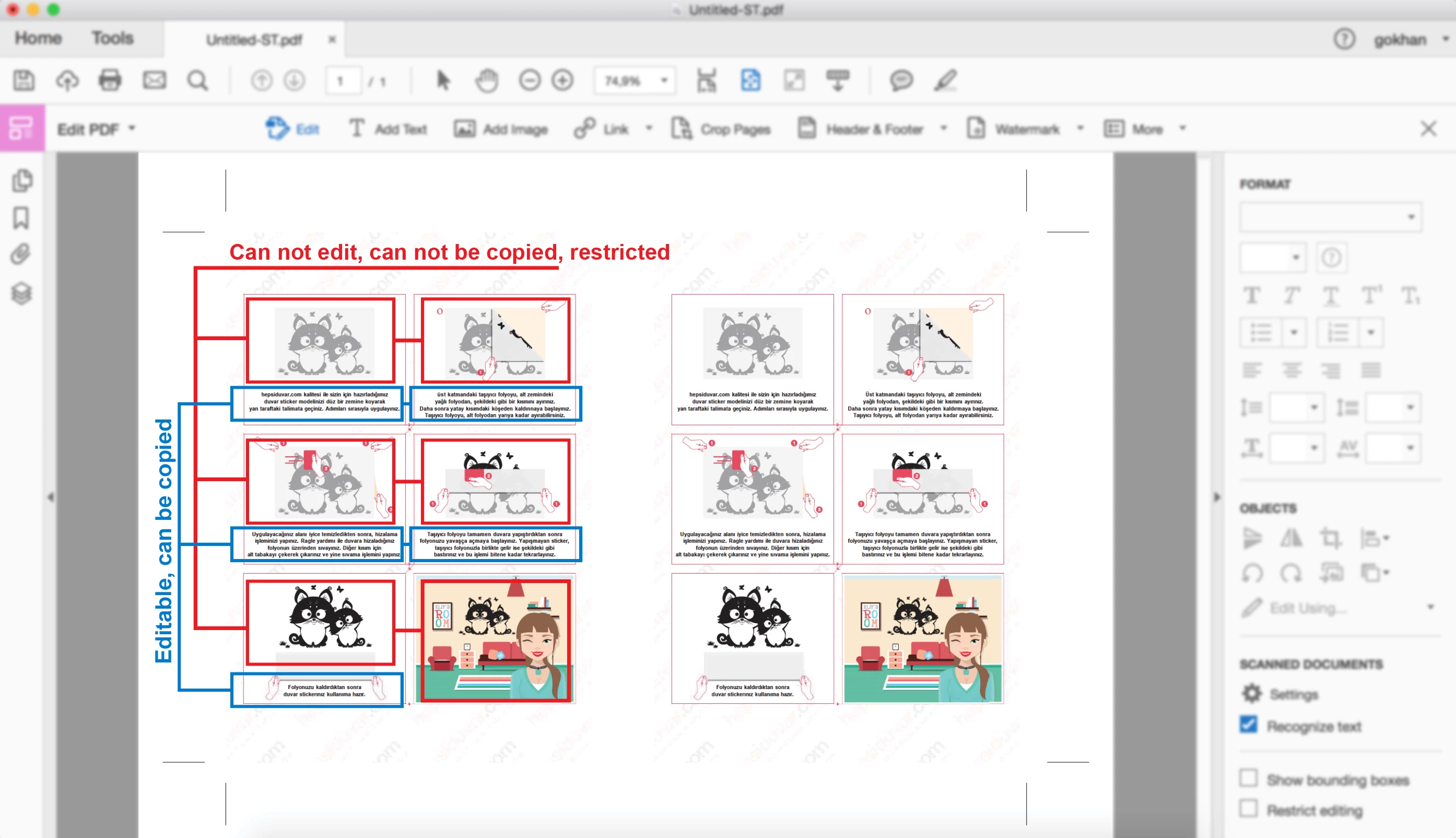
Hi, I am editing a PDF file with Adobe Acrobat Pro. I need your help on a topic. In the PDF file I create, the text can be edited, but I do not want the images to be copied.

How can I do that ? If you help me with this, you will make me very happy.

I uploaded a sample image below.
This topic has been closed for replies.
Correct answer MichaelKazlow

Go to document properties (control or command D). You need to restrict editing properties. Please be aware that non-Adobe products may not honor the security properties set in the document.

2 replies

MichaelKazlow
MichaelKazlowCorrect answer
Legend
July 22, 2018

Go to document properties (control or command D). You need to restrict editing properties. Please be aware that non-Adobe products may not honor the security properties set in the document.

MichaelKazlow
Legend
July 22, 2018

It looks like the pdf file has security attached to the file. The creator is restricting your ability to edit the file.

Participating Frequently
July 22, 2018

The file belongs to me and there is no security restriction at this time. I will make the file safe.

This is what I want;

Another person can edit texts. I will restrict pictures and other content.

I ask how do I do that?