
Participant
May 29, 2025
Question

How to revert to old acrobat? How to send an E-sign template with additional attachments?

  • May 29, 2025
  • 2 replies
  • 368 views

OK - so it was changed again, and looks permanent as I cannot find a way to get the old esign back?

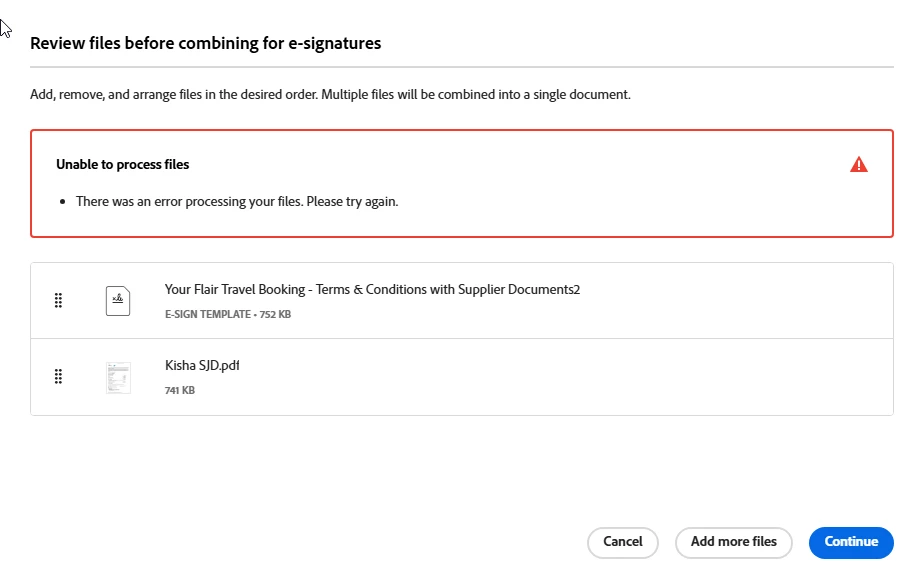
I have dozens of templates that I use to send out to my clients, and then I attach their documents to the templates as well. The new system (and it did this two years ago when it "upgraded" to the new interface) will not allow me to add an attachment like i could before - 

I get a note saying it cannot process the files - error 

HOW can i make this work? I am beyond frustrated and I send out 5-10 contracts a day!!

Unable to process files

  • There was an error processing your files. Please try again.
2 replies

Legend
June 3, 2025

Hi @David_Petlin - Flair 9022,

If the purpose is to access your template, you can try logging into Acrobat Sign Web: https://adobe.ly/451fdJp

Unless there were some recent changes to the entitlement on your ID. 


More about Sign templates, please visit this help document: https://adobe.ly/3FGUJv2;


~Tariq

creative explorer
Community Expert
Community Expert
June 3, 2025

@David_Petlin - Flair 9022 I just answer the first question — how to go back to the older version... to do so, go to Creative Cloud desktop and check to see if you can indeed roll back. Hopefully by rolling back, you can fix the esign issues.


m
Dave Creamer of IDEAS
Community Expert
Community Expert
June 3, 2025

I don't believe Acrobat allows rollbacks to older versions, unlike the other apps. 


If the OP is referring to the new interface, it can be disabled.

Mac: Vew: Disable new Acrobat menu.

Windows: Menu ("hamburger icon"): Disable new Acrobat.


David Creamer: Community Expert (ACI and ACE 1995-2023)