

Question
How to Save file name as field name once document is signed
I have the following document level Javascript written, which I'd like to execute when the document is signed. This script should save the file as the field name ("BatchNumber") with a suffix "_signed" . The file is saved in the current folder.
e.g. "20250428_signed"
// Document-level JavaScript
function saveWithFieldName() {
    var fieldName = this.getField("BatchNumber").value; // Grab the value from the field
    if (!fieldName) { // Corrected: check the value, not the field name
        app.alert("Field is empty. Cannot save.");
        return;
    }
    try {
        var path = this.path.replace(this.documentFileName, ""); // Get current folder
        var saveFileName = fieldName + "_signed.pdf"; // Add _signed suffix
        var savePath = path + saveFileName;
        this.saveAs(savePath);
        app.alert("File saved as: " + saveFileName);
    } catch (e) {
        app.alert("Error saving file: " + e);
    }
}
I then call or the function in the "Signed" properties.
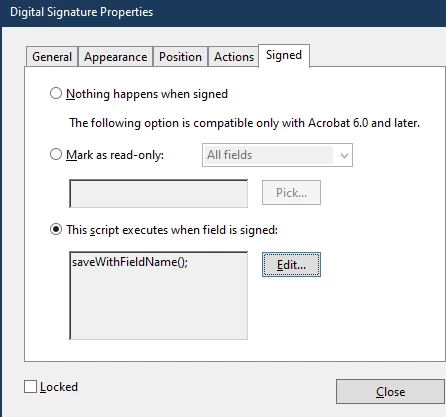
However, when I signed this document, it does not automatically rename the file like I want it to....
any idea why?


 AdChoices