Inspiring
January 16, 2026
Answered

how to set some opening settings to a specific exported PDF

  • January 16, 2026
  • 1 reply
  • 73 views

Hello,

I have created a PDF and want to export it with some default settings like zoom 100% + page scrolling.

So when I will open this created PDF it will be automatically with zoom 100% and page scrolling.

How to set it ?

Correct answer creative explorer

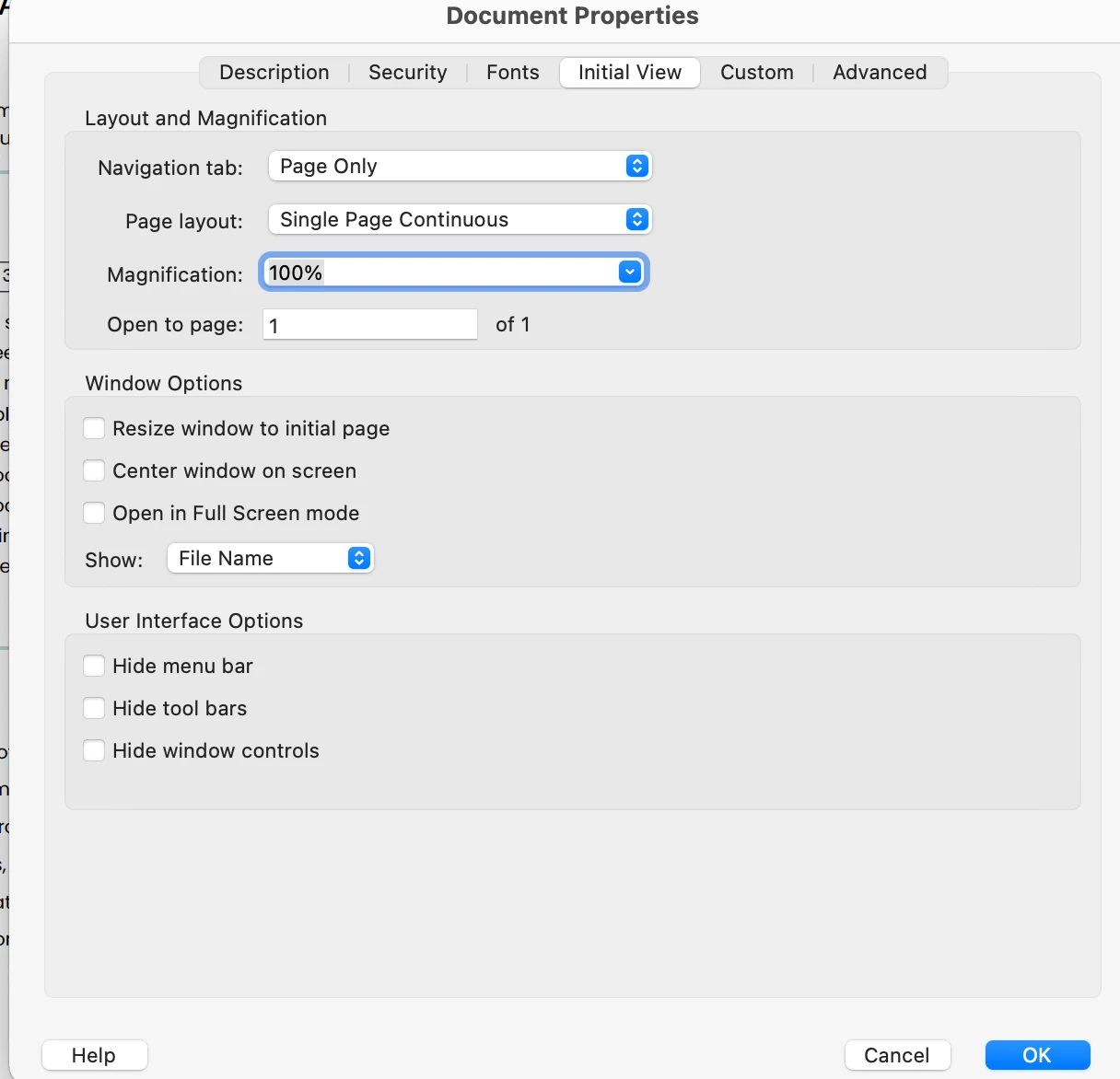
@pierret18811376 if you always want the document to open at 100% zoom with page scrolling for anyone who opens it, you need to adjust the Initial View settings within the document itself. Open the Properties, Command D (MAC) or Control D (PC), click on Initial View Tab - Under the Layout and Magnification section, change the following settings:

  • Page layout: Select Single Page Continuous (this enables scrolling).

  • Magnification: Select 100%.

  • And anything else you want here

Click OK and Save. Now, whenever this specific file is opened, it will default to these settings regardless of the user's personal Acrobat preferences.

creativeexplorer_0-1768593292307.png


1 reply

creative explorer
Community Expert
creative explorerCommunity ExpertCorrect answer
Community Expert
January 16, 2026

@pierret18811376 if you always want the document to open at 100% zoom with page scrolling for anyone who opens it, you need to adjust the Initial View settings within the document itself. Open the Properties, Command D (MAC) or Control D (PC), click on Initial View Tab - Under the Layout and Magnification section, change the following settings:

  • Page layout: Select Single Page Continuous (this enables scrolling).

  • Magnification: Select 100%.

  • And anything else you want here

Click OK and Save. Now, whenever this specific file is opened, it will default to these settings regardless of the user's personal Acrobat preferences.

creativeexplorer_0-1768593292307.png


m