Answered
How to start Adobe Acrobat Pro DC in pan mode
My Adobe Acrobat Pro DC starts up in selection mode and I would like it to start up in pan mode. Is there a way to change this default method of start up?
Thanks,
TT

My Adobe Acrobat Pro DC starts up in selection mode and I would like it to start up in pan mode. Is there a way to change this default method of start up?
Thanks,
TT
To open files in pan mode you can apply this setting:
Preferences > General > Touch mode
Select "Always".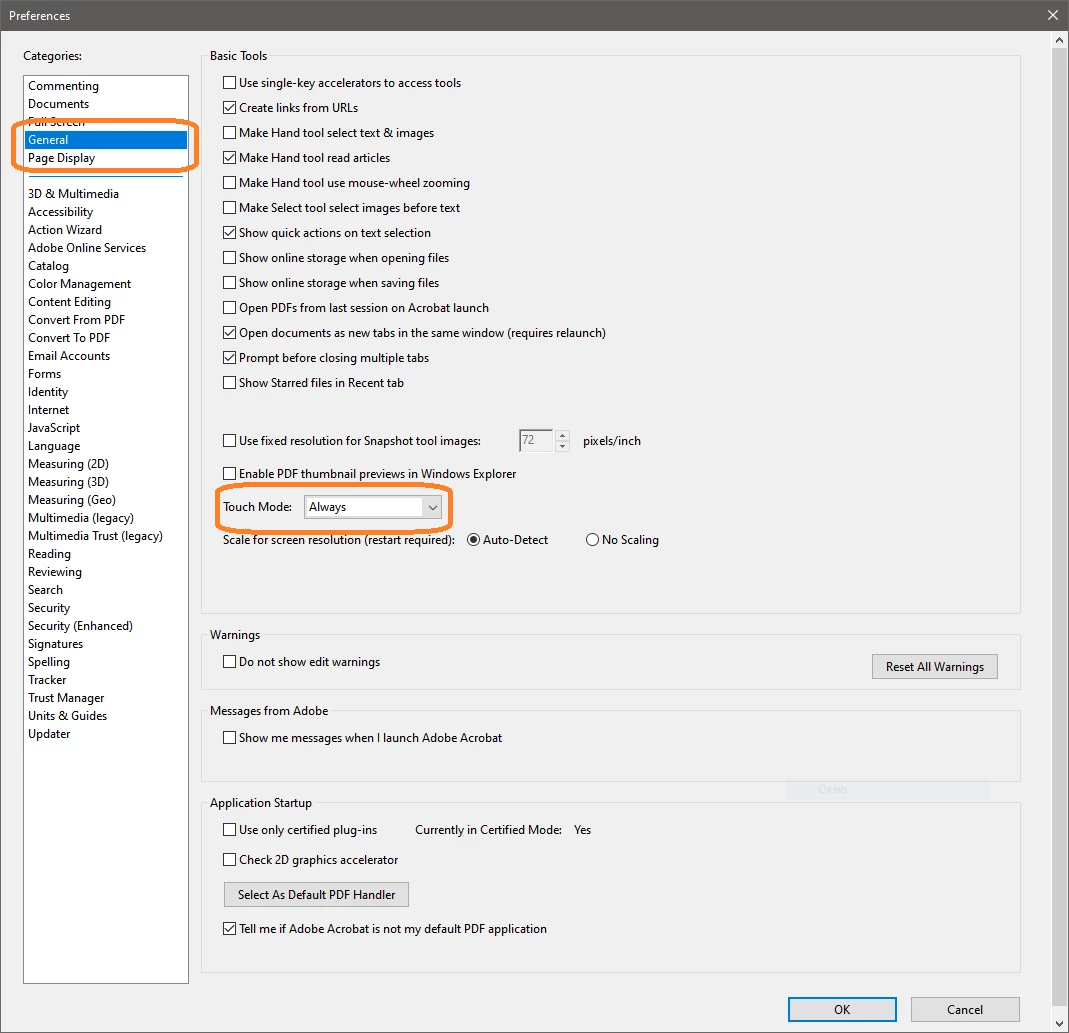
Already have an account? Login
No account yet? Create an account
Enter your E-mail address. We'll send you an e-mail with instructions to reset your password.


 AdChoices