
Participant
December 19, 2024
Question

How to stop Acrobat Pro opening annoying side-menus?

  • December 19, 2024
  • 1 reply
  • 787 views

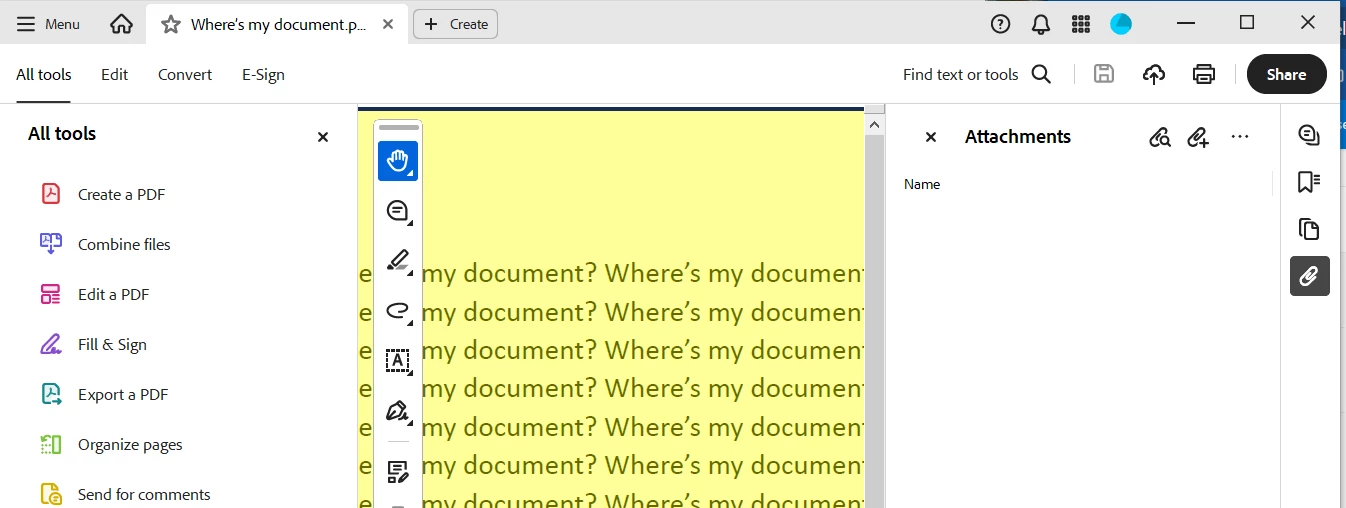
How can I stop Acrobat Pro on PC (Continuous release) from opening annoying side-menus.  Every time I open a document it opens the "Bookmarks" and "All Tools" menus, covering half my document! 

I want it to remember setting from last session (with the side menus closed)? 

I tried this - and it doesn't workl!
https://helpx.adobe.com/acrobat/kb/disable-right-hand-pane-in-acrobat-reader.html


I posted this request 3 months ago and have had no response. 


1 reply

try67
Community Expert
Community Expert
December 19, 2024

The Attachments panel probably opens due to a setting in the file itself. Go to Menu - Properties - Initial View and make sure that "Page only" is selected under "Navigation Tab".

The state of the Tools panel should be remembered by the application if you ticked the option mentioned in that link, and then minimized it and closed the application properly (via Menu - Exit Application).

Participant
January 14, 2025

Yes, it is hte document properties.

But because I'm opening many documents a day, created by different people, I don't want my window space wasted. Can't I set my own viewing preferences so these SPACE WASTING PANES ARE CLOSED by default?