


Participant
June 25, 2024
Question

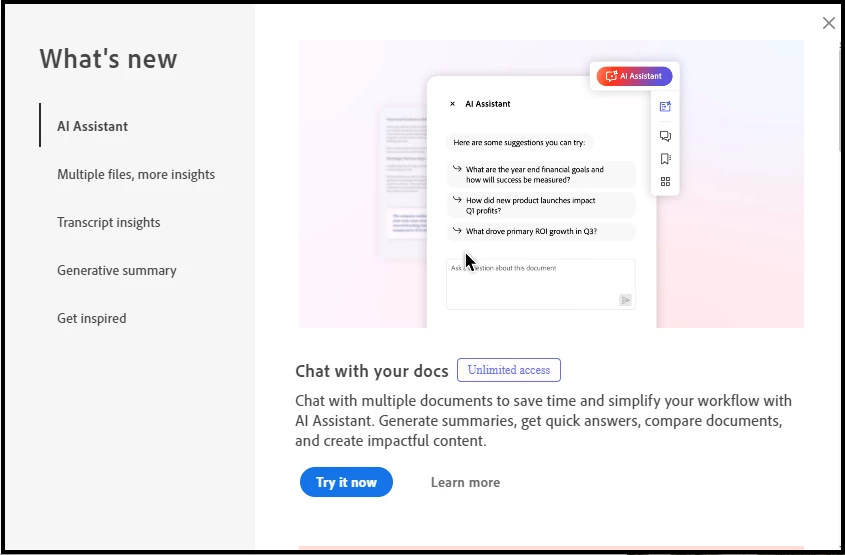
How to stop the "What's new" pop-up

  • June 25, 2024
  • 4 replies
  • 3108 views

How to stop the "What's new" pop-up
How can we stop the persistent "What's new" pop-up? I've tried unchecking "Show me messages when I launch Adobe Acrobat", but it simply defaults back to checked. 
Like many other users, I like to know what's new, but this new pop-up is counterproductive and has us considering alternate software for our daily work and client presentations - both of which are constantly interrupted by the unrelenting pop-up.
 

4 replies

Participant
October 1, 2025

I too am getting this Pop Up every time I open Adobe (and I have a paid professional version). My IT team can't seem to make it stop. I have tried wathing all the tip/links but no luck. 


Participant
October 1, 2025

Did some googling and this video tips seems to be working for me. For now. 


https://youtu.be/E7vO_hN0WMc

Jess-G
Participant
May 7, 2026

Thank you so much Lauren!  I’ve been trying to figure this out for almost 2 years and use the paid professional version for my business.  Tried one last search before switching to Nitro (which is more expensive) or some other PDF alternative and found your link. 


Every other link showed instructions that doesn’t work most.  We should not have to change the code in the program either to get a pop-up to stop when we’ve clearly turned off all notifications.  Adobe needs to fix this and let newer Windows users know to turn off the Windows 8 compatibility mode in the meantime.  This is such an easy fix.

Kalvyn Rasquinha
Community Manager
Community Manager
June 28, 2024

Moving this to the Acrobat forum

Participant
July 11, 2024

Isn't this the Acrobat Forum? If not, where can I find it?

kglad
Community Expert
Community Expert
July 11, 2024
kglad
Community Expert
Community Expert
June 25, 2024

are you using the "new" acrobat interface?

Participant
July 11, 2024

It appears yes, but when I select "Disable new Arcobat" and restart, it restarts with the new experience.

Participant
June 25, 2024

Cry for HELP...!...how to stop the "What's new" pop-up
Has anyone found a way to stop the persistent "What's new" pop-up? I've tried unchecking "Show me messages when I launch Adobe Acrobat", but it simply defaults back to checked. 
Like many other users, I like to know what's new, but this new pop-up is counterproductive and has us considering alternate software for our daily work and client presentations - both of which are constantly interrupted by the unrelenting pop-up


kglad
Community Expert
Community Expert
June 25, 2024

please don't post duplicates.


<merged>

Participant
July 11, 2024

Unintended mistake