runninghead_design
Inspiring
May 30, 2019
Answered

How to unembed Arial?

  • May 30, 2019
  • 1 reply
  • 3398 views

I've been trying to optimise the basic (text only) PDF version of my CV so I'm playing with the Optimise settings.

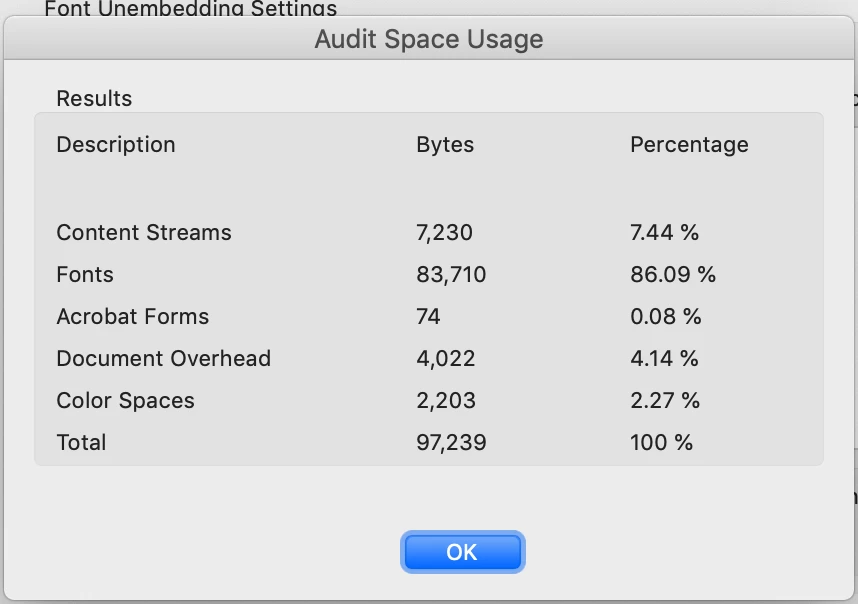
Audit Space shows it's the font that's taking up almost all the file size:

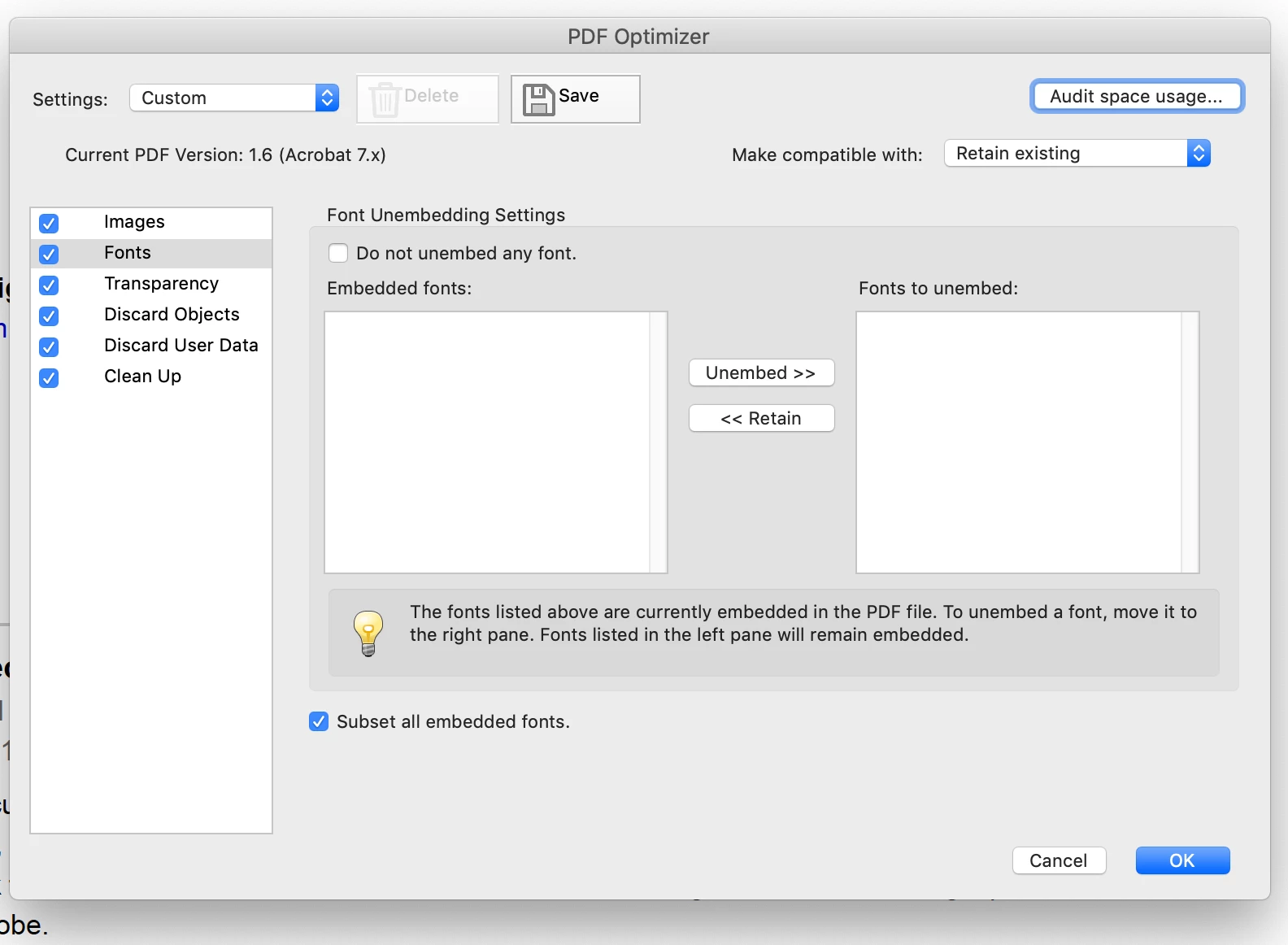
But the font (I've only used Arial) does not show in the Unembed options:

Anyone know how I can find and remove the font?

I figure everyone's got Arial on their computer anyway so removing it from the PDF should be OK.

Thanks.

This topic has been closed for replies.
Correct answer Dov Isaacs

No, it really isn't OK! 

There are many versions of Arial with different glyph complements and encodings. Substitute a version of Arial that doesn't match what you composed with and you may end up with gibberish. And no, there are mobile devices that don't have Arial - they substitute something else that may or may not match what you have.

Acrobat doesn't let you unembed if based on the encoding of the embedded font and/or characters used, there is a concern that you will end up with a useless PDF file.

Quite frankly, if we had to do it over again here at Adobe, we likely would never have allowed fonts only by reference (i.e., unembedded fonts). You have no idea the problems that are encountered with such situations that are reported by our users.

          - Dov

PS:     97K for a PDF file isn't that big and if you are in fact using 83K of that for fonts, it is probably indicative of use of a very wide variety of glyphs, some symbolic, and/or styles such as italic, bold, and bold italic. No one will reject your “CV” / résumé because it is 97K byes in length!

1 reply

Dov Isaacs
Dov IsaacsCorrect answer
Legend
May 30, 2019

No, it really isn't OK! 

There are many versions of Arial with different glyph complements and encodings. Substitute a version of Arial that doesn't match what you composed with and you may end up with gibberish. And no, there are mobile devices that don't have Arial - they substitute something else that may or may not match what you have.

Acrobat doesn't let you unembed if based on the encoding of the embedded font and/or characters used, there is a concern that you will end up with a useless PDF file.

Quite frankly, if we had to do it over again here at Adobe, we likely would never have allowed fonts only by reference (i.e., unembedded fonts). You have no idea the problems that are encountered with such situations that are reported by our users.

          - Dov

PS:     97K for a PDF file isn't that big and if you are in fact using 83K of that for fonts, it is probably indicative of use of a very wide variety of glyphs, some symbolic, and/or styles such as italic, bold, and bold italic. No one will reject your “CV” / résumé because it is 97K byes in length!
- Dov Isaacs, former Adobe Principal Scientist (April 30, 1990 - May 30, 2021)
runninghead_design
Inspiring
May 31, 2019

Thanks Dov, that's an interesting and valuable response. I've never had an issue where a different variety of Arial caused a layout changes, text reflow or total gibberish but if it's a concern I will be careful to avoid this in future.

You're right 97K is totally fine- I was just tired and going "number blind", my apologies.

Thanks for the help and advice!