

DigitalChickster
Legend
July 6, 2017
Answered

How to update image link from web link in pdf

  • July 6, 2017
  • 1 reply
  • 1360 views

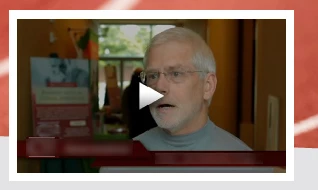
Hi all! I'm editing a PDF using Acrobat Pro DC. It's not a pdf I created. I was asked to change a link to a video. I hadn't worked with embedding video links into PDFs before, but I figured it out. However, the image of the video (which is the link) has not updated. Is that something that I do by hand in Photoshop? Or is there a way to get the embedded link to show a picture from the video? I'm attaching a screenshot of the embedded link/image so you can see what I'm talking about. It just seems like it would be automatically generated (like Facebook) when I embed the link. But that's not what's happening.
This topic has been closed for replies.
Correct answer Joel Geraci

In the Advanced Options of the video annotation properties, click the radio button to "retrieve poster from the media" if that's not the frame you want, then just get a screen shot of the one you do want and click "Create Poster from file" then select your image.

1 reply

Joel Geraci
Community Expert
Joel GeraciCommunity ExpertCorrect answer
Community Expert
July 6, 2017

In the Advanced Options of the video annotation properties, click the radio button to "retrieve poster from the media" if that's not the frame you want, then just get a screen shot of the one you do want and click "Create Poster from file" then select your image.

DigitalChickster
Legend
July 7, 2017

Thanks you for your quick response! I'm having a hard time finding the video annotation properties. Where are those?

Joel Geraci
Community Expert
Community Expert
July 7, 2017

Select the Rich Media Toolset. Select the "Select Object" tool. Double click on your video annotation then check the "Advanced" box at the bottom.