
Participant
January 8, 2022
Answered
How to use js scripting to permanently turn off visibility of a layer in an adobe acrobat pdf
- January 8, 2022
- 2 replies
- 1287 views
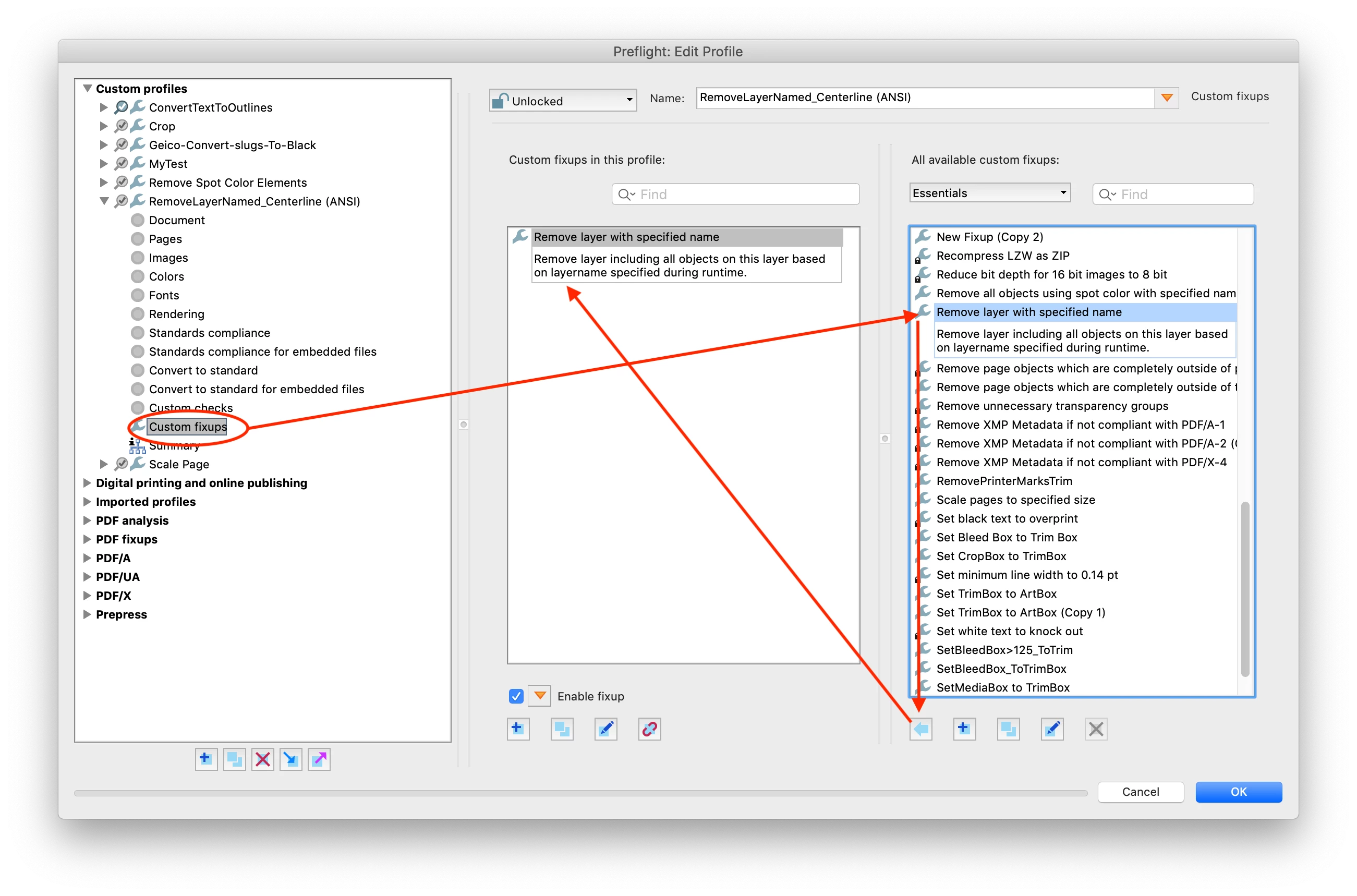
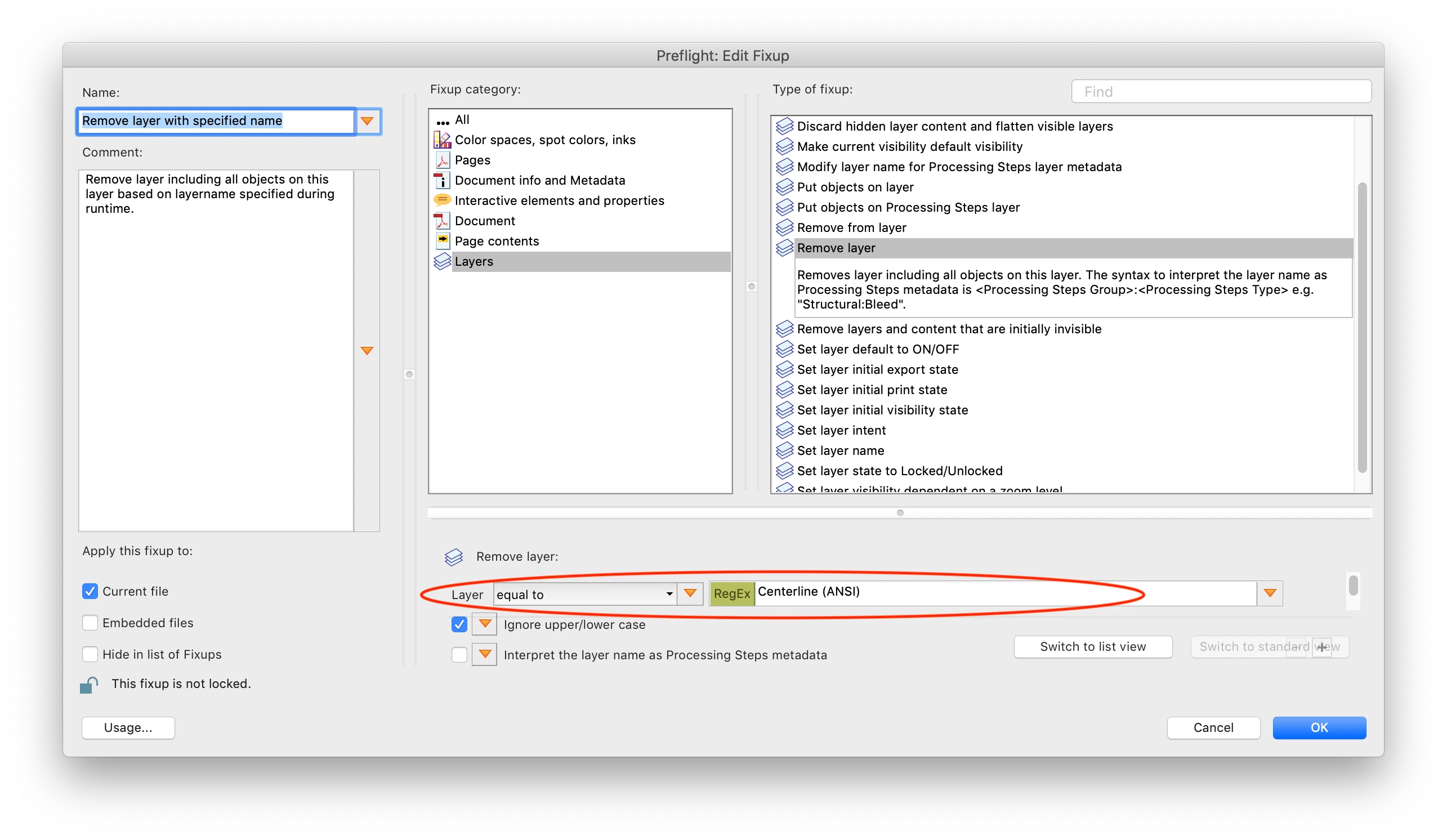
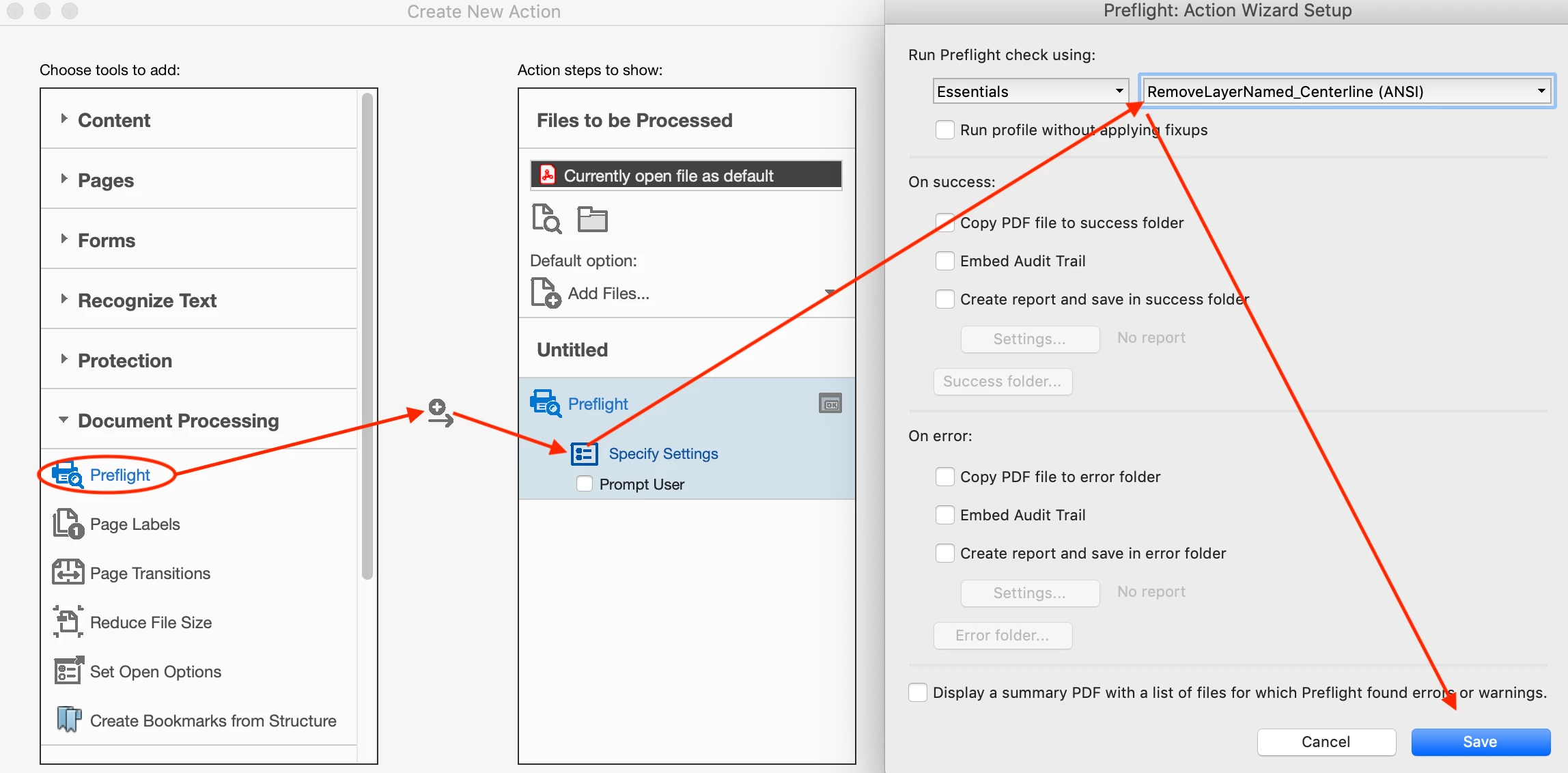
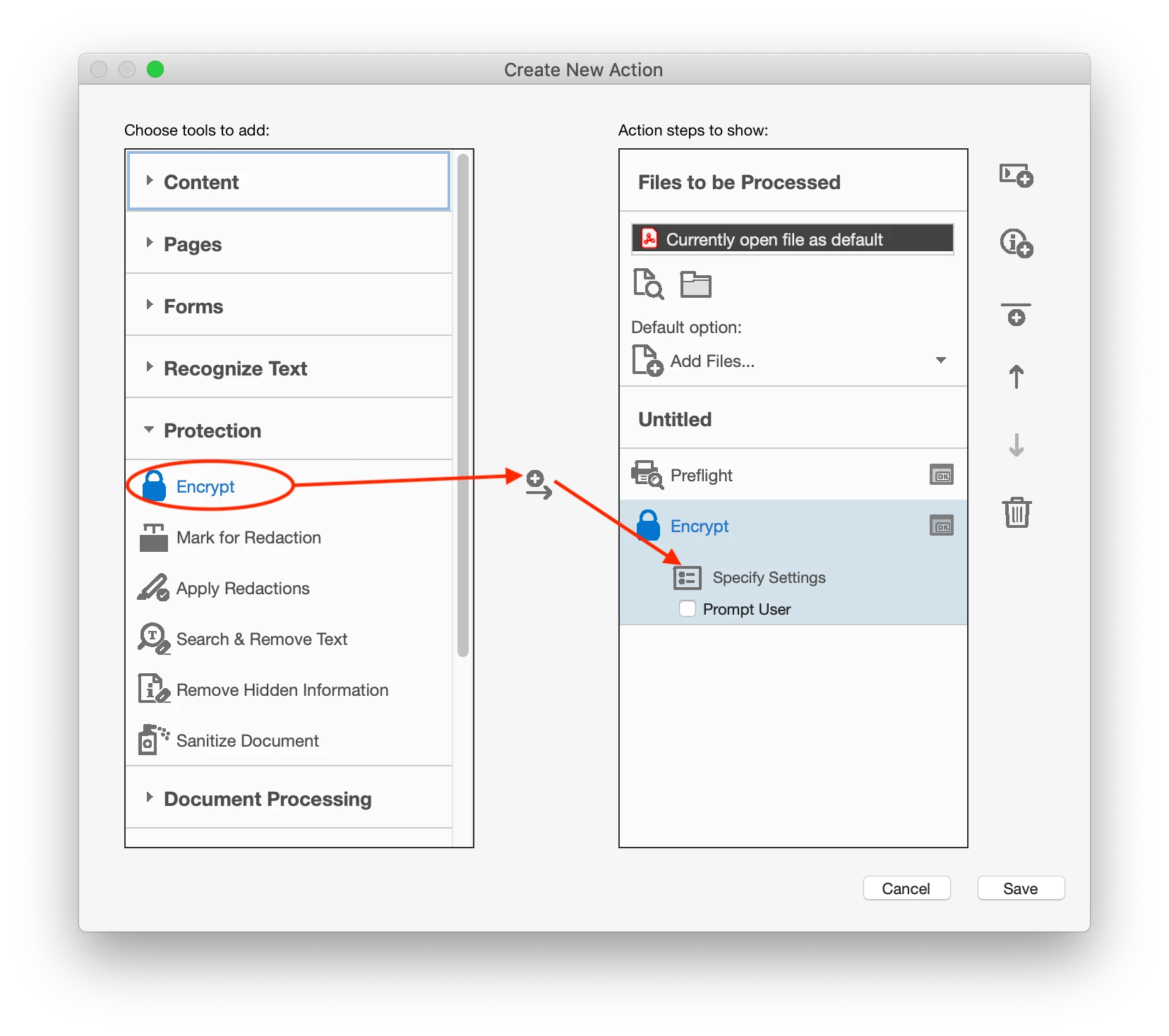
I have pdf files that each have a layer called "Centerline (ANSI)" (see attached snapshot "Centerline (ANSI)" . Before I distribute these files to customers, I want to have this layer permanently hidden or removed. I know how to go into "Layer Properties", turn the "Default State" to "Off", lock it, and then apply password protection to the document to prevent changes (see attached file "Default state -off) but my issue is I have about 200 of these pdf files and this would be time-consuming. Is there a way to automate this process through scripting? Is this done through some kind of batch processing? I know "some" javascript but would know where to begin with this. The goal of the scripting is to PERMANENTLY turn off or delete the centerline layer/ocg of each file through scripting - such as a batch process - without having to go into each file and turn off the layer manually. Is this possible? |


 AdChoices