Answered
Hyperlink Appearance
I have created hyperlinks that appear as underlined text in Adobe, yet show up as boxed text item when opened in any other program. Is there a simple fix for this conversion glitch?

I have created hyperlinks that appear as underlined text in Adobe, yet show up as boxed text item when opened in any other program. Is there a simple fix for this conversion glitch?
I chose "Add/Edit Web or Document Link" in the Edit PDF tool, then I set the properties as seen below.
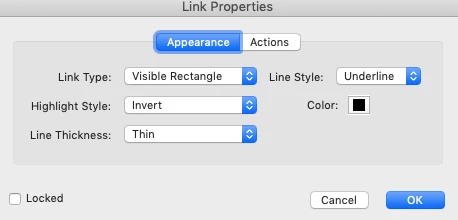
That's what I suspected.
The reason why I asked which method did you use is because there's a known bug in the weblink creation tool. It doesn't encode/decode Unicode properly for URI actions. The issue was addressed in one of the last updates for May 2020 but it only applied for MS Windows not macOS.
However, I don't think this is the case with your file.
Just select "Invisible Rectangle in the "Link type:" section and try again. See if it shows in mac Preview.
If it shows again then definitely don't use that weblink method.
You're better off using a button and execute menu item to go to a page view.
See slides:
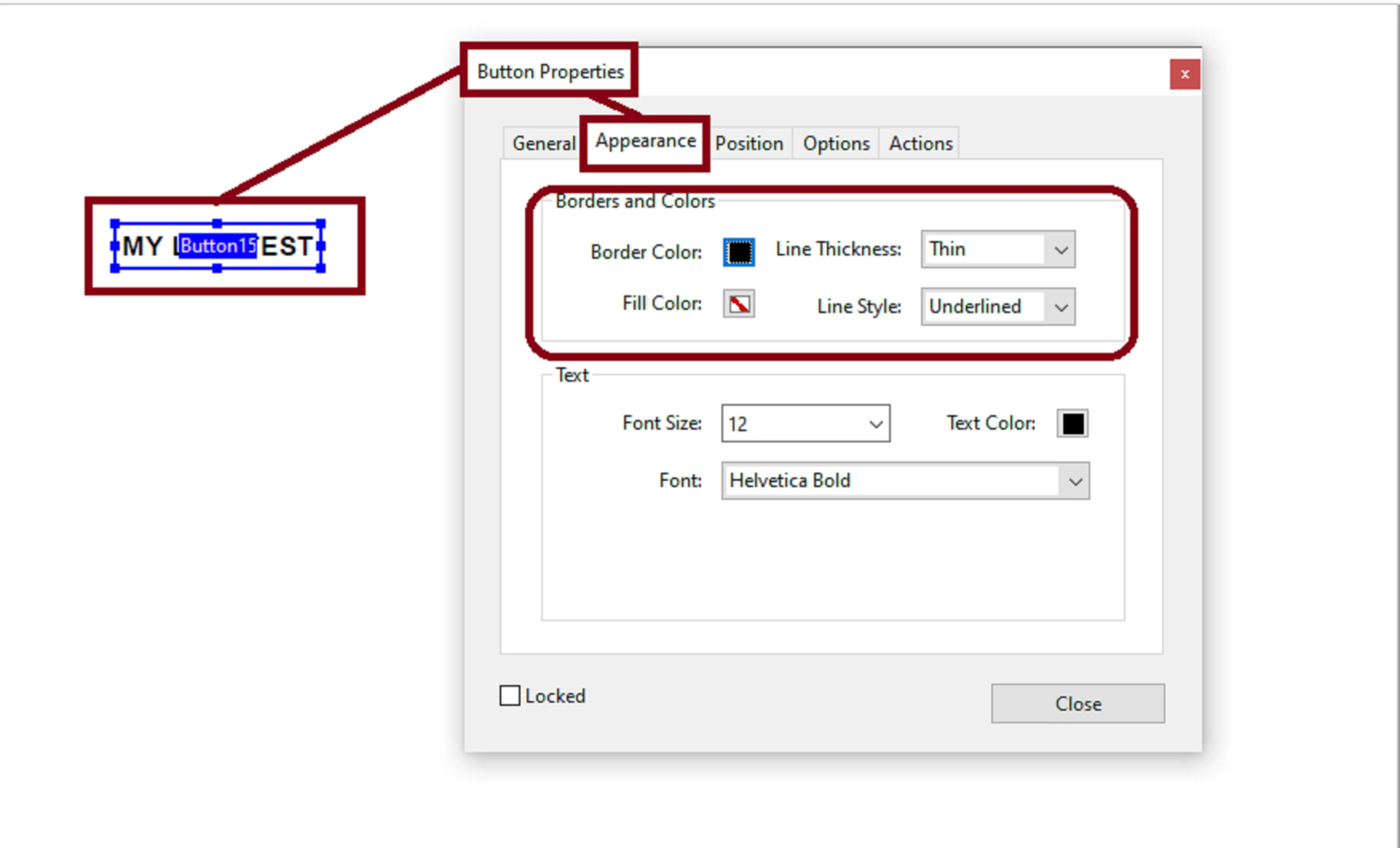
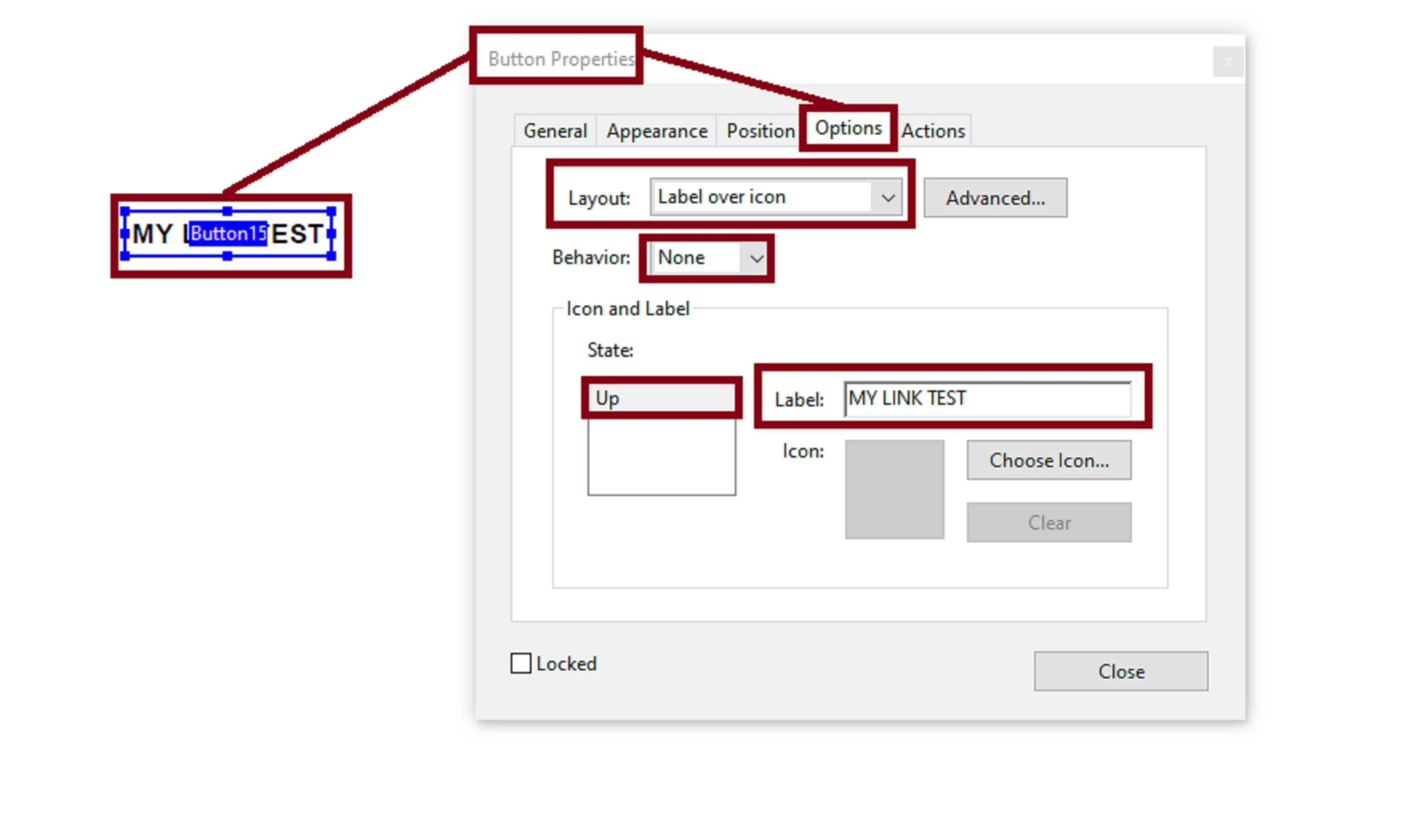
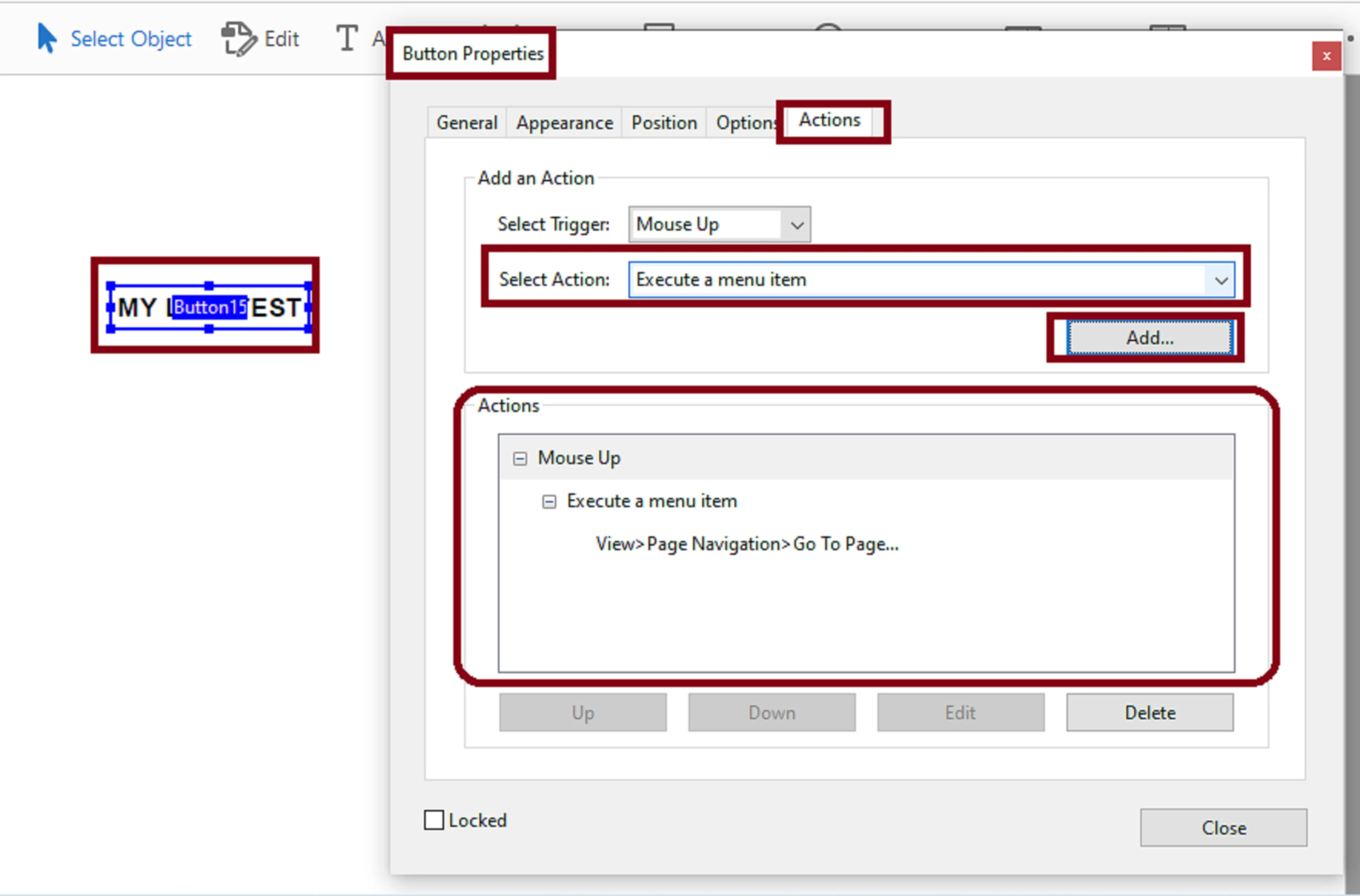
If this also shows a funky result in your macPreview, then just select "None" for border and assign a Bold Font type and change it to a blue color ( or something along those lines to visually aid the user that this is a link).
I would also add a tool tip like this:
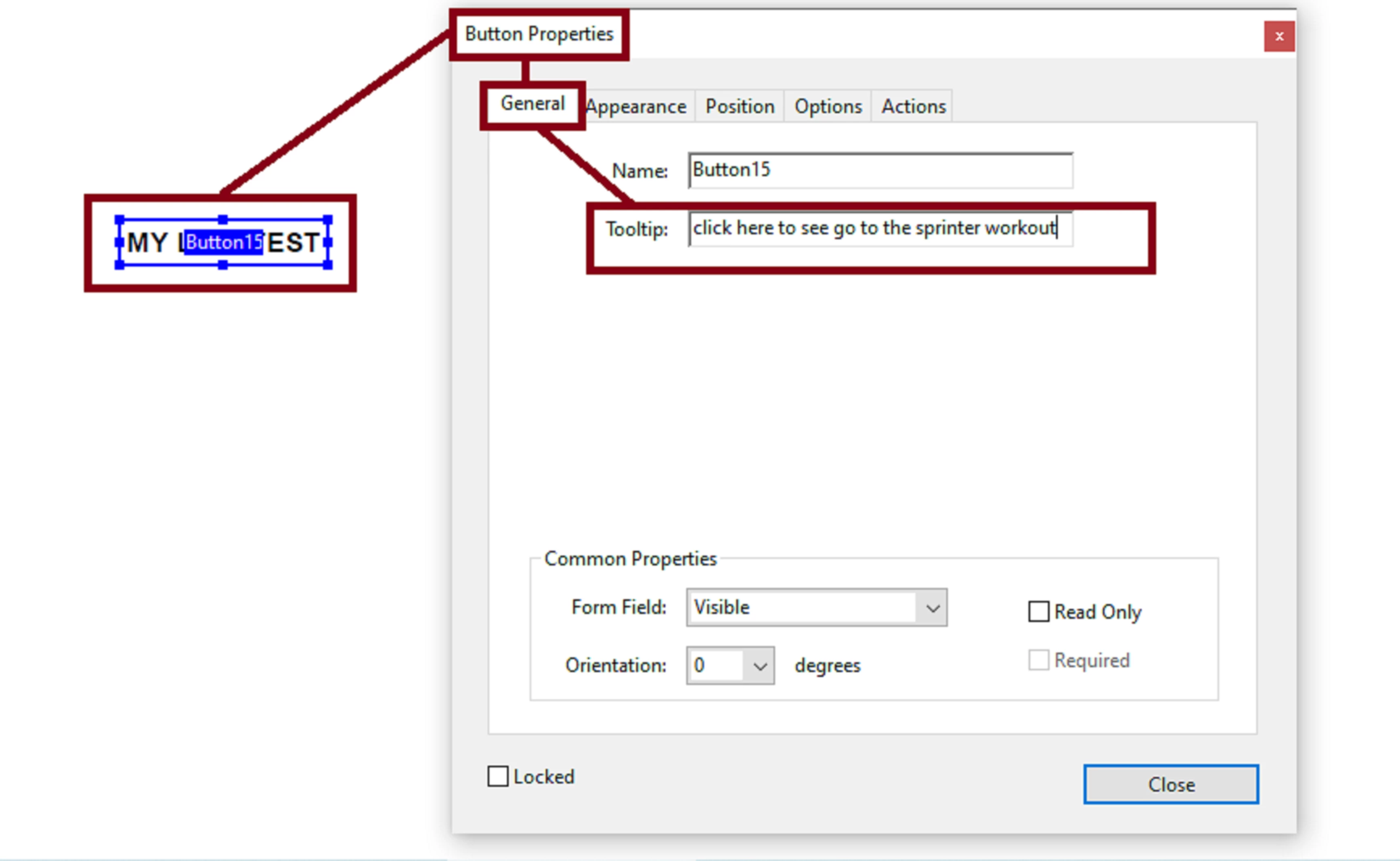
And get this result when the user(s) hover the mouse pointer over that link:
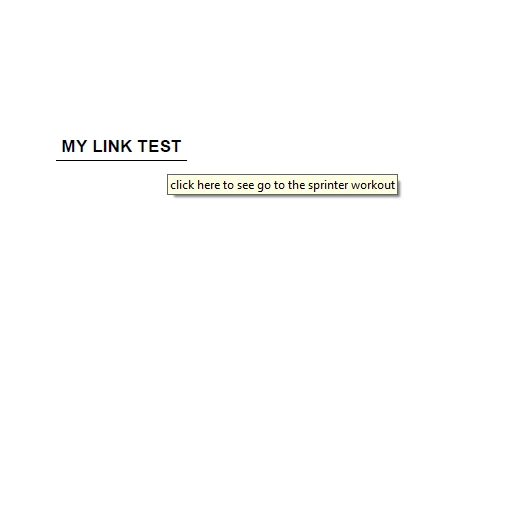
NOTE:
Just remember, these are just work arounds of what I would try I was in your shoes trying to have my users work with mac Preview, and other apps.
But, since the problem doesn;t manifest in MS Windows, and other browser that has PDF viewing capcbilities, I will second what Try67 mentioned, to contact the developer of that application and bring this to their attention. And I also fully second what Bernd_Alheit suggested. You users will not experience this hindernace if they use the free Adobe Reader DC as the PDF viewer for your document.
Already have an account? Login
Enter your E-mail address. We'll send you an e-mail with instructions to reset your password.
 AdChoices