

Answered
Hyperlink rectangle no border Acrobat
I finally figured out how to make a hyperlink rectangle without a border. It makes no sense, but:
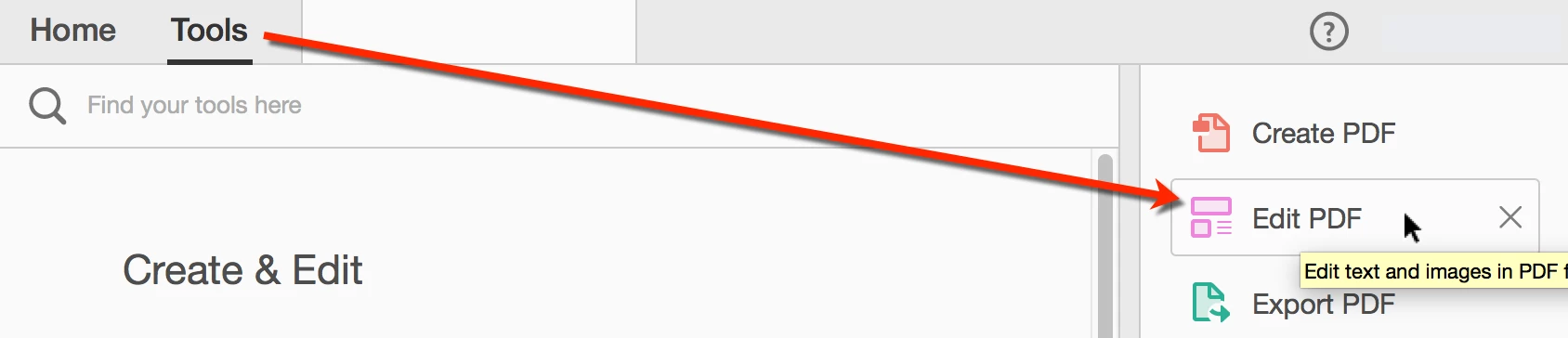
1.) Go to "Tools" / "Edit PDF":
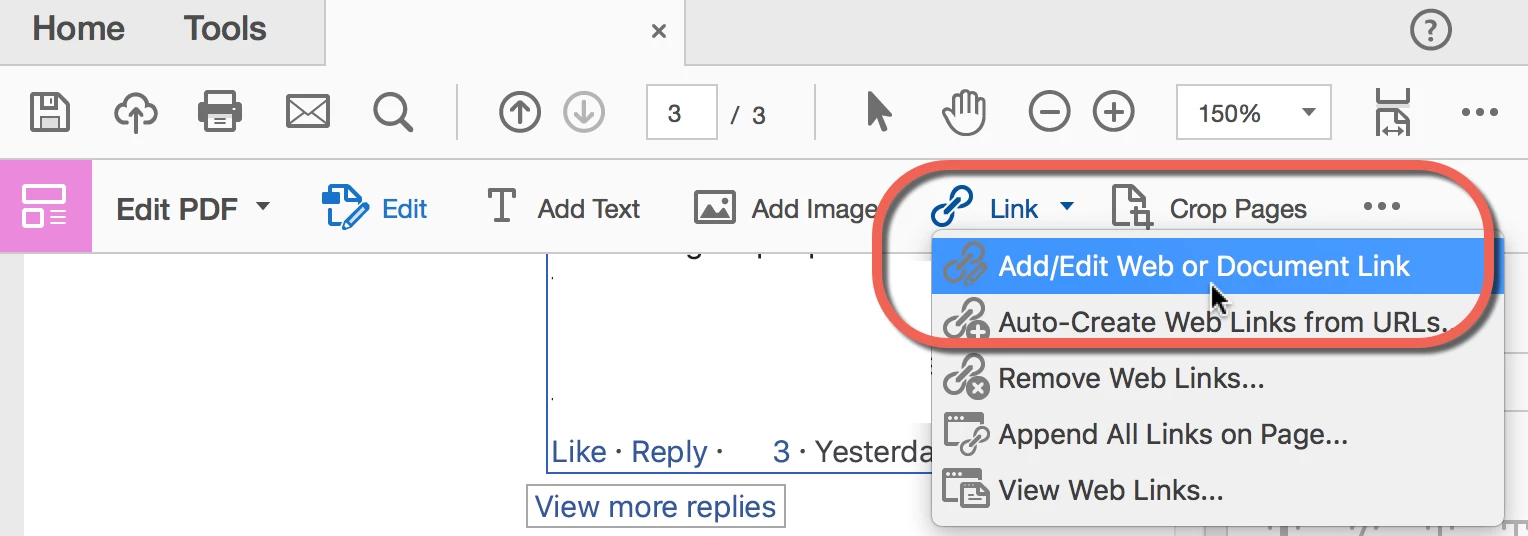
2.) Under "Link" menu, select "Add/Edit Web or Document Link":
3.) Highlight where you want the link to be:

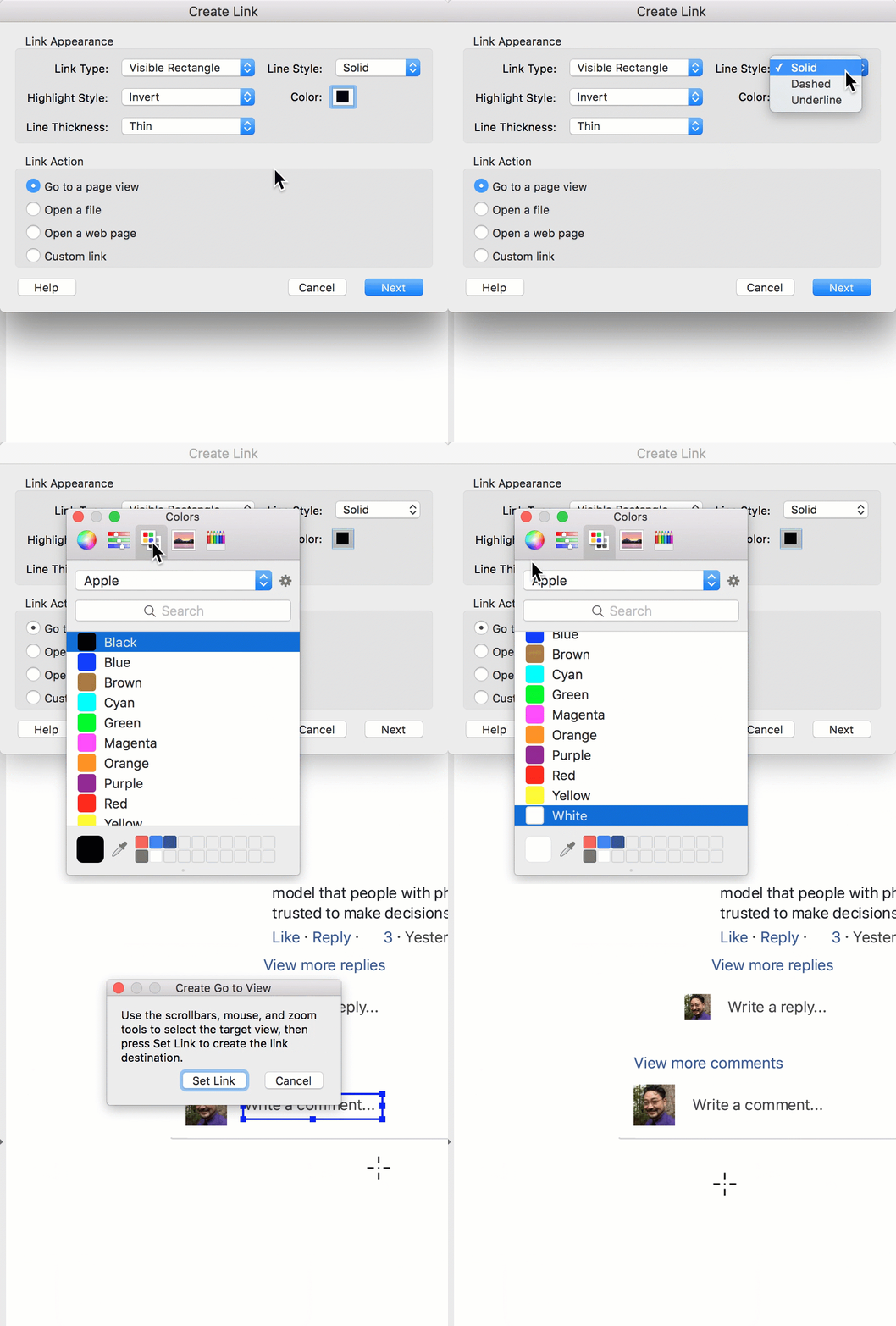
4.) See GIF below:
a.) Link Type = VISIBLE rectangle (makes no sense)
b.) Line Style = SOLID
c.) Color = Your page's color (ex. white)
I like to use the Color Palettes, though I have to SCROLL DOWN to find "White"
d.) CLOSE the Color Pop Up Window. There is no helpful "OK" button.
 AdChoices