


Known Participant
September 8, 2025
Question

Hyperlink tool tip changes after PDF prefilght

  • September 8, 2025
  • 1 reply
  • 87 views

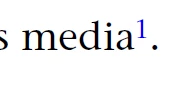
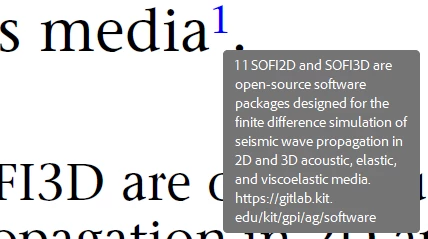
I have generated accessible pdf from InDesign  After execeuting Preflight tool 'Fix problems in PDF tagging structure', the hyperlink tool tip changes as in 2nd image with extra texts. Why is it happening? Is there any solution to avoid this?


1 reply

creative explorer
Community Expert
Community Expert
September 13, 2025

@dt0245d3009278 The change you're seeing in the hyperlink tooltip is a result of the "Fix problems in PDF tagging structure" function in Adobe's Preflight tool. When you run this fix, it's essentially trying to "clean up" the document to meet accessibility standards. The extra text you're seeing, which includes a detailed description of the link's destination, is likely being added to provide a more descriptive and accessible title for screen readers and other assistive technologies. While it may look a bit messy visually, this change is part of the tool's attempt to make the PDF more readable for users who can't see the document.

There isn't a simple setting to turn it off that I know off. To avoid this,  try to ensure your original InDesign file is as clean and accessible as possible before you export it to PDF. This includes making sure all your hyperlinks have proper, descriptive text in the InDesign file itself, rather than relying on the Preflight tool to fix it later. By building the accessibility into the source document, you can often avoid the need for these automatic fixes that can change the visual appearance of your PDF.

If you want to remove the extra text after the fact, you'll need to use Adobe Acrobat's editing tools to manually edit the link properties for each hyperlink. This is a tedious process, but it's the most direct way to get back to the tooltip you want.

m