Hyperlinked photos, text boxes and text behave unexpectedly when clicked
- October 16, 2022
- 1 reply
- 962 views
My Word document has a text box, text and images which have hyperlinks associated with them which take the reader to another section of the document. This works perfectly in Word. Color changes on mouse over, and after being used, etc., are disabled. Underlines are removed. One just clicks on the word and the jump takes place.
However, after converting it using Acrobat, when clicking on the linked objects, there are some anomalies.
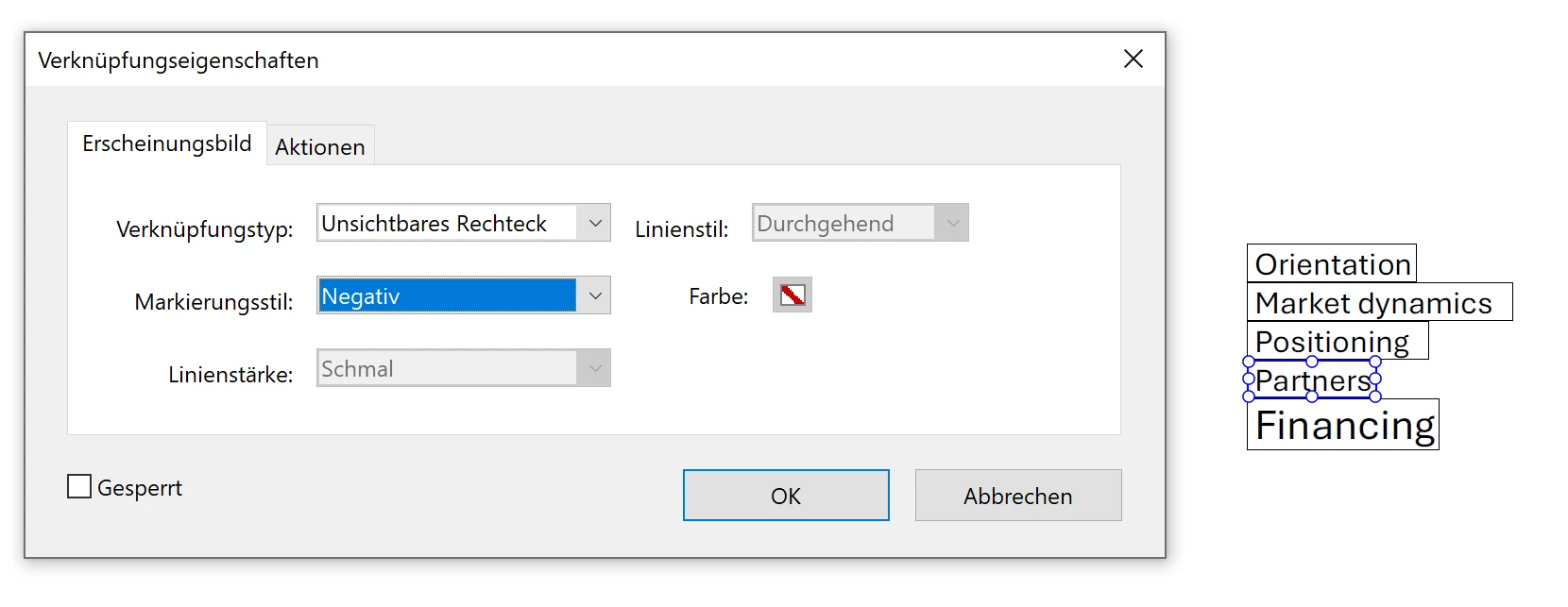
1. For text, a heavy black box around the word used when it is clicked. I didn't ask it to do this. 🙂
2. For images, the colors seem to reverse essentially when clicked. What a disruptive mess!
3. And for text boxes, the entire box turns black, sort of like (1). Just as bad.
In Word, none of these phenomena occur. Any ideas? These unexpected visual anomalies ruin the design language, etc.
 AdChoices