
Participant
December 26, 2016
Answered

I am getting an "Untagged Document" message for EVERY pdf file I open. This started about 2 weeks ago.

  • December 26, 2016
  • 1 reply
  • 2391 views

Here is a screen shot of the message I am getting.
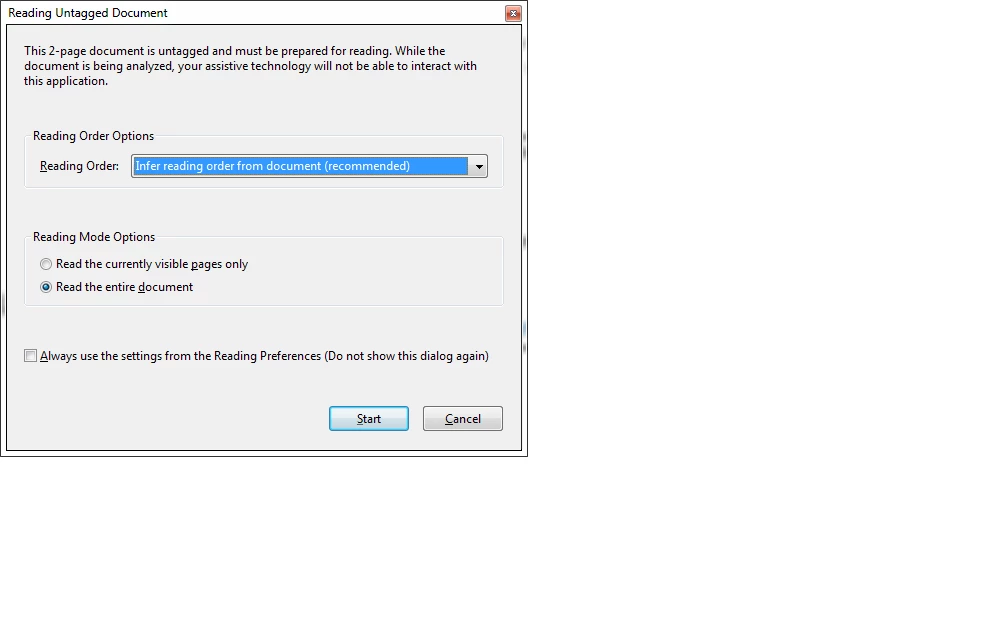
Can anyone help me determine why this just started happening and what to do about it. Please don't suggest upgrading acrobat, that isn't financially possible right now.

Specs
Windows 7 Pro - 64-bit
Acrobat 9 Pro Extended
Reader is NOT installed.

[Moved from non-technical Forum Lounge to Acrobat forum... Mod]

[Here is the list of all Adobe forums... https://forums.adobe.com/welcome]

This topic has been closed for replies.
Correct answer Karl Heinz Kremer

This is usually due to accessibility options being active. Go into Acrobat's preferences, then go to the "Accessibility" category and make sure that all options are turned off (unless you need any of the accessibility options, then make sure you only have those turned on that you actually require).

1 reply

Karl Heinz  Kremer
Community Expert
Karl Heinz KremerCommunity ExpertCorrect answer
Community Expert
December 28, 2016

This is usually due to accessibility options being active. Go into Acrobat's preferences, then go to the "Accessibility" category and make sure that all options are turned off (unless you need any of the accessibility options, then make sure you only have those turned on that you actually require).

October 31, 2017

how can that change be massively executed