Hi, @Busymum7, yes, it’s a bit hidden, but it is there. The following is based on the new UI, let me know if you are using the better, older UI.
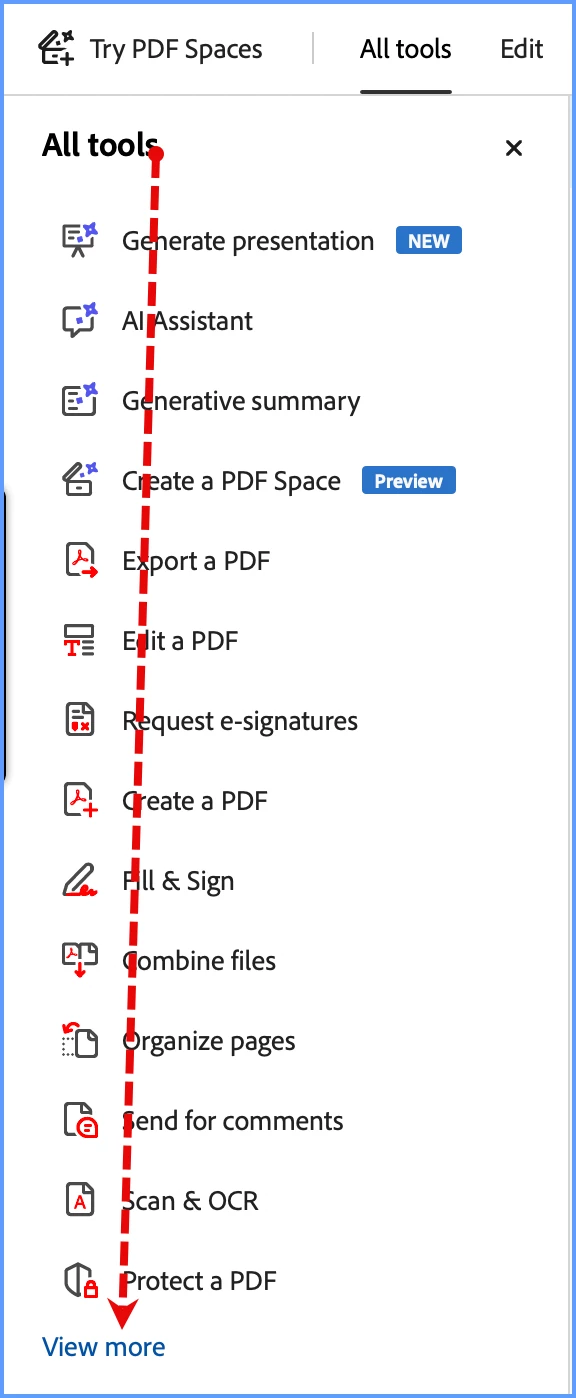
Click on the All Tools in the left-hand panel. At the very bottom, you’ll see “View More.”
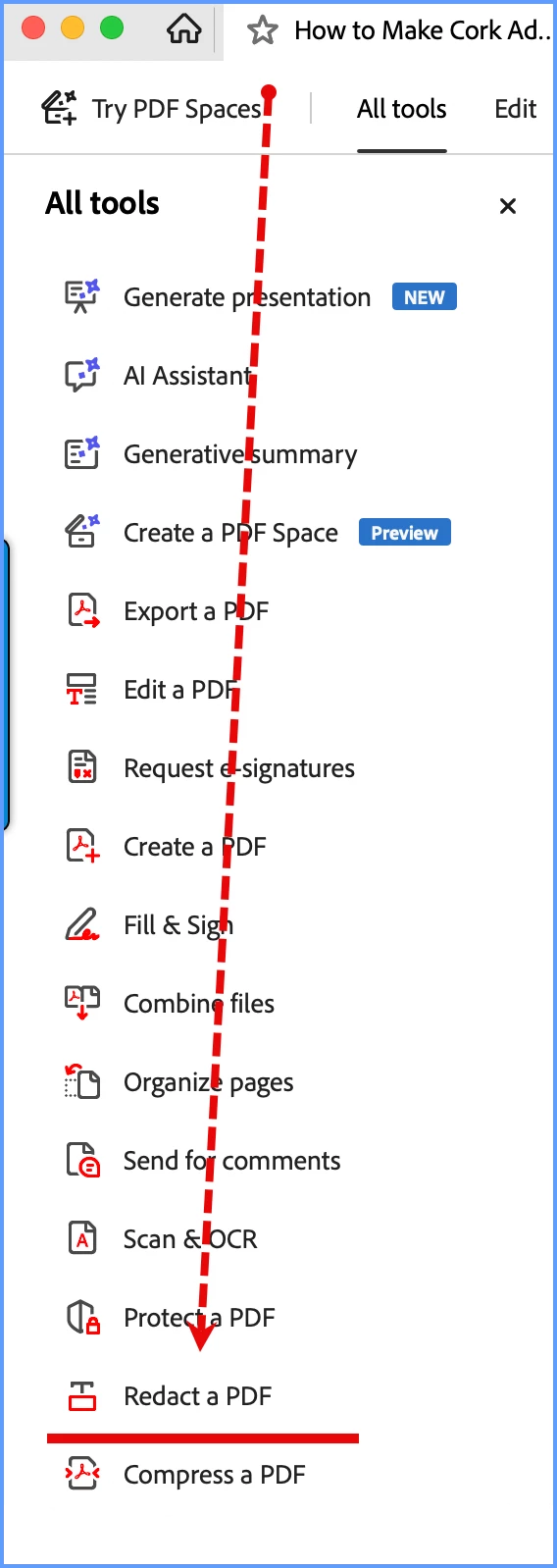
After clicking on that, look just below the Protect a PDF option, and you’ll see the Redact Tool.
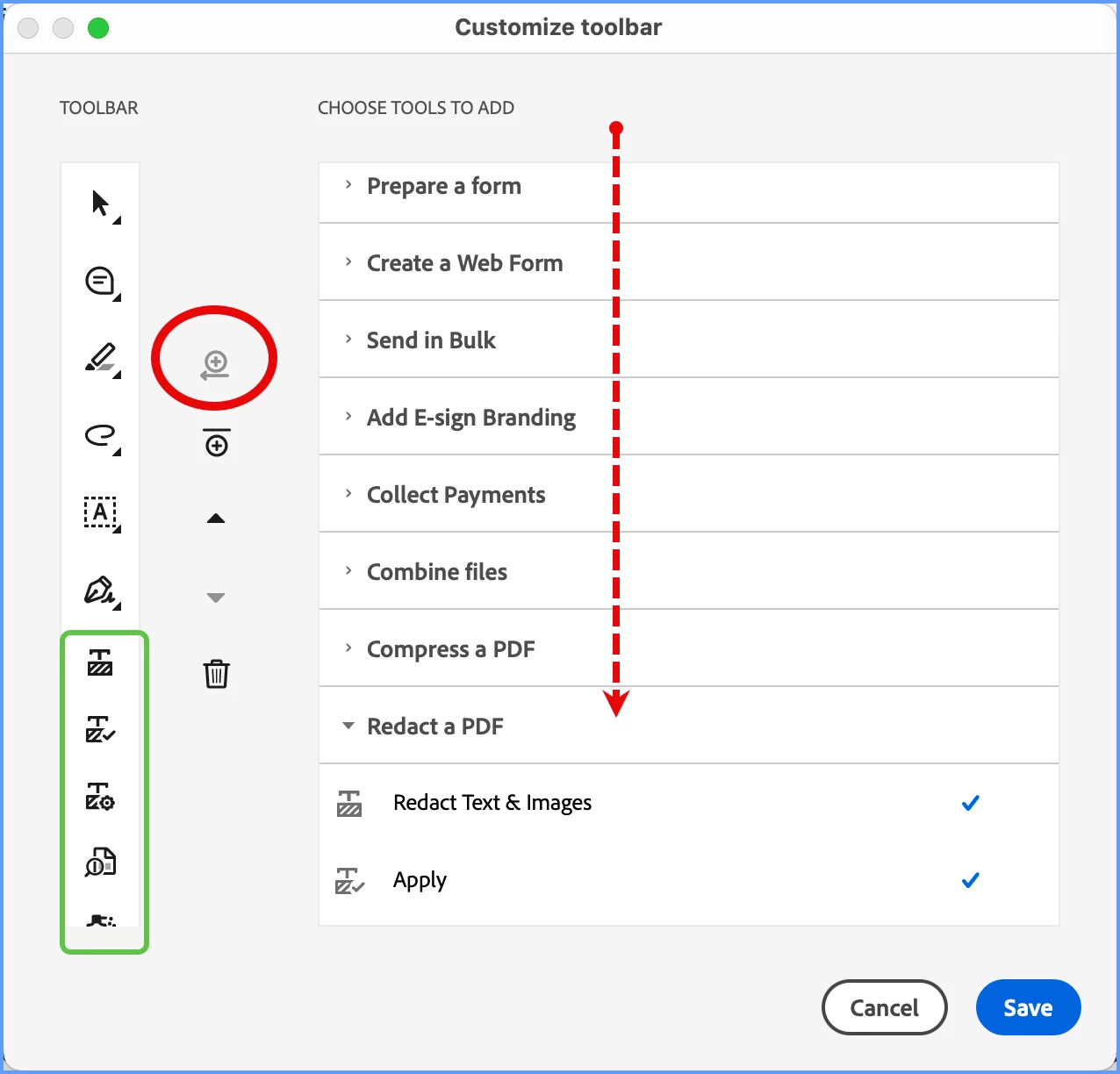
Now, if you Redact often, you may want to put this into the Floating Tool Bar. If so, on the bottom of the FTB, you’ll see an ellipse (…). Click on that and you can add this to the bottom of the list of custom FTB options. Scroll down the right-hand side until you come to the Redact options, and select all or a few (look for checkmarks) and then click on the top “move” button (circled in Red), and they will be added to your FTB list of tools.
Hi, @Busymum7, yes, it’s a bit hidden, but it is there. The following is based on the new UI, let me know if you are using the better, older UI.
Click on the All Tools in the left-hand panel. At the very bottom, you’ll see “View More.”
After clicking on that, look just below the Protect a PDF option, and you’ll see the Redact Tool.
Now, if you Redact often, you may want to put this into the Floating Tool Bar. If so, on the bottom of the FTB, you’ll see an ellipse (…). Click on that and you can add this to the bottom of the list of custom FTB options. Scroll down the right-hand side until you come to the Redact options, and select all or a few (look for checkmarks) and then click on the top “move” button (circled in Red), and they will be added to your FTB list of tools.
Hi Gary and thanks for your reply. Sad though it is, I don’t even know what a UI is so I can’t answer that bit of the question. When I click on Tools, this is all I see.





 AdChoices