Participant
Apr 16, 2026 7:08 PM UTC
Answered

I can't find the BUTTON option to create a submit button on my document. What am I doing wrong?

I’m trying to follow these instructions:
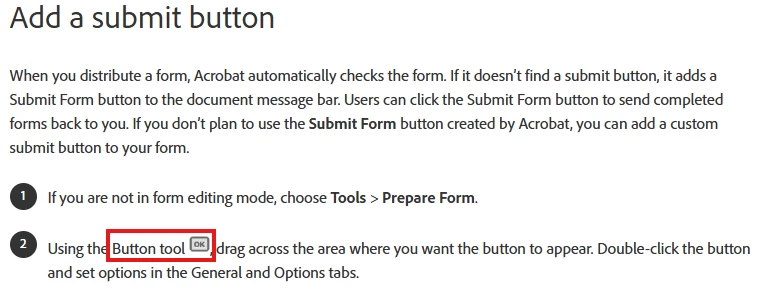


However, when I open the form in step one, I don’t see a “button tool.”  This is what I see:
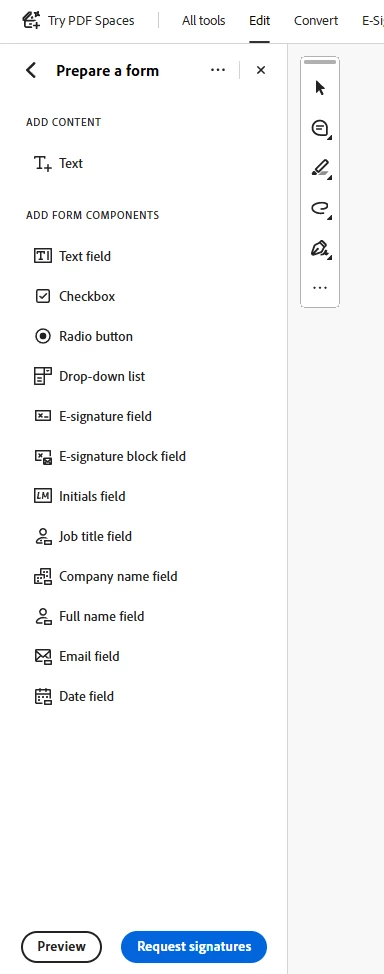


What am I missing? This is so frustrating.  I suspect I’m missing something very simple, but I can’t figure it out.  I have Adobe Acrobat Pro through a Creative Cloud license, if that matters.

    Karl Heinz  Kremer
    Karl Heinz KremerCorrect answer
    Community Expert
    Apr 16, 2026 7:44 PM UTC

    This is the option I am referring to:


    You only need this if you want a signature workflow for others to sign your document, but not if you want a normal PDF form. As you’ve seen, the subset of fields you can add to such a signed document are different than for a normal form. You can still add signature fields to your form if you need those - using a “Digital Signature” field from the selection. 

    5 replies

    Participant
    Apr 17, 2026 2:05 PM UTC

    I also am having this same problem and Adobe Help is absolutely useless.

    Translate
    Karl Heinz  Kremer
    Community Expert
    Community Expert
    Apr 16, 2026 7:41 PM UTC

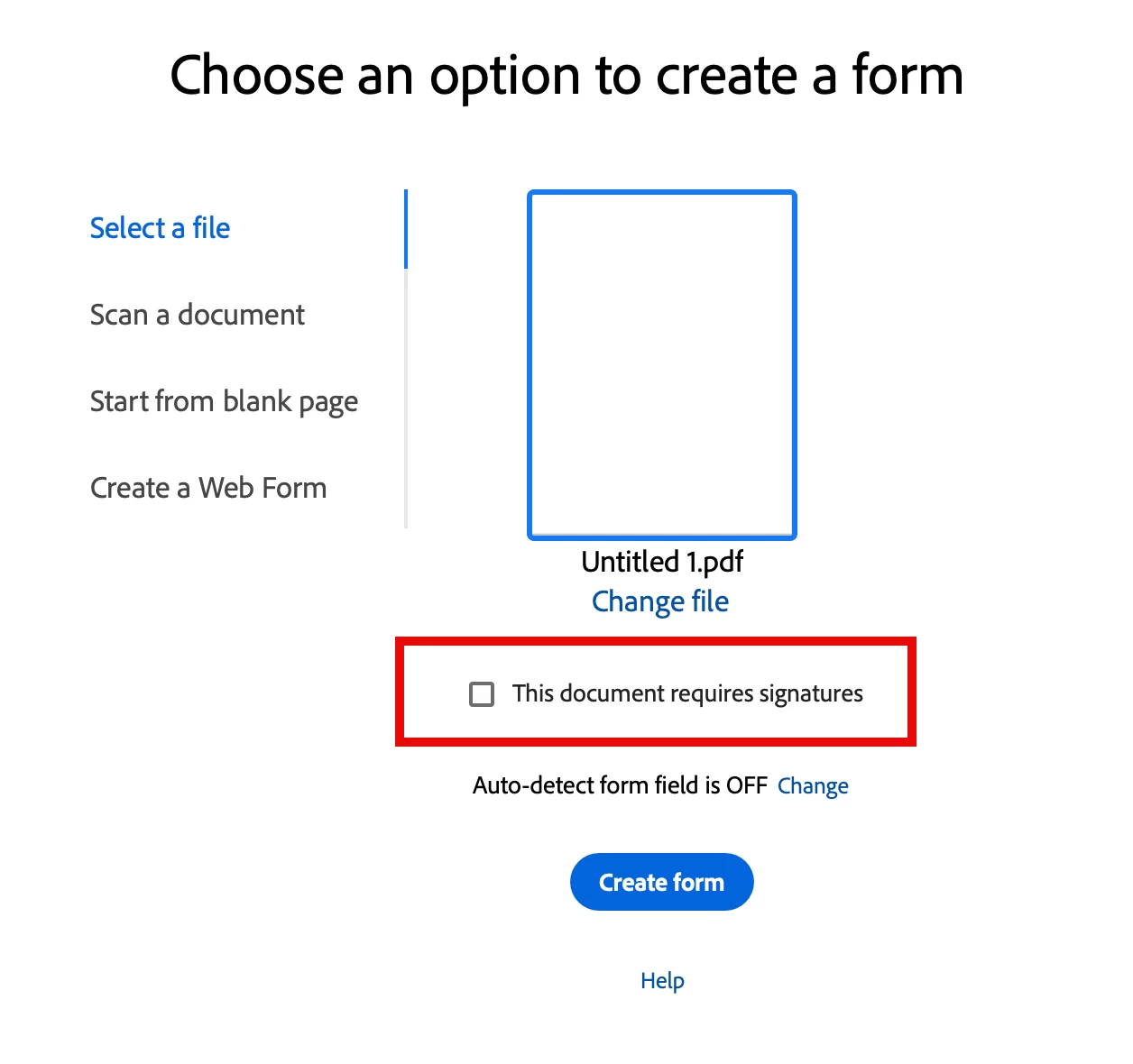
    Did you select that your form requires signatures when you created the form? If so, the fields you can add are different than for a “normal” form. This is what I see when I do _NOT_ select this option:


    This is what I get with the signature required option:


    Translate
    Karl Heinz  Kremer
    Community Expert
    Karl Heinz KremerCommunity ExpertCorrect answer
    Community Expert
    Apr 16, 2026 7:44 PM UTC

    This is the option I am referring to:


    You only need this if you want a signature workflow for others to sign your document, but not if you want a normal PDF form. As you’ve seen, the subset of fields you can add to such a signed document are different than for a normal form. You can still add signature fields to your form if you need those - using a “Digital Signature” field from the selection. 

    Translate
    Participant
    Apr 17, 2026 12:14 PM UTC

    I attempted to create a brand new document.  No joy.  Even when I did not check the button that says “This document requires signatures,” I got the same results.  There is no “button” tool that appears for me.  I get the same form creation tools in my initial illustration up above.

    <sarcasm> I absolutely love how Adobe’s own instructions are inconsistent with their product. </sarcasm>

    Translate