Saher Naji
Inspiring
May 24, 2023
Answered

I couldn't find 'Open documents as new tabs in the same window' in Adobe Acrobat Pro V.23.0

  • May 24, 2023
  • 2 replies
  • 2824 views

Hello there,

I recently installed a new Windows operating system and downloaded Adobe Acrobat Pro. I have encountered a couple of issues that I'm hoping you can assist me with:

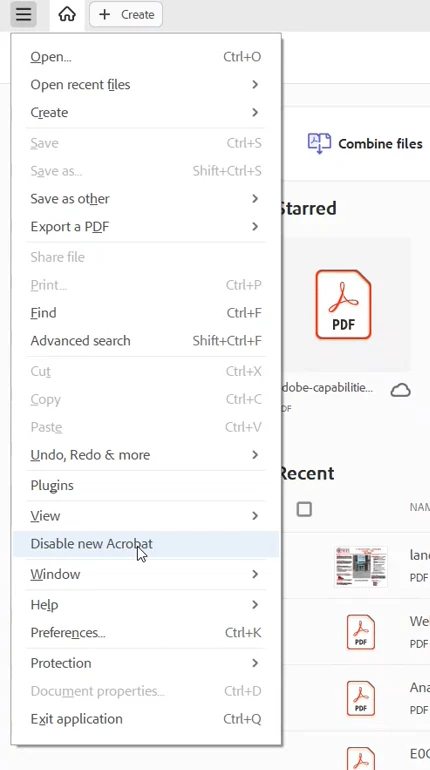
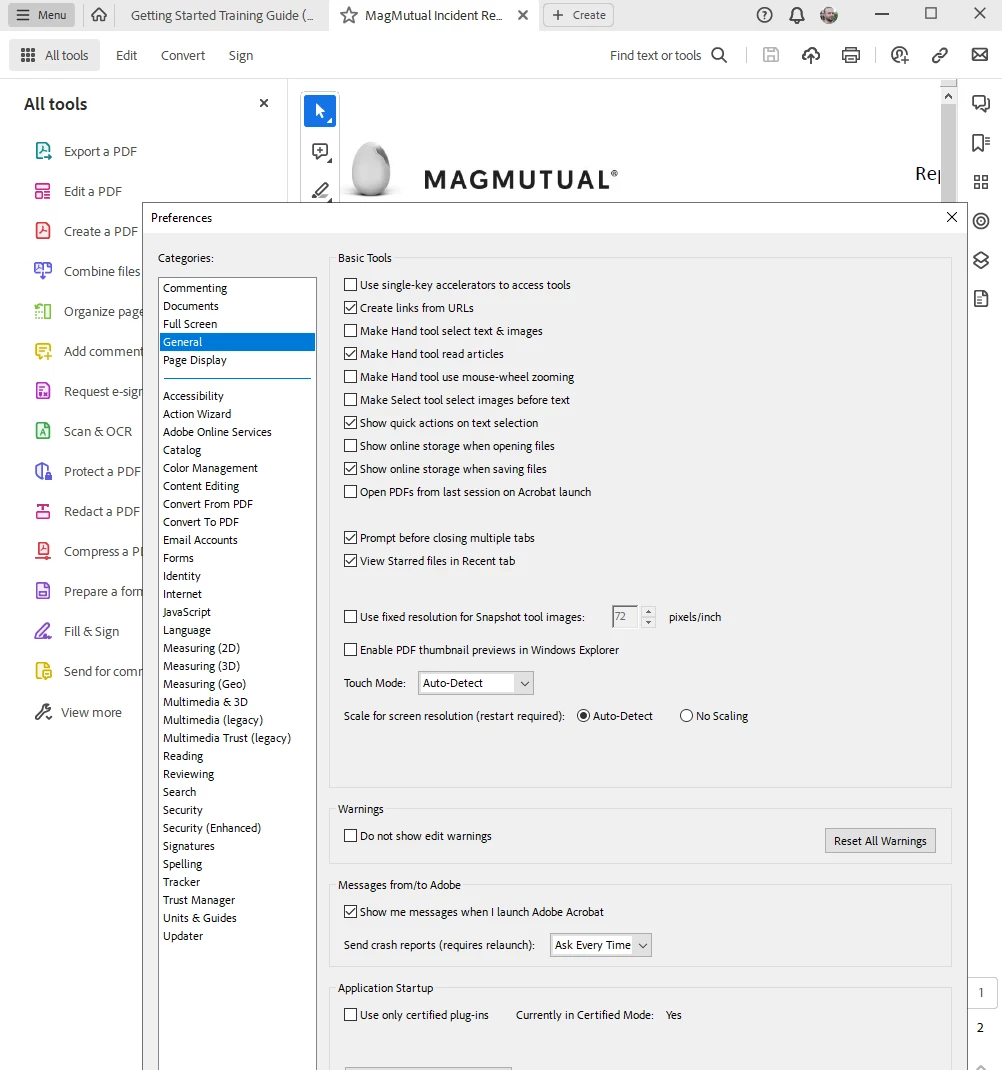
Firstly, I'm unable to locate the option to 'Open documents as new tabs in the same window.' Could you please guide me on how to disable this feature?

Secondly, I've noticed that the interface has undergone significant changes and looks completely different from what I was accustomed to. Is there a way to revert to the previous interface? I would greatly appreciate any instructions or suggestions you can provide.

Thank you very much for your assistance. I look forward to your response.

Best regards,
 

This topic has been closed for replies.
Correct answer Bernd Alheit

Use this:

2 replies

Known Participant
December 7, 2023

Adobe Acrobat 2023 ("New Acrobat") needs the option to open each document in a new window.


This should be possible without disabling New Acrobat.

Participant
February 13, 2024

I too don't have an option to choose to open tabs in another window. However, I did find that if you grab the tab for a document and move it off the Acrobat window, it does open it in a new window. Suggest resizing the original Acrobat window to be about half screen before moving a tab, otherwise it can be hard to find the new instance.

Bernd Alheit
Community Expert
Bernd AlheitCommunity ExpertCorrect answer
Community Expert
May 24, 2023

Use this:

Saher Naji
Inspiring
May 24, 2023

Thanks @Bernd Alheit 

That's great that they added this option.

After disabling the new Acrobat, I encountered a strange issue. Whenever I open a document and click on any menu option like "File," "View," or "Edit," a message keeps appearing.

This message appears once I open any documen, then clicked on File, or View, or Edit, ... etc


Participant
October 31, 2023

I did not encounter this, it worked normally