


I feel Acrobat has effected the preview pane in windows explorer (just 4 me)
about 5 months ago, my windows explorer preview pane stopped showing PDF files. It was shortly after the time I installed and started using Acrobat.
Somethings it startes to work, but only for a few hours (and many weeks inbetween).
I have spent about 50 hours searching for a solution and applying all the solutions advertised all over the net, but none work. I had uninstalled and reinstalled apps, and even reset my PC so had to download and re-install all my apps, but still problem remails.
I feel it's Acrobat. A couple of times I disabled the thumbnail preview setting under preferences and aplied it again, each time restarting my PC with every single sight change, just incase restarting the app or windows explorer was not enough. A couple times the preview pane in explorer started to work, but then, as I mentioned, won;t last for more then some hours. When I tried again the same disable thunmb preview methond and re enable, it did not work, but a month later it did work, and then didn't again. maybe it's an intermitent problem but I can't pin point the problem where it's coming from.
About a week ago I updated Acrobat (even though I stalled with latest update a month earlier), and then I have the preview pane working again, but then hours later it stops again.
Not sure if Acrobat has conflict with WPS I have installed, if it in some way effects the preview handlers in windows explorer.
I've read heaps of forums of people with no preview pane just for PDF and none of the solutions posted work for me. I really have spent 50 hours in past 5 months trying so many ways to fix. Great if anyone here knows what the cause could be.
I have Windows 11 Pro, with the latest updates (but made no different with earlier version) .
I have preview handlers box ticked in windows explorer.
word and excel files preview all the time in the pane of explorer.
Makes no different if I have my files listed with details, thumnails, or large thumnails.
I tried setting my open app as default for Acrobat, Edge and WPS, to open files but the preview pane does not preview the files, regards of which app is set as the default.
If a setting change does not fix the issue, I restart the app and try again, and if still no change I restart my PC.
I did a windows repair a month ago as it claimed their was a missing or corrupted files, and that took a number of hours and finished stating no errors and 100%, but problem of preview pane with PDF files remained.
If there is a conflict of preview handlers between Acrobat and WPS, I have no idea how to fix it.
The explorer preview pane always shows "this file can't be previewed" for all PDF files.
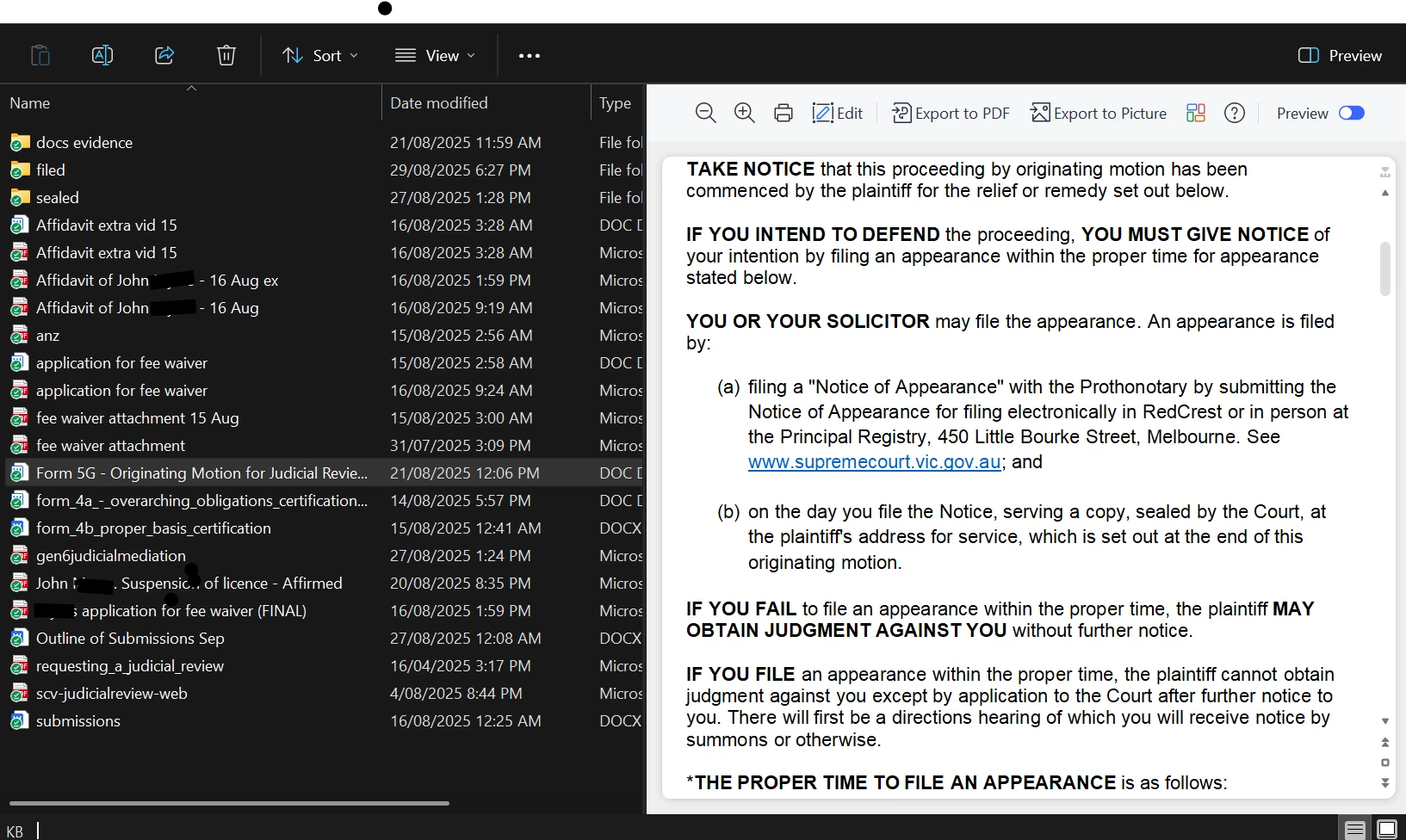
I spend 10 hours a day creating word docs and reading pdfs. I have a 1000 pdf files and it's great to preview pdf files quickly, as the thunbnail preview can't scroll thru pages nor no where near a large enough size to read. When PDF preview is working, it does not have the extra features like seen in my screenshot with a word file displayed in preview, but I can still scroll down the pages in pdf preview (and that's all I need).
 AdChoices