
I generate reviews through the acrobat review system, and I started experiencing an issue out of the blue where it is telling me to save the file to a different location before I can initiate the review.
Up until Monday, everything worked normally with the acrobat review process. My shared review lived on a network drive separate from with the original document with no issues. Come Monday, when I tried to send a document for shared commenting, it gave me the following error message:
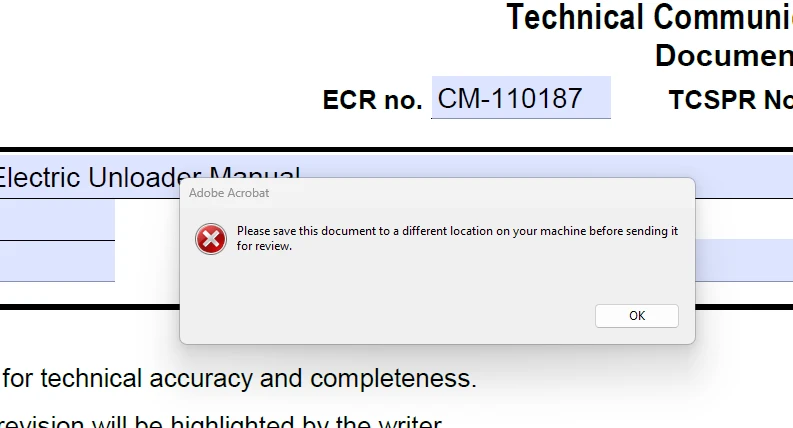
I did not deviate from my process in any way shape or form. I exported the file from InDesign as a PDF and saved it to the same network drive I usually do, no issues there. I edited the PDF no problem either. Just when I sent to send the review did I receive the error.
I’ve also been given no indication that the file itself or the InDesign file are corrupted.
To troubleshoot, I tried saving it in different folders on this shared network drive and got the same results. I tried saving it to my desktop and it allowed me to generate the review, but this is not a permeant solution. I tried repairing Acrobat through Microsoft and that didn’t work. I tried to check for updates and that didn’t work because everything was up to date. I even asked my colleagues who also use the same process if they were having the same issue and they said no.
I’ve unchecked and rechecked a bunch of settings in Acrobat and restarted my computer to no avail. I know that I’ve seen on the forums that if you are hosting a shared review on a network drive, you're not supposed to keep the original PDF saved in that exact same network folder. The review server is a different location but the _review.pdf file does live in the same folder as the original PDF. I don’t know if suddenly that might be an issue or what but I’m not sure at this point what has changed to suddenly cause this issue.
 AdChoices