



I have a form which requires multiple fields to be N/A'd and possibly shaded out if they are not required. Can this be done in Acrobat Pro by adding a radio button or 'N/A' checkbox and scripting via the 'Mouse up' action of the checkbox?
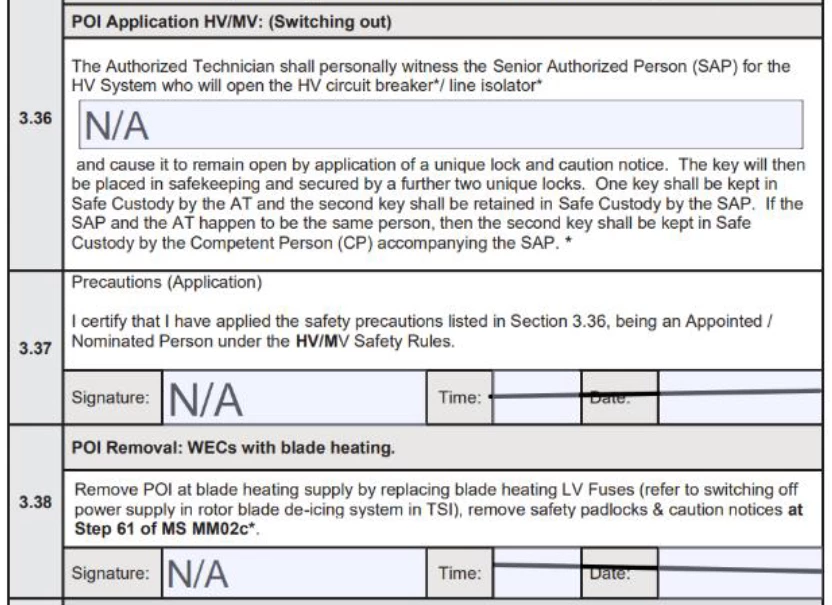
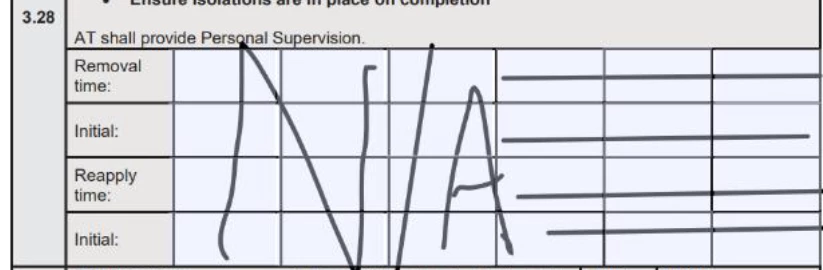
On the example below, currently N/A has to be entered manually by typing in the cell or freehand using a stylus. This is causing some issues with the time taken to complete some of our larger forms and also handwriting skills and neatness vary greatly between our personnel, as can be seen in the 2nd pic below.
The plan is to add a 2nd column with an ‘N/A?’ checkbox next to the numbered ones so that selecting it would add ‘N/A’ to the adjacent fillable cells - and possibly grey them out as well. The 1st pic below does show the fillable cells coloured but once entries are made and the form saved, when reviewed using Adobe Reader the shading is not visible. It would be referrable to retain the shading if at all possible.
As in the 3rd pic, is it possible to get just one entry of N/A added and the rest of the cells lined through from corner to corner?
I’m relatively inexperienced using scripting in Acrobat in this manner so any assistance would be very much appreciated.

 AdChoices