

TᴀW
Legend
September 6, 2023
Question

I'm not seeing the new Acrobat experience

  • September 6, 2023
  • 4 replies
  • 1400 views

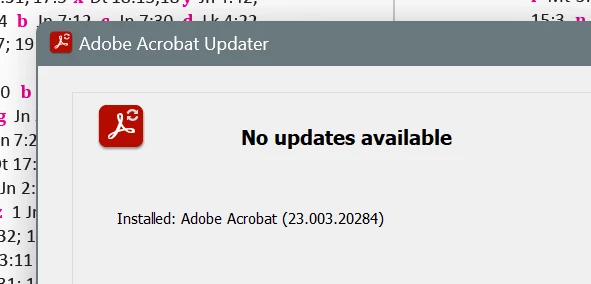
Acrobat tells me it's updated to the latest version, but I'm not seeing the new "Acrobat Experience".
 

From the feedback on this forum some might say that's a good thing!

But I need the new experience to be able to support customers who have updated.

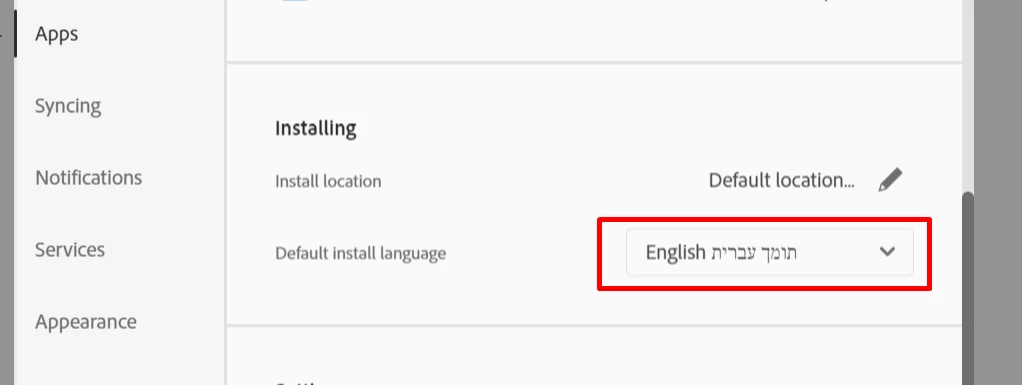
My Creative Cloud app is set to download the English-with-Hebrew-support version of the apps. Might that be the issue?
Thanks!

This topic has been closed for replies.

4 replies

Abambo
Community Expert
Community Expert
September 6, 2023

The release of the new interface is not instantaneously to all users, but it's a rolling update. On my 3 machines, it took some time to have the new interface on all machines. Last week, my laptop got added as the last of my computers to the new interface. I suspect that there is some flag that will be set by Adobe at one moment to trigger the new interface for a specific user.

ABAMBO | Hard- and Software Engineer | Photographer
TᴀW
TᴀWAuthor
Legend
September 6, 2023

Could be.

The version it's showing is as above: 

23.003.20284

Isn't that what it depends on?

Visit www.id-extras.com for powerful InDesign scripts that save hours of work — automation, batch tools, and workflow boosters for serious designers.
Abambo
Community Expert
Community Expert
September 6, 2023

The version is probably the latest, but the new interface is not showing. No problem with that.

ABAMBO | Hard- and Software Engineer | Photographer
Participant
September 6, 2023

Re bonjour,
Pour avoir la nouvelle configuration d'Adobe Acrobate Reader, vous devez désinstaller la version présente sur votre PC même si c'est la dernière version.

Ensuite, vous devez télécharger l'application sur le site Adobe puis l'installer sur votre PC

Le nouvel affichage apparaitra et c'est bien la même version 2023.003.20284.
Si vous voulez revenir à l'ancien affichage, vous faites "Menu / Désactiver la nouvelle version d'Acrobat Reader" puis l'application va redémarrer.

Une fois sur l'ancien affichage, pour revenir au nouvel affichage, vous faites "Onglet Affichage de la barre des menus / Activer la nouvelle version d'Acrobate Reader" puis l'application va redémarrer

Voilà la solution que j'ai effectué

Cordialement

CordialementJ- F
Participant
September 6, 2023

Bonjour, moi j'ai le même problème.

J'ai la dernière version et j'avais le nouvel affichage après le téléchargement et installation sur un nouveau PC. J’ai réussi à revenir en ancien affichage mais je n'arrive pas à repasser au nouvel affichage

Je ne trouve pas de solution sur le net pour régler ce problème.

Je pense que la solution est de désinstaller et de réinstaller pour avoir automatiquement la nouvel version. Si quelqu'un a une solution, je serai preneur.

Merci par avance de vos réflexions, aides et réponse.

Cordialement

CordialementJ- F
Bernd Alheit
Community Expert
Community Expert
September 6, 2023

May be the issue.