


If / Then / Or / Else script and syntax help
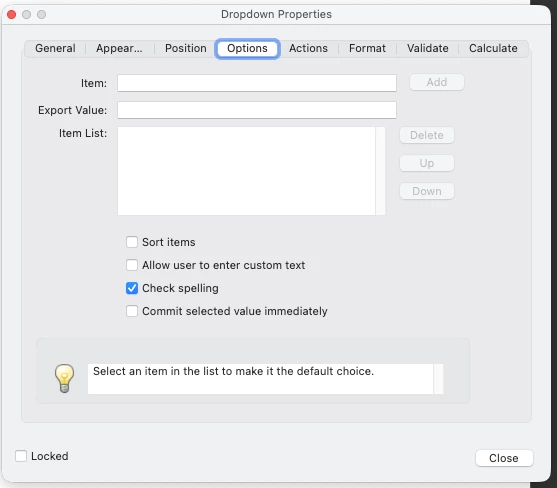
I'm working on updating a pricing/billing form for work. If any single product is waived or exception priced, then the form needs to be signed by the sales person submitting it. I have added a drop-doown for each product that says it is either "Standard Pricing" or "Exception Pricing". I have another fields which notates whether the form requires a signature or not; this is a simple "Yes" or "No". I want latter field to automatically swap from "No" to "Yes" when any field has "Excepion Pricing" selected. I'm not super fluent in Java, but I have been able to determine this would be done in the custom calculation section of the yes/no field.
The older form that I am updating from used a calculation on each of the standard/exception pricing fields to send an update to the yes/no field. The issue with this is if you take any of those from exception to standard, it changes the "need signature" box to No, even of another field is remaining in exception pricing. My thought is to create this calculation from the yes/no field, instead.
For example, if Product A, and Product D are all standard pricing, but then I set Product B and Product C to exception, it updates the field to so say "Yes" a signtature is required. Then, down the road, I move Product B to standard, it can still recognize that Product C is exception and maintain the "Yes" value.
I have attempted a few variations of this, and am most likely not doing something correctly. I am very amateur to PDF creation and Javascript, so I may be barking up the wrong tree. If I need to go a route where it's just a longer set of if/then/else statements, I am more than happy to do that, as well. Below is some of what I've attempted thus far.
var A = this.getField("LockboxPricing").value;
var B = this.getField("HealthRemitPricing").value;
var C = this.getField("ConrolledDisbPricing").value;

if (A == "Exception Pricing" || B == "Exception Pricing" || C == "Exception Pricing"){
   event.value = "Yes";
} else {
   event.value = "No";
}
Another ettempt:
var A = Number(this.getField("LockboxPricing").value);
var B = Number(this.getField("HealthRemitPricing").value);
var C = Number(this.getField("ConrolledDisbPricing").value);

if (A == "Exception Pricing" || B == "Exception Pricing" || C == "Exception Pricing"){
   event.value = "Yes";
} else {
   event.value = "No";
}
A slightly different attempt:
var A = Value(this.getField("LockboxPricing").value);
var B = Vaue(this.getField("HealthRemitPricing").value);
var C = Value(this.getField("ConrolledDisbPricing").value);

if (A == "Exception Pricing" || B == "Exception Pricing" || C == "Exception Pricing"){
   event.value = "Yes";
} else {
   event.value = "No";
}
Any assistance is greatly appreciated. I may be biting off more than is reasonably for Adobe's Javascript editor, I'm not sure. I am using Acrobat Pro 2025.01.2x, in case this matters.

 AdChoices