6269026
Participating Frequently
September 24, 2018
Answered

Import data limited to FDF files

  • September 24, 2018
  • 2 replies
  • 2502 views

In Acrobat Pro DC, I am trying to import data to populate form fields.

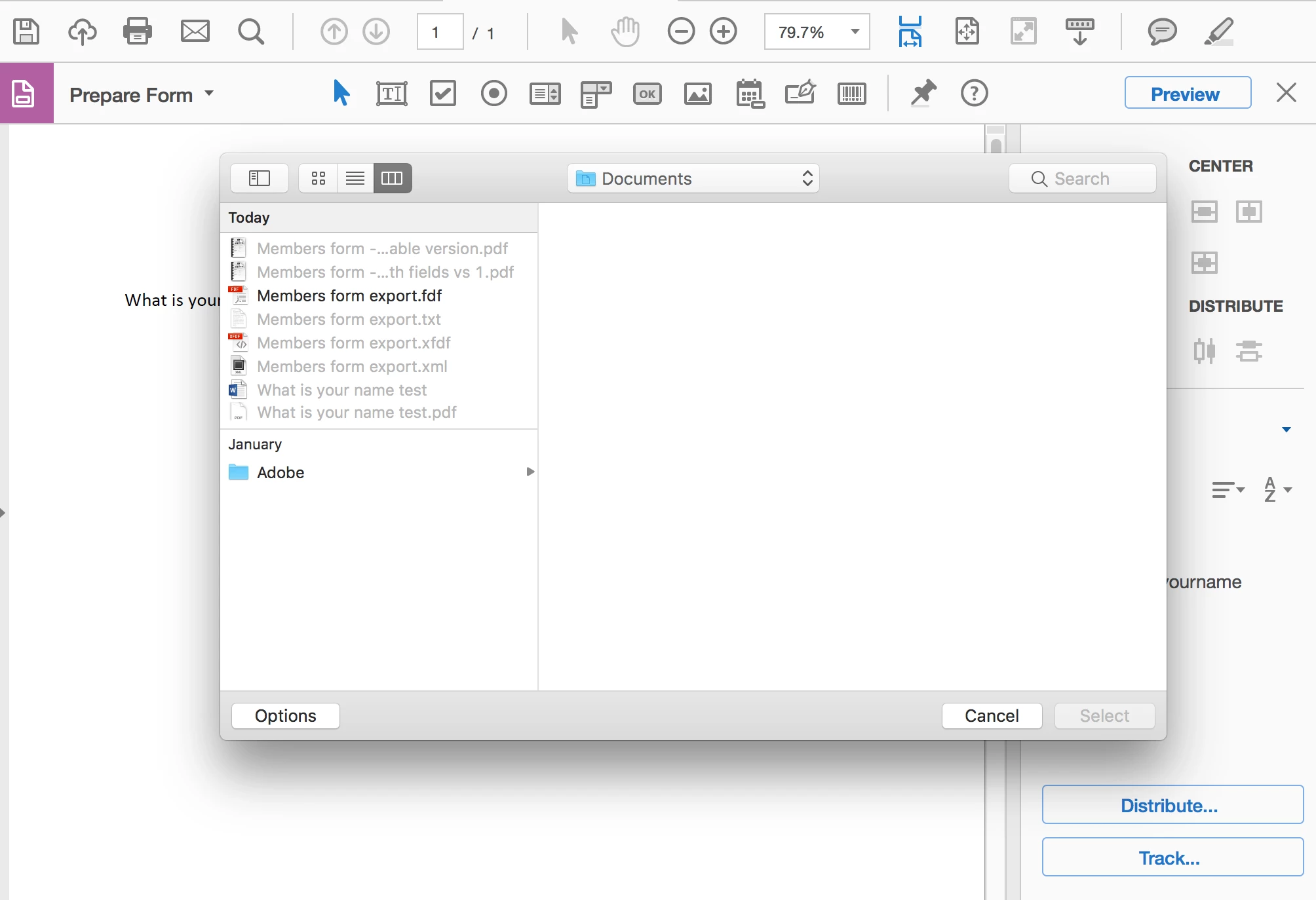
Why does the import form data function only accept FDF files? (all other file types are greyed-out)

My understanding was it should be able to accept both FDL and XML.

The help file: Collecting and managing PDF form data, Adobe Acrobat does mention that "Some formats are available only for specific types of PDF forms, depending on the application used to create the form".  Are there any settings I may have incorrect?

Thank you

Correct answer try67

The dialog seen directly after Import Data is:


What do you see under Options?

2 replies

JR Boulay
Community Expert
Community Expert
September 24, 2018

An AcroForms* PDF form can import data as FDF, XFDF, HTML and XML.

* vs an XFA PDF form, made with LiveCycleDesigner, see: https://www.foxitsoftware.com/blog/?p=2867

Acrobate du PDF, InDesigner et Photoshopographe
try67
Community Expert
Community Expert
September 24, 2018

What version of Acrobat are you using?

How are you importing the data into the form, exactly?

6269026
6269026Author
Participating Frequently
September 24, 2018

Hi, 

Adobe Acrobat Pro DC. Version 2018.011.20063

Import Process:  Tools / Prepare Form  / More  /  Import Data

try67
Community Expert
Community Expert
September 24, 2018

OK. Can you post a screenshot of what you see after doing that? Use the Insert Image tool when replying via the forum itself, not via an email.