Question
import multi page pdf as layer
How do I import a multi page pdf as a layer into another multi page pdf without having to do it page by page in the import as layer dialog in Acrobat Pro DC.
I need to import a copy pdf as a layer into my image pdf. Both pdf files have the same number of pages, so I want page 1 of the copy pdf to be placed on page 1 of the image pdf, and so on.
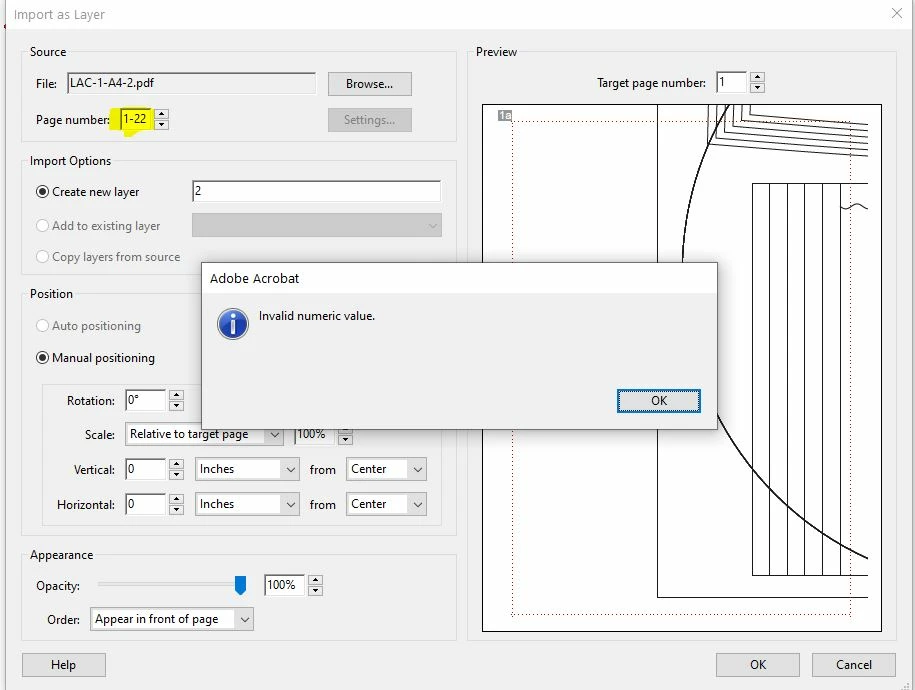
I can't select to import all 22 pages. It will not allow me to select page range.
Is this even possible to do on this program? suggustions on how to solve this?
 AdChoices