This topic has been closed for replies.
Correct answer georgez88320566

Finally, I got the solution myself!.

There is not any API or instrruction in Adoba API doc.

The approaching is:

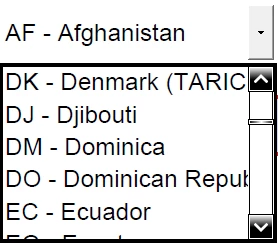
(1) Create a text control, one button and one listbox.

(2) Copy and past the excel sheet columns on the text field.

(3) Using Java script to load the text to the listbox.

(4) Copy the loaded listbox to any PDF form you like.

Here is the code to load the test to listbox:

(function () {

// Get the contents of the multi-line text field

// where the list values have presumably been pasted or otherwise entered

    var sItems = getField("items").valueAsString;

// Alert the user if the field is empty

    if (!sItems) {

        app.alert("Please enter a list of items in the text field below.", 3);

        return; 

    }

// Create the array of items by splitting the string from the field

    var aItems = sItems.split(/\r/);

    //

getField("Yourlistbox").setItems(aItems);

})();

I hope that this can help others.
George

2 replies

georgez88320566
georgez88320566AuthorCorrect answer
Participant
February 15, 2018

Finally, I got the solution myself!.

There is not any API or instrruction in Adoba API doc.

The approaching is:

(1) Create a text control, one button and one listbox.

(2) Copy and past the excel sheet columns on the text field.

(3) Using Java script to load the text to the listbox.

(4) Copy the loaded listbox to any PDF form you like.

Here is the code to load the test to listbox:

(function () {

// Get the contents of the multi-line text field

// where the list values have presumably been pasted or otherwise entered

    var sItems = getField("items").valueAsString;

// Alert the user if the field is empty

    if (!sItems) {

        app.alert("Please enter a list of items in the text field below.", 3);

        return; 

    }

// Create the array of items by splitting the string from the field

    var aItems = sItems.split(/\r/);

    //

getField("Yourlistbox").setItems(aItems);

})();

I hope that this can help others.

George

Thom Parker
Community Expert
Community Expert
February 15, 2018

well you know, there are a couple of free downloads for this.  George Johnson has one and I've got one here:

Free Sample PDF Files with scripts

Thom Parker - Software Developer at PDFScriptingUse the Acrobat JavaScript Reference early and often
try67
Community Expert
Community Expert
February 14, 2018

You can use this tool I've developed to do it (you would need to first save the Excel file as a plain-text file, though): Custom-made Adobe Scripts: Acrobat -- Import Items from a Text File to a Combo-Box or List Field