


Participant
September 11, 2025
Question

Impossible d'enregistrer une copie certifiée de mon document

  • September 11, 2025
  • 1 reply
  • 149 views

Bonjour,

J'utilise le bouton ''enregistrer une copie certifiée'' lorsque je signe des documents (Ci-dessous). L'onglet ''signer électroniquement'' est pratique, car il me permet de signer plusieurs pages sur un même document facilement. Je souhaite continuer à utiliser cette méthode de signature.
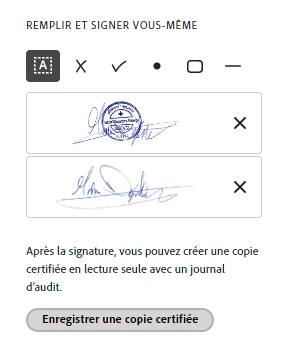
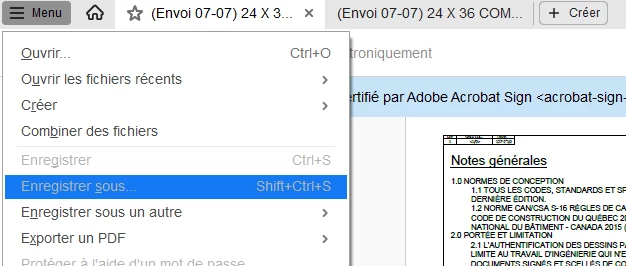
Après que la création du document certifié je suis incapable de l'enregistrer localement sur mon ordinateur pour l'archiver dans mes dossiers ou l'envoyer par courriel. Avant l'option était disponnible avec Adobe, mais depuis un certain temps l'option n'est plus disponnible. Comment faire pour enregistrer un document certifité sur mon ordinateur.

 

1 reply

creative explorer
Community Expert
Community Expert
September 13, 2025

@maxim_7452 How do I save a certified document on my computer? I probably "print" the certified document to a new PDF file. This effectively creates a new, non-certified copy that you can save anywhere. This creates a new document that looks identical to your signed copy but doesn't have the digital signature or security properties. Or another option is to try saving the document as an "optimized PDF," which can bypass some of the restrictions. A dialog box will appear. Select Yes to overwrite the existing file or save it to a new location. This process can significantly reduce the file size and may allow you to save a new, flattened copy of the document.

m