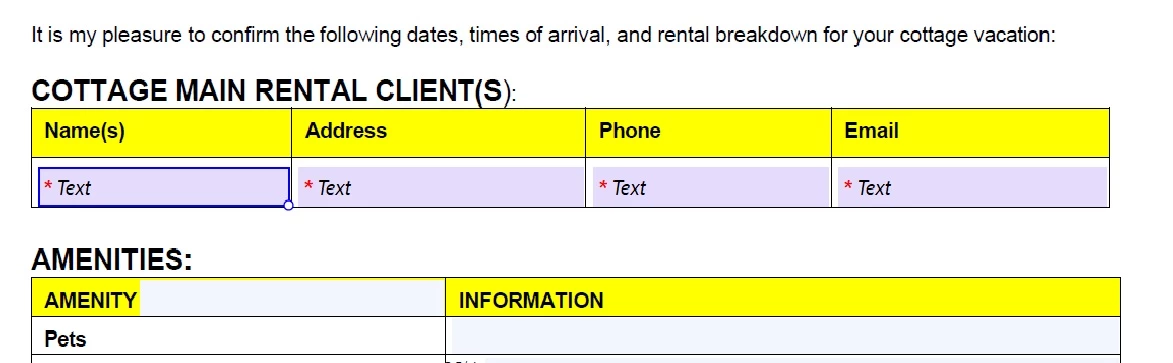
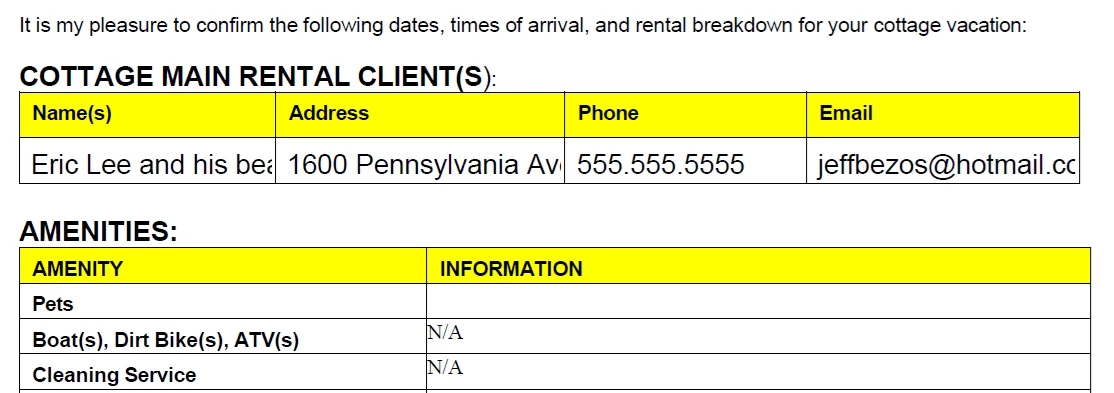
Thank you for reaching out about the issue with text fields being cut off in Acrobat Sign.
This can happen if the text field is not sized appropriately for the content being entered, or if there are specific formatting settings that limit the display of text. Here are some relevant help articles that can assist you in adjusting text fields and ensuring they display properly:
1. Adjusting Field Properties in Acrobat Sign: Learn how to set field width, height, and font size to ensure your text fits correctly: https://adobe.ly/4e7jhbK
3. Creating and Managing Forms in Acrobat Sign: insights into how to arrange and size fields properly to avoid any issues with text visibility: https://adobe.ly/3YH6rMX
If you have further questions or need additional assistance, please don’t hesitate to ask!
 AdChoices