

Inspiring
April 13, 2026
Answered

In the simple (not advanced) search, what shortcut brings up the next instance of the sought for term?

  • April 13, 2026
  • 2 replies
  • 36 views

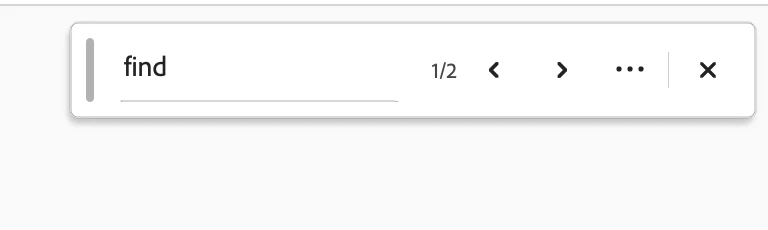
In the simple (not advanced) search, what shortcut brings up the next instance of the sought for term? I have to click the arrows to get to the next instance. Thanks. Using latest Acrobat DC Pro and latest MacOS

 

    Correct answer Meenakshi0101

    Hi JIPNET,


    Thank you for reaching out.


    When you use the simple Find feature in Adobe Acrobat Pro on macOS, you do not need to click the arrows to move between results. Once you add text in the Find tool, click on the Enter or Command +G key on your keyboard to move to the next search option.

    For more information on key shortcuts, refer to the following help document: https://adobe.ly/3QA2GqV


    Let us know how it goes.


    Thanks,

    Meenakshi

    2 replies

    Dave Creamer of IDEAS
    Community Expert
    Community Expert
    April 13, 2026

    Or Command-G

    David Creamer: Community Expert (ACI and ACE 1995-2023)
    Meenakshi0101
    Community Manager
    Meenakshi0101Community ManagerCorrect answer
    Community Manager
    April 13, 2026

    Hi JIPNET,


    Thank you for reaching out.


    When you use the simple Find feature in Adobe Acrobat Pro on macOS, you do not need to click the arrows to move between results. Once you add text in the Find tool, click on the Enter or Command +G key on your keyboard to move to the next search option.

    For more information on key shortcuts, refer to the following help document: https://adobe.ly/3QA2GqV


    Let us know how it goes.


    Thanks,

    Meenakshi

    JIPNETAuthor
    Inspiring
    April 13, 2026

    I can’t believe I missed that command. I was partly misled by the documentation:


    Move to the next search result and highlight it in the document

    F3 or

    Ctrl + G

    command + G


    Since there are two search types (simple/advanced), it might be worth clarifying this on your instructions page—where I am not seeing “return” indicated. 


    I don’t think I have ever used return for simple searches. But yes, that is the answer. Thanks very much.

    Meenakshi0101
    Community Manager
    Community Manager
    April 13, 2026

    Hi JIPNET,


    Thank you for sharing your suggestion. We will share it with the team.

    Glad to know the information helped.


    Let us know if we can be of any further assistance.


    Thanks,

    Meenakshi