
Participant
August 5, 2017
Answered

Incorrect Calculation - adding inappropriate decimals into totals

  • August 5, 2017
  • 2 replies
  • 1320 views

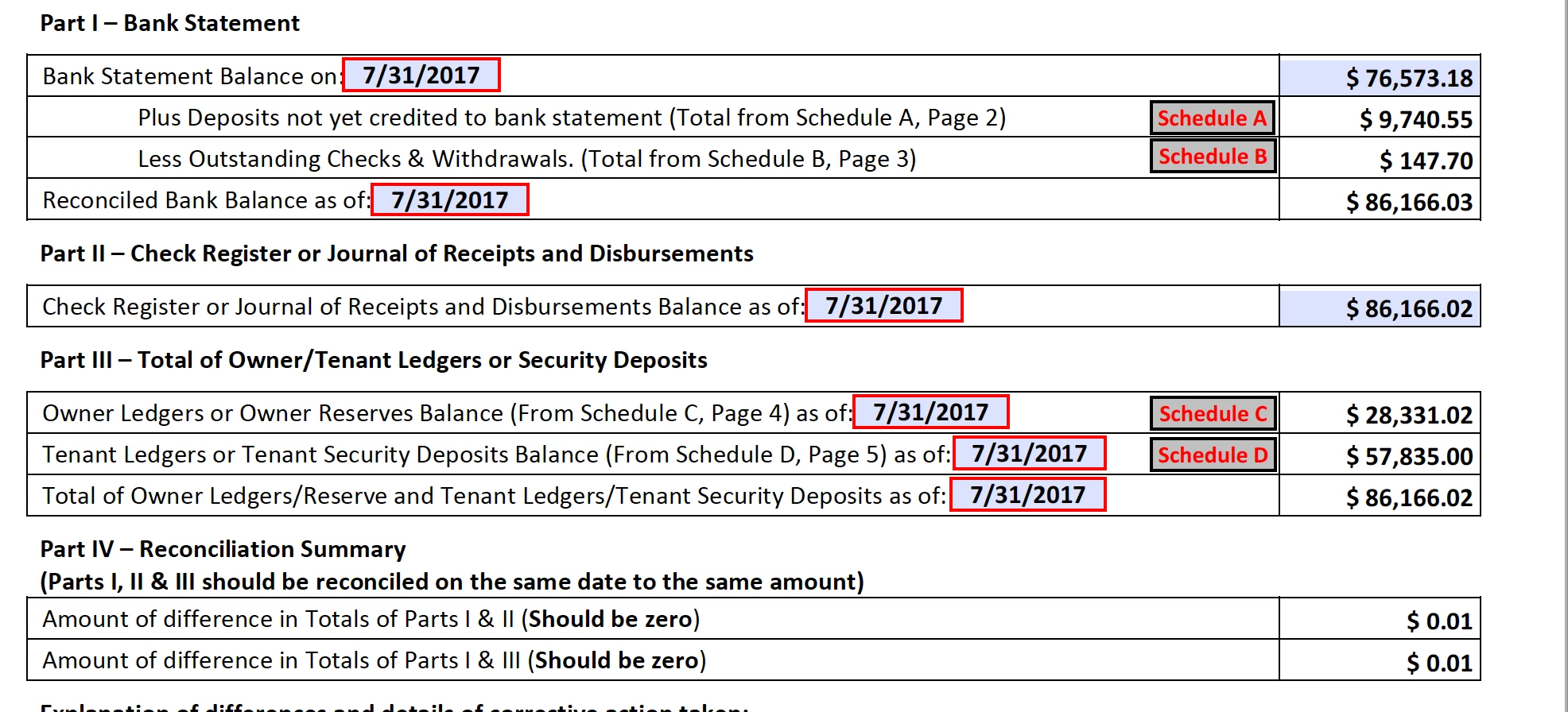
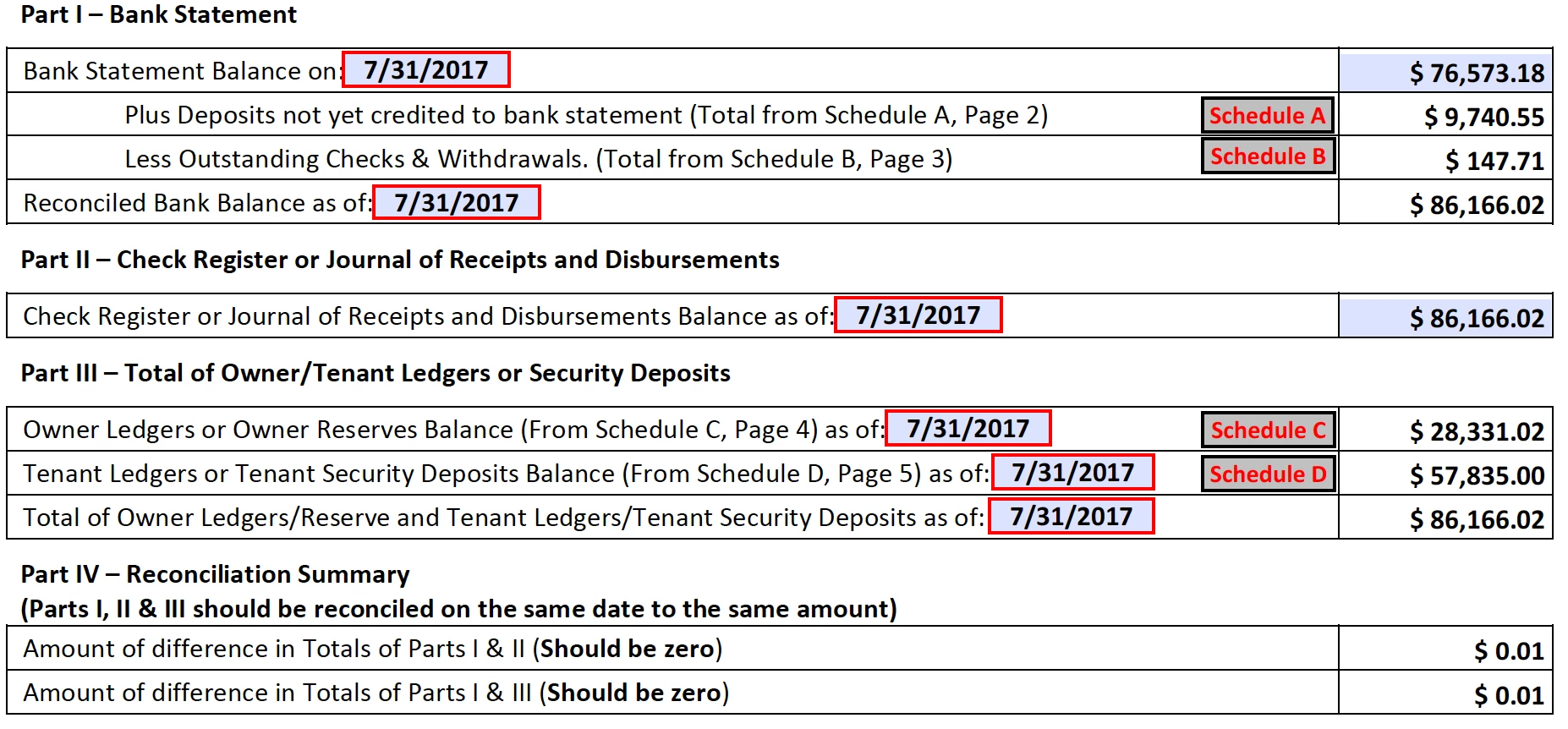
We have a form that must be downloaded from a State site.  Schedule A & B are tables that feed into this page.  But for my purposes, I just enter the amounts in the tables exactly as you see the figures.  Everything is fine until I enter the $$ in Part 2.  I have Acrobat Pro DC - so can look at the coding of the sheet by the agency.  In Part I, the reconciled Balance is defined as Part1Total.  The coding behind it is a calculation of:  BankStatementBalance+(SchATotalPage1-SchBTotalPage1).  I have entered the numbers in both of those schedules as a two digit number (exactly as you see them).  However, when I click on the reconciled Bank Balance in Part I, it shows 86166.0199999999999 as a calculation - which is why I think I'm getting the error in Exhibit B.  The format isn't a two digit number after the decimal as indicated by the formatting allowed in the form. 

Also, once this occurs on the sheet. it will then also affect the balances in Part III.  The sheet keeps erring with the same message in Exhibit B - until I get to Schedule D.  When I enter that information, I get an error in Exhibit C - and the balances in Part IV do not update appropriately for either Section above.  See Exhibit D. 

I can go into the Schedules and change them by 1 penny (Schedule B).  It modifies the Balance in the section that was changed, I receive no error, and the balance in IV is appropriate as $.01 off. (Exhibit E) If I go back up to the Schedule B and change it back, I get Exhibit B error, but it does change the Bank Balance in Section I to the correct amount, but the balance in Section IV doesn't adjust. 

The kicker is that this form doesn't do this all the time.  I have a number of these that calculate appropriately.  Thinking that perhaps I had a corrupted sheet in some way, to test the sheet, I entered another month that actually balanced.  And - it balanced within this same page just fine.  ANY IDEAS ON WHAT WOULD CAUSE THIS CRAZINESS??!!  It's as frustrating as h**!

Exhibit A:
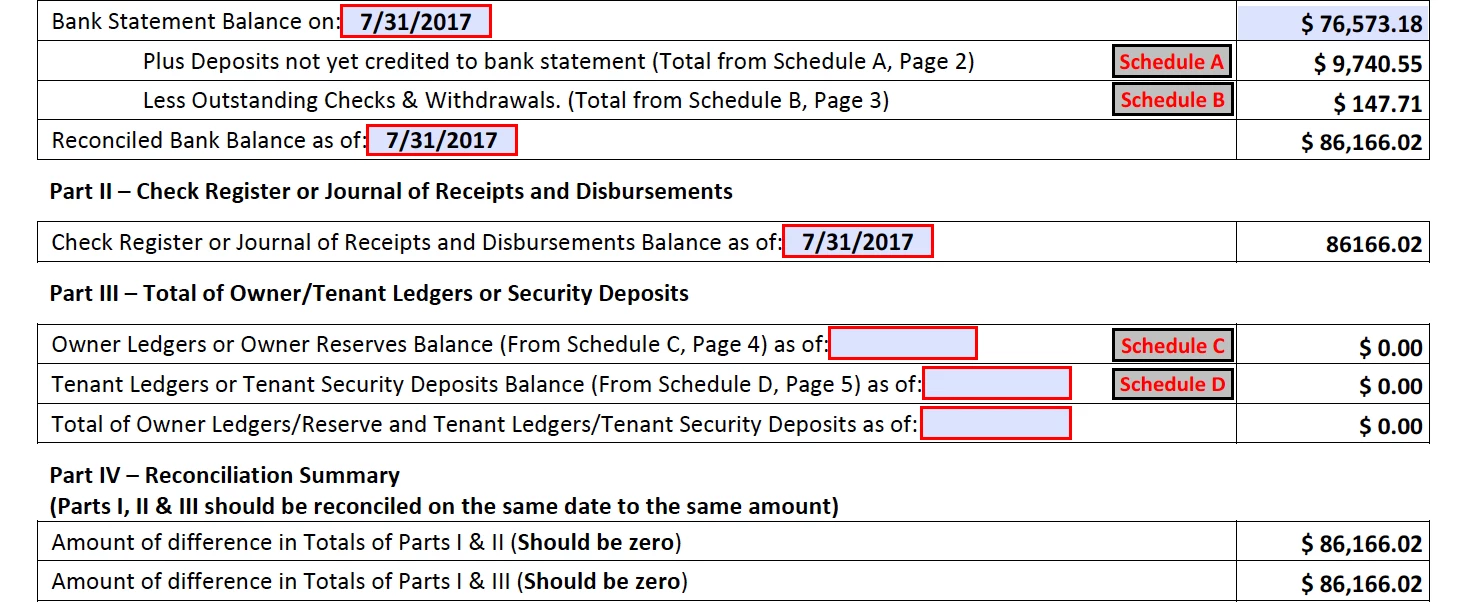
Exhibit B:
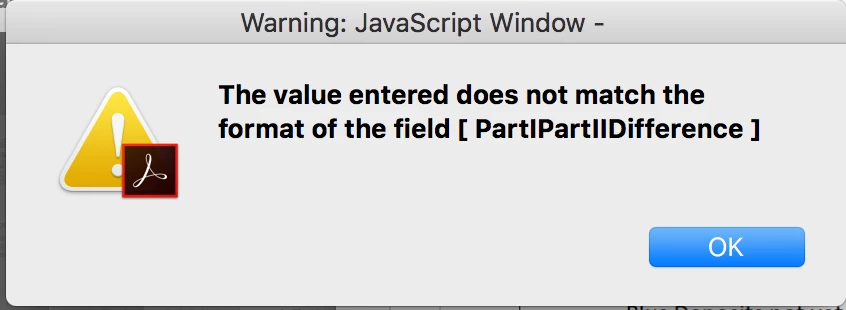
Exhibit C:
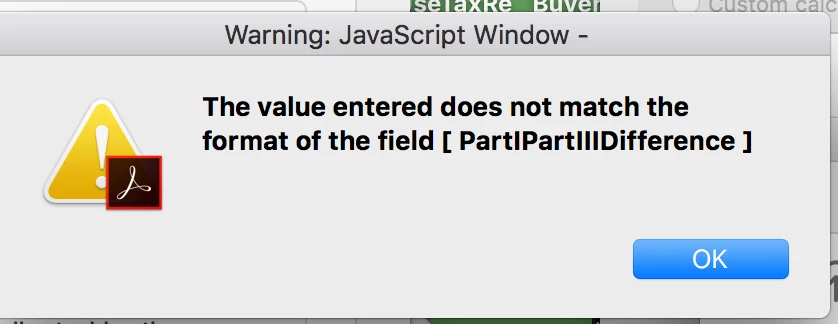
Exhibit 😧
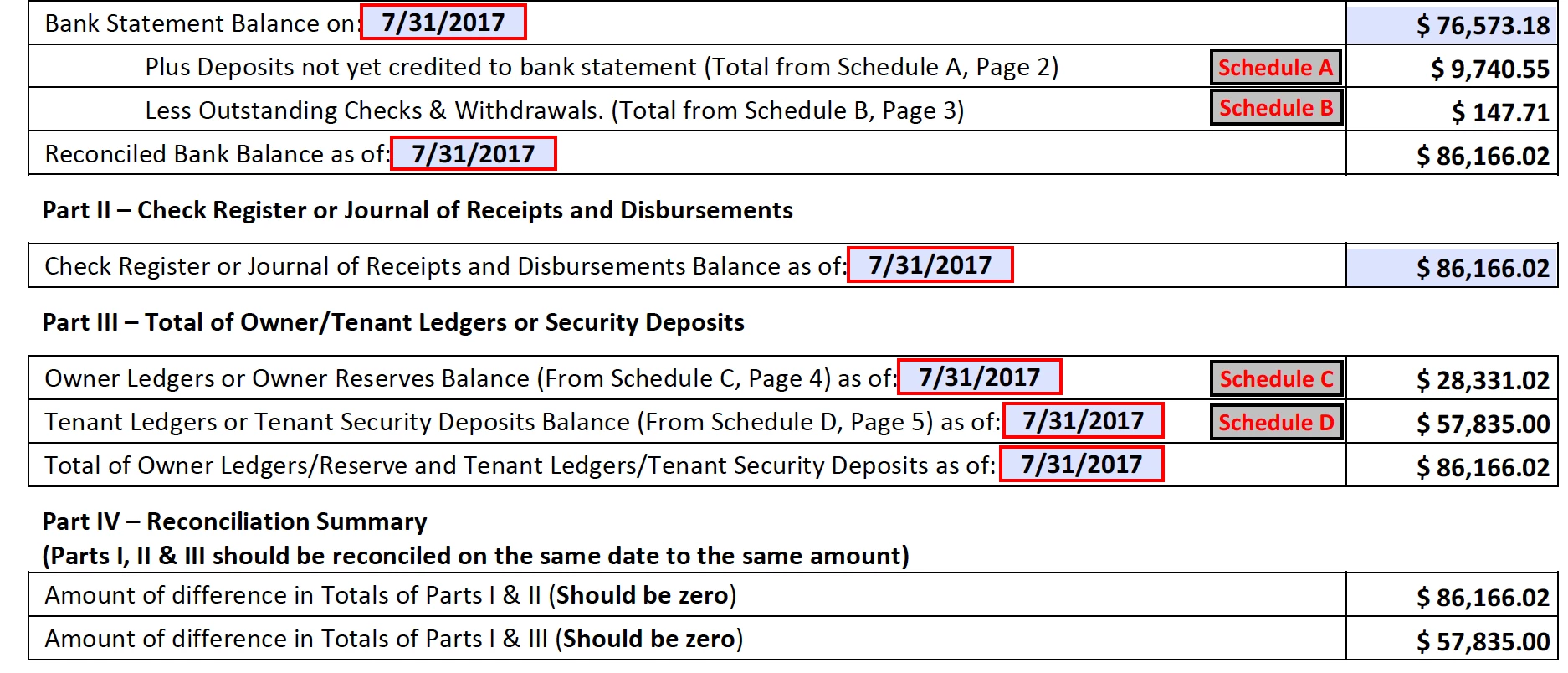
Exhibit E:  Changed Schedule B by 1 penny.  If I then go back into Schedule B and change it back to $.71, the error comes back up and the difference
This topic has been closed for replies.
Correct answer try67

It seems to be a floating number error. You can solve it by using custom scripts for the calculations (instead of the Simple Field Notation option), and manually rounding the results to 2 digits.


For example, currently you have this as the calculation formula of "PartITotal":

BankStatementBalance+(SchATotalPage1-SchBTotalPage1)

The result it produces is: 72087.40999999999

If you replace it with the following code, the result will be "72087.41":

var v1 = Number(this.getField("BankStatementBalance").value);

var v2 = Number(this.getField("SchATotalPage1").value);

var v3 = Number(this.getField("SchBTotalPage1").value);

event.value = (v1+(v2-v3)).toFixed(2);

2 replies

Inspiring
August 5, 2017

I expect you have several issues going on at once.

Acrobat JavaScript stores numeric variables as 16 bit IEE Floating Point values unless it is a very large or very small value and then stores the value in scientific notation. For really big numbers there is the "INFINITY"  and "-INFINITY" values. These non-floating point numbers are valid numbers for the Number constrictor and for use in calculations but they cannot be placed in a form field using the Number or Percent formats.

Calculations in JavaScript are done by the computer and the decimal values are converted to binary values and  many decimal values become irrational in the binary format and when converted back to floating point values may not exactly come out as the expected decimal value but will be of by a very small amount. This small difference can be corrected by rounding the value to an appropriate number of decimal places. Calculators and humans tend to automatically round the results of these calculations without thinking but computers need to be instructed to perform the rounding.

Division by zero, null, or a blank value results in a "NaN" string indicating the result is Not a Number so you either need to test for a zero divisor or check for a result on "NaN" and control your code accordingly.

There could also be the possibility that calculations are not being performed in the order you expect them to be performed. So you should set Acrobat's preferences  to not reorder the calculations upon editing and double check the order in which the calculations are performed.

As previously noted you should share a link to your form or a sample form that exhibits your issues.

You should be aware that the value displayed for a field may not be the actual value of the variable or result of the calculation. This is another reason it may be necessary to round the results of calculations as part of the calculation. Not doing so may introduce a small error upon which subsequent calculations could generate a larger error.

Bernd Alheit
Community Expert
Community Expert
August 5, 2017

Can you share the form?

Participant
August 6, 2017

Here's a link to the form...  Hopefully, I did it correctly.....

Shared Files - Acrobat.com

try67
Community Expert
Community Expert
August 7, 2017

It seems to be a floating number error. You can solve it by using custom scripts for the calculations (instead of the Simple Field Notation option), and manually rounding the results to 2 digits.