There is no direct method of “inserting” PostScript or EPS (Encapsulated PostScript) into PDF.
However, you can follow the follow this procedure to do the equivalent:
(1) Create PDF from PostScript or EPS via Acrobat Distiller. Make sure you use .joboptions that assure that all fonts referenced are embedded in the resultant PDF.
(2) Open the resultant PDF in Acrobat to assure that you have what you actually expect and make any adjustments available via Acrobat. If you do any adjustments, save the PDF file. Close the PDF file.
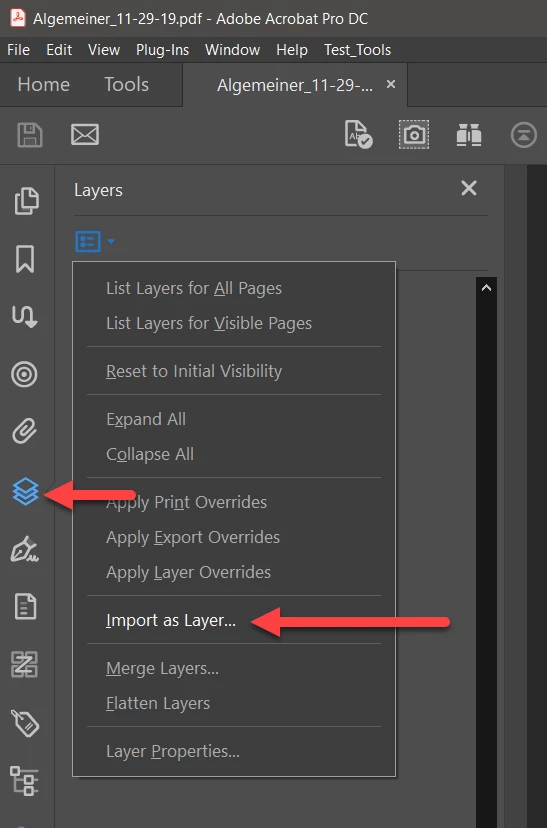
(3) Open the target PDF file (the one you wanted to insert PostScript or PDF into). Open the Layers palette from the left side options. Then select the Import as Layer… option.
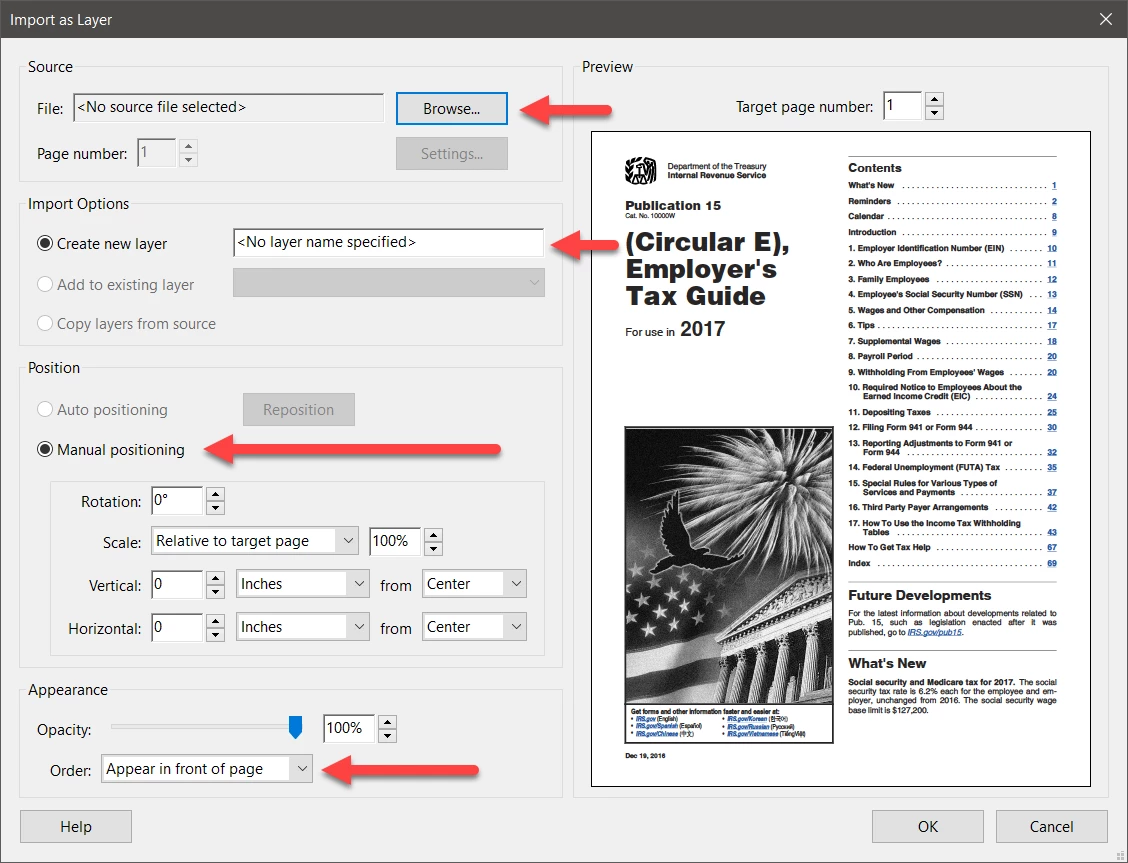
(4) You then are presented with a dialog that lets you choose the PDF file to include, the new layer name, and numerous options for sizing and positioning the PDF file you are importing. After completing this step, press OK. You can then optionally merge layers.
(5) You should then save the resultant PDF file. And you are now done!
Note that there is a major advantage of this approach. Watermarks are not an integral part of the base PDF file. The content added via this method is fully integrated into the final PDF file.
- Dov



 AdChoices