
Participant
April 12, 2024
Question

Insert text - adding paragraph and space don't allow to post a comment

  • April 12, 2024
  • 1 reply
  • 1777 views

Hi! 

I would like to report an issue with comment tools. I'm using Version 2024.001.20643 | 64 bit.

When I want to add a space or indicate that a new paragraph should be added, I use Insert Text tool. I click where I want to add space/paragraph, the general insertion caret appears and when I press space bar or Enter I can't post the comment. The insertion caret doesn't change when pressing any of those keys. I can't post the comment, either. 

I follow this instruction: https://helpx.adobe.com/acrobat/using/mark-text-edits.html (section: Insert text).
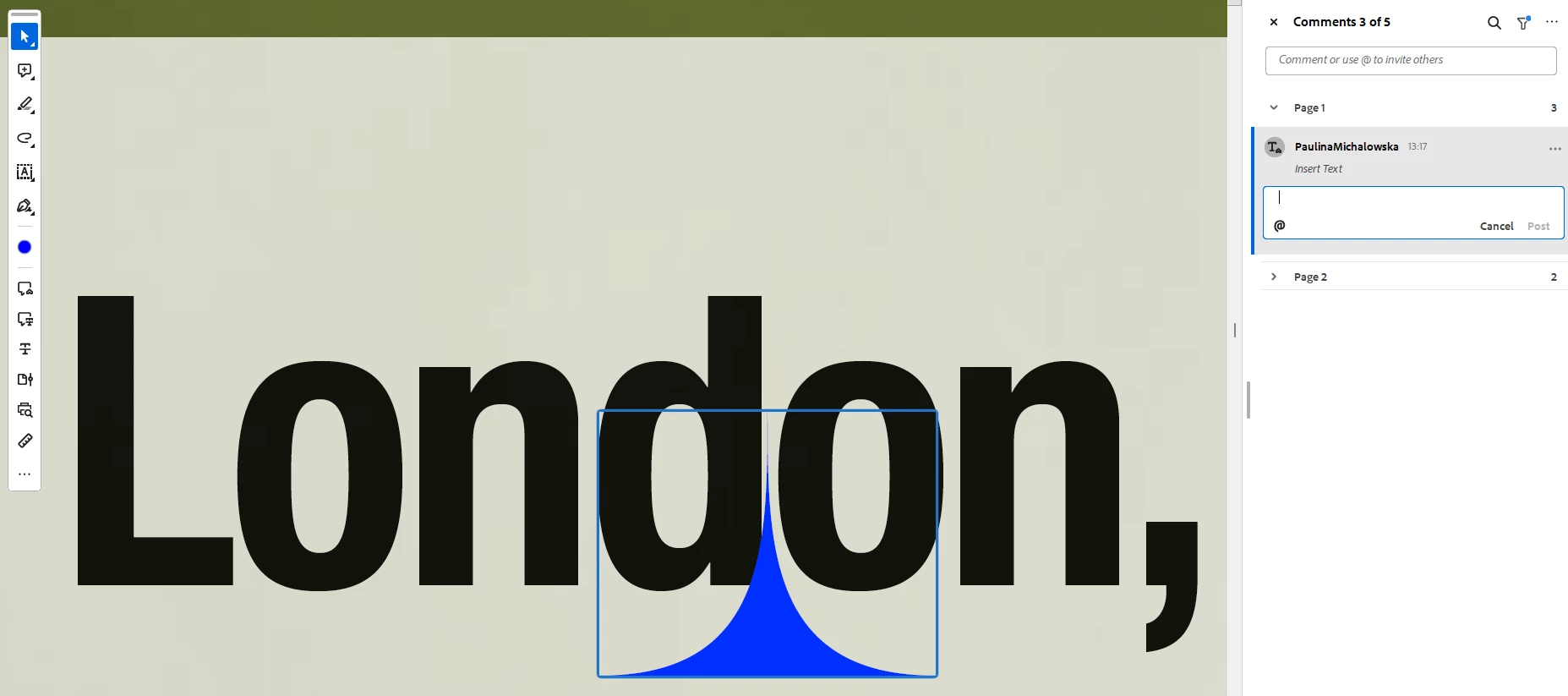
As you can see on this image, I've added the space and the Post function is grey and not active.

I hope this issue can be resolved!

Thanks!


1 reply

try67
Community Expert
Community Expert
April 12, 2024

Does it work if you enter something else, like "add line-break"? If so, maybe it's considering the comment as empty, and then doesn't submit it...

Participant
April 12, 2024

It does work with the text.

To give you a bit of background information, why we need this. We import the comments from PDF to InDesign: https://helpx.adobe.com/indesign/using/import-pdf-comments.html

This helps us a lot with updating our files. If I choose to use Insert the text tool and type "add line-break", when the comment will be imported and accepted in InDesign, it will change the text to "add line-break". We are using now different type of comment to avoid this designer mistake, which is less convenient.

In some previous versions of Acrobat (not sure when it stopped working), I was able to add space or paragraph by using the Insert Text tool and pressing Enter or space bar, following the instruction I shared in my original post. Now I can't. 

try67
Community Expert
Community Expert
April 12, 2024

You should report it to Adobe as a bug: https://www.adobe.com/products/wishform.html