
Participant
October 2, 2019
Question

Inserting image into a specific shape

  • October 2, 2019
  • 1 reply
  • 1896 views

Hello all! I have been making a form-fillable character sheet for people to use for their dnd characters. My art serves as a backdrop and I build all of the fillable segments manually.


Most of it has been easy to set up in Acrobat Pro but I'm having trouble with inserting an image into a specific shape. See example below.
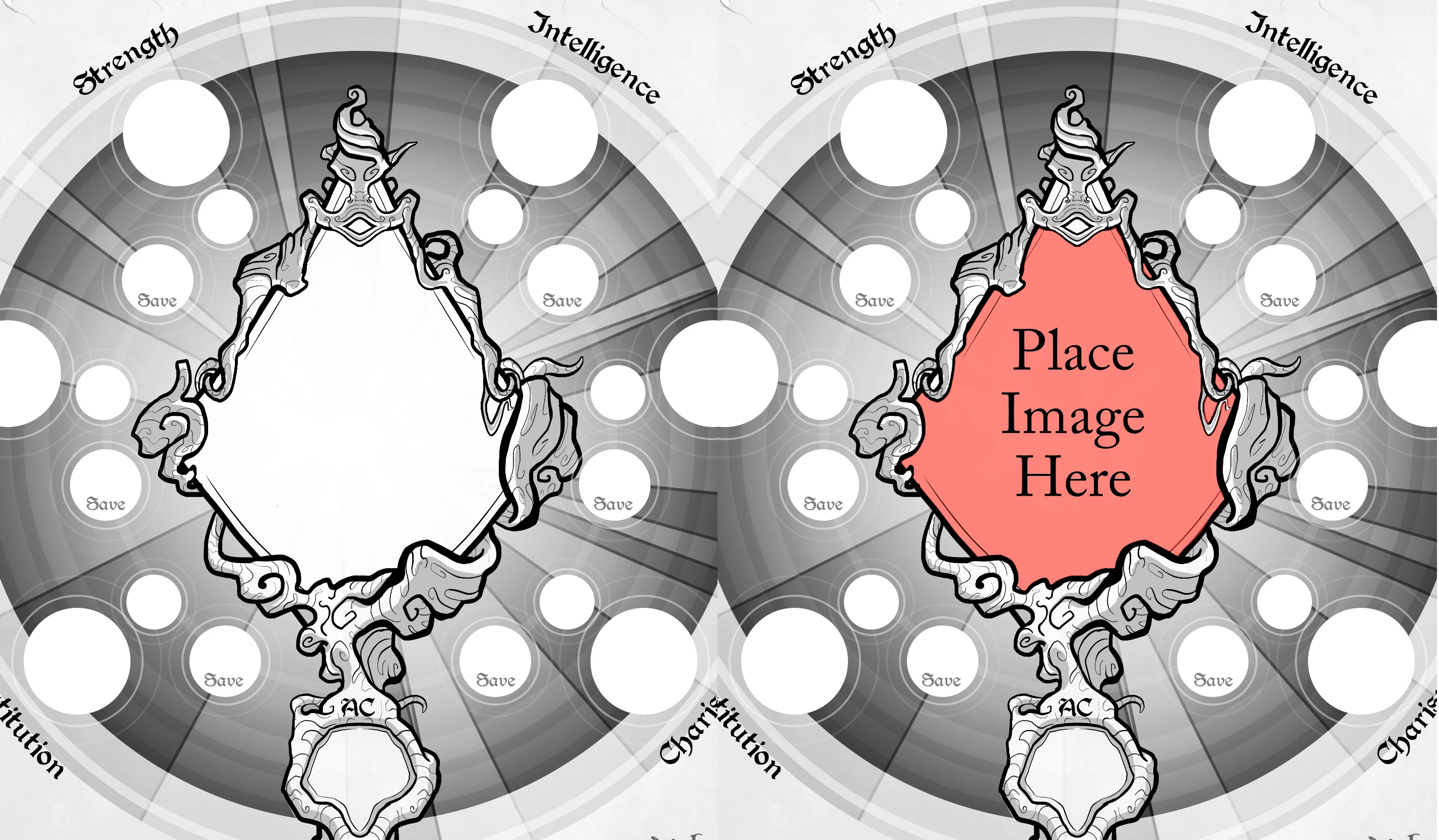


I'm expecting this to require a bit of coding which I am admittedly a novice at but think I could figure out with some help.


Any thoughts or help would be greatly appreciated.


Thanks!

    This topic has been closed for replies.

    1 reply

    Inspiring
    October 2, 2019

    It cold work with two overlapping buttons. The first would be the one that displays the image you want, and the other would include that graphic you show surrounding it. Both buttons should be read-only. The center area would have to be transparent and you'd have to provide some means other than clicking the first button to prompt the user to import an image.

    Participant
    October 2, 2019
    Okay I think the 2 button overlay is working. I've added a button elsewhere that the user can click to access the portrait below. I just don't know the javascript for that. How do I make a button interact with another button on my page?
    Inspiring
    October 2, 2019

    Something like this in the Mouse Up event of the button that you added:


    // Get a reference to the button used to display the image

    var f = getField("image_button");


    // Propmt the user to select an image

    f.buttonImportIcon();


    That's a bearbones script. You could add additional code to handle errors. More information: https://help.adobe.com/en_US/acrobat/acrobat_dc_sdk/2015/HTMLHelp/#t=Acro12_MasterBook%2FJS_API_AcroJS%2FField_methods.htm%23TOC_buttonImportIconbc-4&rhtocid=_6_1_8_31_2_3