Participant
March 3, 2026
Question

installing reader on win 10 32 bit running as a VM

  • March 3, 2026
  • 1 reply
  • 57 views

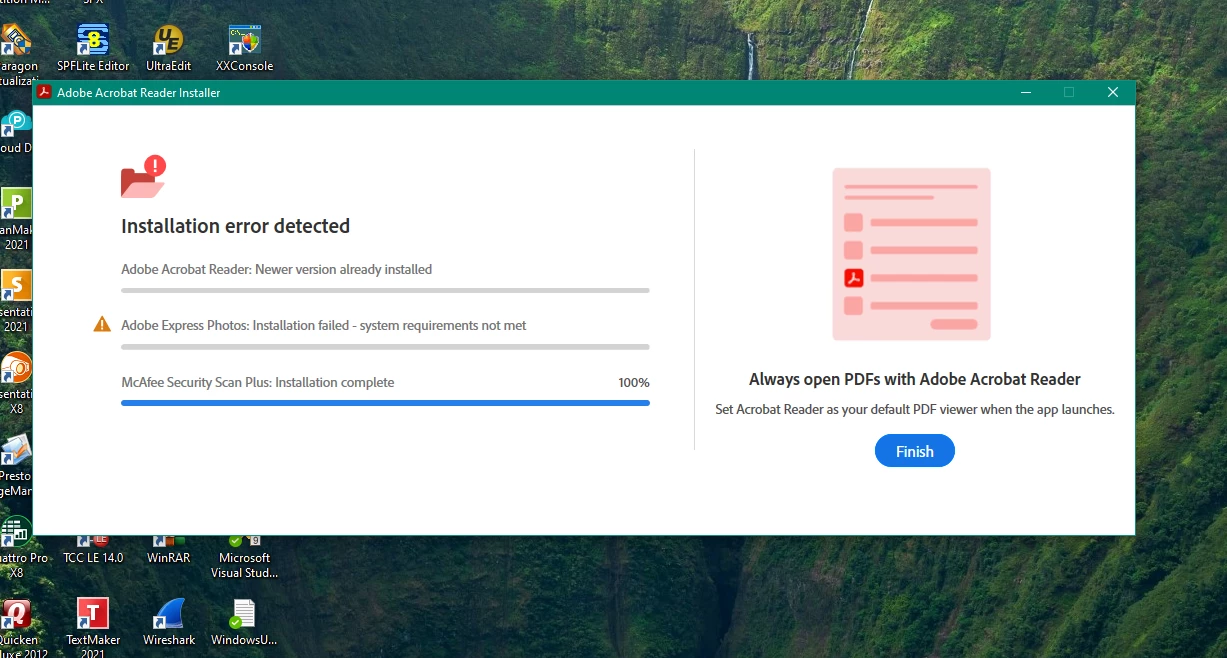
I run the   32 bit installer (Reader_en_install)  and   I get a message that adobe is alread installed  --- but it is not   in ends in  these 2   screens 
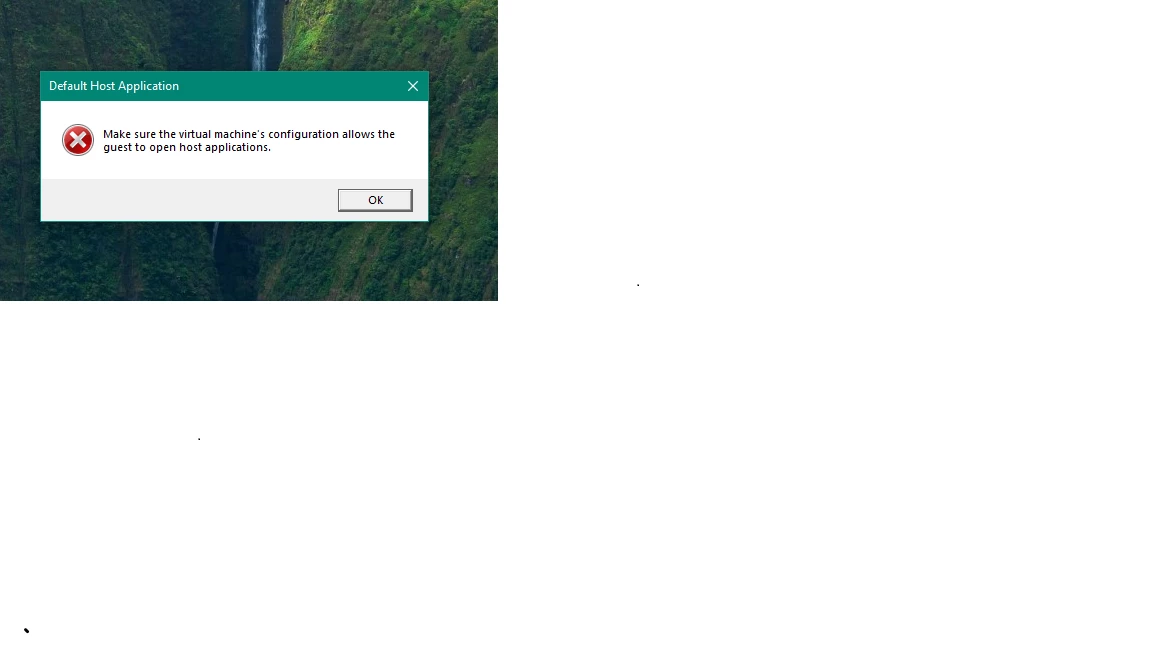
what does this mean 
there is no adobe  folder in “program files” 


    1 reply

    creative explorer
    Community Expert
    Community Expert
    March 4, 2026

    @fpe2fpe Run the Adobe Cleaner Tool to make sure no past hidden files and previous trial versions are still there. https://www.adobe.com/devnet-docs/acrobatetk/tools/Labs/cleaner.html. Select Reader, Pro and any else that is Acrobat related as the product. Even if it says nothing is found, proceed with the cleanup. Once done, you must restart the VM after running the tool, or the registry won't release the lock on those keys. 

    Make sure you download the correct 32 bit not the 64 bit.Download a brand new installer, not the one you previously downloaded.  https://get.adobe.com/ca/reader/enterprise/​​​​​​


    m
    fpe2fpeAuthor
    Participant
    March 4, 2026

    Hello — The installer for win32 it total

    y mess up. 

    Ok, I ran the cleaner many times.  I followed the website and download the win 32bit installer  

    Reader_en_install.exe

    This is not work —   it did not install anything  — 

    I followed the links in the post and foumd the offline installer 

    AcroRdrDC2500121223_en_US.exe

    The first time I   rand this it failed (photo)   —I tried again — ran the cleaner then the offline installer  

    It worked this this time but Its not clear if I instlled the reader or some pro trial 

    All this is not worth the time — will find an alternative 

    creative explorer
    Community Expert
    Community Expert
    March 4, 2026

    @fpe2fpe it’s a 300MB file. Good luck then finding a more secured app than Adobe. If security isn’t an issue, there are a bunch for free. Hopefully, you have a virus scanner on hand! 

    m